








About VWO Personalize
What is VWO Personalize?
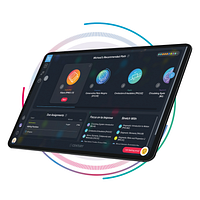
VWO Personalize enables marketers and growth teams to craft, launch and optimise personalised experiences on websites by leveraging behavioral data (scroll, clicks, time on page), visitor properties (browser, OS, device, country), uploaded attributes and integration data from CDPs/CRM. With VWO’s visual editor, widget library and code editor, users can build multiple experiences for each audience segment — including control (holdback) groups for measurement. The platform allows defining intricate targeting conditions, triggering experiences based on event-rules, real-time segmentation, and deep measurement of campaign impact.
Key Features of VWO Personalize
Capture visitor data from browser attributes, behavior events, uploaded lists and third-party integrations to build segments and target experiences accordingly.
Use a WYSIWYG visual editor or drag-and-drop widget library (or code editor) to create personalized banners, overlays or layouts for different audiences without heavy dev work.
Define separate experiences for different segments—including holdback (control) groups—to compare and measure impact of personalization campaigns.
Launch experiences based on specific triggers (scroll depth, time on page, event happened) and layer experiences for overlapping segments based on priority or random allocation.
Monitor personalised campaign performance, apply filters, compare segment results, and measure uplift versus baseline using the reporting dashboard.