

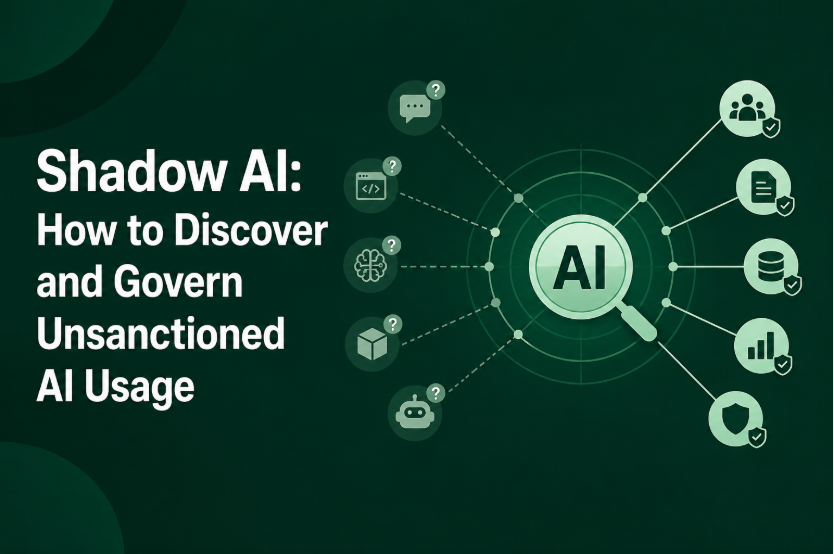
Shadow AI is no longer limited to employees opening ChatGPT without telling IT.
AI usage now appears through SaaS applications, browser extensions, coding assistants, direct model APIs, local models, AI agents, and MCP connections. Some of these tools are easy to spot. Others can operate inside applications the company has already approved.
That makes Shadow AI discovery an inventory problem before it becomes a blocking problem.
Security teams need to know which AI tools exist, who is using them, what data can reach them, what capabilities they have, and whether someone inside the business owns the use case. A single security product rarely sees all of those signals.
Microsoft’s current Shadow AI discovery capabilities, for example, can identify AI applications, model-provider APIs and SaaS MCP servers from network traffic, while deeper inspection provides additional visibility into generative AI interactions.
A practical program therefore needs several discovery sources working together.
Why Shadow AI Is a Board-Level Problem
The risk is not simply that an employee uses an unapproved AI chatbot.
The larger problem is that security teams may not know where company data is going, which vendors are receiving it, or what AI capabilities employees have connected to internal systems.
An employee using an AI tool to rewrite publicly available copy is very different from an employee uploading customer records, source code, financial information, or internal documents.
The same AI application can therefore represent very different levels of risk depending on its use.
IBM’s 2025 research found that 63% of organizations lacked AI governance policies addressing AI or Shadow AI proliferation. The research also reported that 34% of organizations with AI governance policies performed regular audits for unsanctioned AI.
There is another complication emerging quickly: AI agents.
An employee may not directly use an AI application at all. An agent can interact with APIs, MCP servers, SaaS applications, databases, or other tools on the employee’s behalf. Microsoft’s current security documentation already treats AI agent discovery and shadow agents as a distinct visibility problem.
That changes the inventory security teams need to maintain.
Shadow AI
   |
   +-- AI chat applications
   +-- AI SaaS features
   +-- Browser extensions
   +-- Coding assistants
   +-- Direct model APIs
   +-- Local models
   +-- AI agents
   +-- MCP servers
There is also an easily missed category: AI inside an application that was already approved.
An approved CRM, productivity platform, or developer tool can introduce a new AI feature later. The application may remain on the approved software list while its data flows and capabilities change.
The approval of the application does not automatically mean every AI capability inside it has been assessed.
Discovery Methods
The most reliable Shadow AI discovery programs combine several signals. Each one answers a different part of the inventory problem.
Network and DNS
Network traffic is one of the fastest places to start.
Security teams can look for connections to known AI services, model providers, APIs, and other AI infrastructure through DNS, secure web gateways, proxies, firewall logs, and related network telemetry.
This can reveal applications that users access without going through corporate procurement or SSO.
The limitation is equally important. Network visibility can show that a device connected to an AI service, but it does not necessarily tell you what happened inside the session.
A connection to ChatGPT does not tell you whether the employee asked for a recipe or uploaded confidential source code.
Microsoft’s Shadow AI discovery documentation illustrates this distinction by separating application discovery from deeper generative AI inspection.
CASB and SaaS discovery
A CASB can provide useful visibility into cloud applications, including AI services accessed through corporate environments.
It can help answer:
- Which AI SaaS applications are being used?
- Which users are accessing them?
- How frequently?
- Are they sanctioned?
- What risk information is available about the application?
But CASB coverage is not the entire Shadow AI inventory.
Direct API calls, local models, desktop applications, browser extensions, and AI capabilities embedded inside another SaaS platform can require other telemetry.
Identity and OAuth
Identity data adds context that network logs cannot provide on their own.
Review:
- SSO applications
- OAuth grants
- enterprise application registrations
- connected third-party applications
- personal accounts where corporate identity controls do not apply
An OAuth connection can be particularly important because it may tell you that an AI service has been granted access to another business application.
That is a very different risk from someone simply visiting an AI website.
Endpoint and Browser
Endpoint telemetry can uncover AI software that never appears in SaaS discovery.
Look for:
- AI desktop applications
- coding assistants
- local model runtimes
- agent frameworks
- browser extensions
- developer tools
- unusual AI-related processes
Browser management is useful for web-based usage and extensions, while EDR or endpoint management can reveal software installed locally.
Neither gives complete coverage alone.
Code and API Discovery
Developers can introduce AI usage directly into applications.
Repository scanning and software composition analysis can reveal:
- AI SDKs
- provider libraries
- model APIs
- API keys
- AI-related packages
Runtime monitoring is still necessary because code discovery tells you what exists in the codebase, not necessarily what is currently being used.
Procurement and Expense Data
Finance and procurement records are an underrated discovery source.
Paid AI subscriptions can reveal tools that never appeared in the official software inventory.
They will not catch everything. Free services, personal accounts, trial subscriptions, and services paid through individual expenses can remain invisible.
That is why procurement data should be treated as another signal, not the master inventory.
The Shadow AI Coverage Matrix
The practical problem becomes clearer when the discovery sources are placed side by side.
| Discovery signal | Good at finding | Common blind spot |
|---|---|---|
| DNS / network | AI destinations and traffic | Prompt content |
| CASB | SaaS AI usage | Local AI and some direct APIs |
| SSO / OAuth | Corporate identity connections | Personal accounts |
| Endpoint | Local AI software and agents | SaaS-only activity |
| Browser | Extensions and web usage | Native applications |
| DLP | Sensitive data movement | AI usage without sensitive data |
| Code scanning | AI APIs and SDKs | Runtime-only connections |
| Procurement | Paid AI services | Free or personal usage |
This is one of the most important points for a Shadow AI program: no single discovery method gives complete visibility.
The goal is not to find one perfect tool. It is to correlate enough signals to build a useful AI asset inventory.
Tooling Options
Before buying another security platform, check what the existing stack can already see.
A company with a secure web gateway may already have useful AI domain visibility. A CASB may already identify SaaS usage. The identity platform may contain OAuth information, while EDR can expose local AI applications.
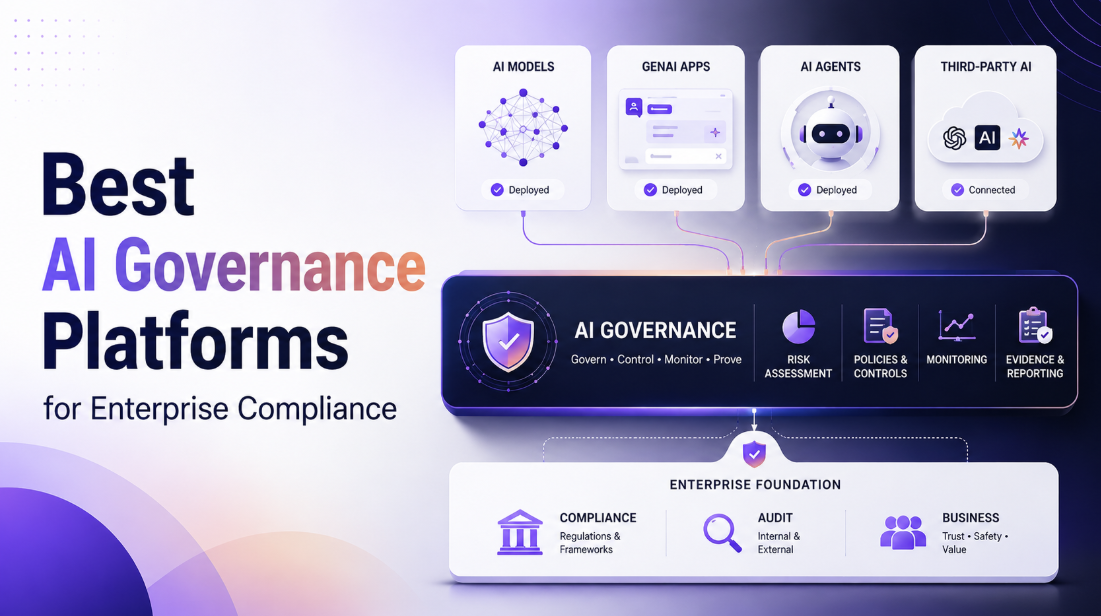
The remaining gaps determine whether a dedicated Shadow AI tool is justified. For organizations that need to turn that inventory into ongoing risk assessment, policy enforcement, evidence, and reporting, AI governance platforms can provide the broader governance layer.
A useful inventory should contain more than the application name.
| Inventory field | Example |
|---|---|
| AI tool | ChatGPT |
| Discovery source | Network |
| Users | Marketing team |
| Account | Personal |
| Business purpose | Content creation |
| Data involved | Internal documents |
| Connected systems | None |
| Risk | High |
| Owner | Marketing |
| Policy | Review |
| Next action | Move to approved enterprise account |
This is much more useful than reporting that “86 AI tools were discovered.”
The security team needs to know what each finding means and who is responsible for resolving it.
Dedicated Shadow AI platforms become more useful when existing tools leave significant gaps across network, identity, endpoint, SaaS, agent, or AI-specific activity.
They can also become valuable when the organization needs continuous AI discovery rather than a one-time inventory exercise.
Policy Design That People Follow
A Shadow AI policy does not need to classify every AI product as simply allowed or blocked.
A four-level model is easier to operate:
| Status | Meaning |
|---|---|
| Sanction | Approved for defined business use |
| Govern | Allowed with specific controls |
| Restrict | Limited to certain users, data, or workflows |
| Block | Prohibited because the risk cannot be sufficiently controlled |
For example, an organization might allow an enterprise AI assistant for general business work while prohibiting customer PII and source code from being entered into it.
Another service might be acceptable for research but require a corporate account and DLP controls.
This approach also gives security teams a better way to handle legitimate demand.
If employees need AI for summarization, coding, translation, research, or document analysis, simply blocking a popular service does not remove the business requirement. Employees may look for another service that security cannot see.
An approved alternative makes the safer behavior easier.
The policy should also explicitly address newer AI capabilities:
- AI connectors
- agents
- MCP servers
- browser extensions
- local models
- direct model APIs
- AI features inside approved SaaS
The last category deserves particular attention. An application can remain approved while its AI functionality changes the data it processes or the actions it can perform. These decisions also need to connect with the organization’s broader AI risk-management process, including ownership, controls, evidence, and periodic review.
Rollout Playbook
A Shadow AI program does not need to begin with an organization-wide blocklist.
First 30 days: Discover
Build the initial inventory.
Pull data from:
- network and SWG
- CASB
- SSO and OAuth
- endpoint management
- browser management
- DLP
- repositories
- procurement
Deduplicate the results and assign owners where possible.
At this stage, the objective is visibility, not perfect classification.
Days 30 to 60: Classify
Group discovered AI usage into:
- approved
- review
- restricted
- prohibited
Then add context.
Who uses the tool? What is the business purpose? What data can reach it? Does it connect to another application? Does it execute actions?
A harmless-looking chatbot and an autonomous agent connected to customer systems should not receive the same risk rating.
Days 60 to 90: Enforce
Start applying controls to the highest-risk findings.
That might mean:
- blocking specific services
- restricting personal accounts
- requiring corporate accounts
- applying DLP policies
- restricting sensitive data
- approving specific AI tools
- limiting OAuth permissions
- controlling AI browser extensions
- requiring additional review for agents and MCP connections
Pilot important policies before applying them broadly. Microsoft’s current guidance similarly recommends discovering AI applications, assessing risk, and piloting content policies before wider enforcement.
Ongoing: Monitor
Shadow AI discovery should not be treated as an annual audit.
New AI services appear quickly. Existing applications add AI features. Employees change tools. Agents and connectors introduce new data paths.
Track new applications, new users, new OAuth connections, new agents, and policy violations continuously.
The inventory should have an owner and an update process.
Metrics to Report Upward
A board does not need a raw count of every AI request.
The useful metrics fall into four groups.
Coverage
- Percentage of endpoints monitored
- Percentage of network traffic visible
- Percentage of AI applications with an assigned owner
- Percentage of AI usage covered by policy
Adoption
- AI applications discovered
- Active users
- Usage by department
- New AI applications discovered each month
Risk
- High-risk AI applications
- Sensitive-data events
- Personal-account usage
- Unapproved OAuth connections
- Unmanaged agents
- Unapproved MCP connections
Remediation
- Applications sanctioned
- Applications restricted
- Applications blocked
- Users migrated to approved alternatives
- Open exceptions
- Average time to review a finding
A simple board view could look like this:
SHADOW AI RISK

AI tools discovered        86
Sanctioned                  42
Under review                18
Restricted                  15
Prohibited                  11

High-risk findings           9
Sensitive-data events        3
Unresolved exceptions        7

Governance coverage         78%
The numbers should come from the organization’s own telemetry. The value of the dashboard is the relationship between discovery, exposure, and remediation.
Shadow AI Is Expanding to Agents and MCP
The traditional Shadow AI inventory was mostly a list of applications.
That model is becoming incomplete.
AI agents can call tools and APIs. MCP can connect AI systems with external servers and capabilities. Local agents can operate from employee devices without looking like conventional SaaS applications.
Microsoft’s current AI Agent Discovery documentation specifically describes discovering managed and shadow AI agents and associating activity with users, devices, and processes.
Microsoft also documents monitoring for unsanctioned MCP server access.
That means an enterprise AI inventory increasingly looks like this:
AI ASSET INVENTORY

Applications
    |
    +-- Chatbots
    +-- AI SaaS
    +-- Coding tools
    +-- Browser extensions

Infrastructure
    |
    +-- Model APIs
    +-- Local models
    +-- AI runtimes

Agents
    |
    +-- Autonomous agents
    +-- Agent frameworks
    +-- MCP clients
    +-- MCP servers
The security implication is straightforward. An AI tool with no access to business systems presents a different governance problem from an agent that can read customer records and execute actions.
That capability needs to be part of the inventory.
FAQs
How do I find unsanctioned AI tools?
Start by combining network and secure web gateway logs, CASB or SaaS discovery, SSO and OAuth records, endpoint and browser telemetry, repository scans, and procurement data. Each source catches different forms of AI usage, so correlation is more reliable than relying on one discovery tool.
Can a CASB detect ChatGPT usage?
A CASB can identify many cloud AI applications and their usage, depending on its integrations and deployment. It may not provide complete visibility into local models, direct API calls, browser extensions, or prompt content. Application discovery and deeper inspection are separate capabilities.
Should we block or govern Shadow AI?
Use a risk-based approach. Clearly prohibited or high-risk uses should be blocked, while legitimate business use can often be sanctioned or governed with controls such as corporate accounts, DLP, data restrictions, and approved connectors. Providing a safe alternative is important when employees have a genuine business need for AI.
What do we report to the board?
Report AI adoption, the number of discovered and sanctioned tools, high-risk findings, sensitive-data exposure, unresolved exceptions, governance coverage, and remediation trends. These metrics show the organization’s exposure and progress more clearly than raw AI traffic counts.
The key takeaway
Shadow AI discovery should not end with a list of websites employees visited.
A useful program connects the AI application to the user, account, data path, capability, business owner, and policy decision. Network logs might provide the first signal. Identity, endpoint, CASB, DLP, code, and procurement data fill in the gaps.
That is what turns Shadow AI from an unknown category of risk into something security teams can actually manage.
The bigger shift is already underway. AI applications are becoming agents, approved SaaS products are gaining new AI capabilities, and MCP is creating additional connections between models and business systems. The organizations that build an AI asset inventory now will have a much easier time governing those changes later.
Leave a Reply