

A meeting transcript can be accurate and still leave a team with the wrong takeaway. A customer raises a pricing concern, two people agree to follow up, and the meeting ends. If the summary misses the concern or assigns the task to nobody, the recording has saved little time.
The best AI meeting assistants do more than transcribe conversations. They help teams recover decisions, assign next steps, search previous discussions and move information into tools such as CRMs and project managers. This guide compares eight options by workflow, capture method, integrations, privacy considerations and pricing, so you can choose based on what happens before and after a call.
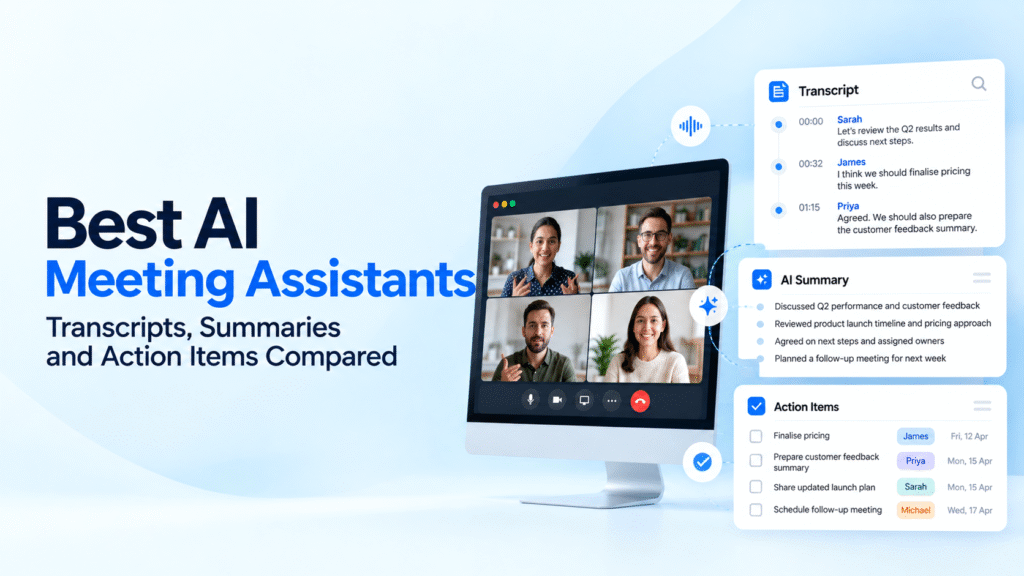
Table of Contents
What We Compared and How to Test These Tools
This guide compares documented product capabilities, not the results of a completed hands-on benchmark. To make a defensible performance ranking, each tool should process the same consented meeting recordings, with the same speakers, interruptions, accents and technical terminology.
Transcription: Compare names, numbers, product terms, speaker attribution and words lost during interruptions. Calculate word error rate against a manually checked reference transcript if you want a measurable accuracy result.
Summary quality: Check whether the tool preserves decisions, objections, unresolved questions and important context. A short summary is not necessarily a useful one.
Action items: Record whether each task has the correct owner, deadline and context. Count missed actions and tasks that the speakers never agreed to.
Workflow and privacy: Check CRM or project-management updates, search across earlier meetings, recording visibility, consent controls, retention settings and administrator permissions.
Keep the source recordings, prompts, reference transcript and scoring sheet. Until this test is completed, differences below reflect product positioning and documented features rather than measured accuracy or a verified winner.
Best AI Meeting Assistants at a Glance
| Tool | Best fit | Key distinction | What to check |
|---|---|---|---|
| Fireflies.ai | Sales and operations teams | Meeting search and workflow automation | AI credits and integrations |
| Otter.ai | Live transcription and searchable notes | Live transcript and collaboration | Recording-minute limits |
| Fathom | Individuals and meeting-heavy teams | Recording, summaries and follow-up | Advanced features by plan |
| Granola | People who prefer bot-free capture | Notes from device audio | Platform and team requirements |
| Fellow | Teams managing meetings and tasks | Meeting agendas and action follow-through | AI note allowances |
| tl;dv | Distributed and cross-platform teams | Meeting recordings and reusable highlights | AI and integration limits |
| Read AI | Meeting summaries and analytics | Meeting metrics and follow-up insights | Recording permissions and privacy |
| Zoom AI Companion | Organisations already using Zoom | Native meeting-platform integration | Plan eligibility and admin settings |
Best AI Meeting Assistants in 2026
1. Fireflies.ai
Best for: Sales and operations teams that need searchable meeting records and automated follow-up.
Fireflies combines meeting transcription and summaries with search and integrations. Teams can retrieve information from earlier conversations and connect meeting outputs with business applications. That makes it relevant when meeting notes need to become part of a sales, customer-success or operations workflow rather than remain in a separate archive.
For a sales team, the useful question is whether a recorded customer call can produce the right objection, next step and CRM update without a representative having to rewrite the notes. Fireflies is worth evaluating for that full workflow.
Pricing: A free plan and paid plans are available. Compare AI credits, storage, integrations and advanced features on the current pricing page.
Key limitation: More automation creates more places for an incorrect summary or task to travel. Review important CRM updates and confirm that the integrations and permissions fit your workflow.
2. Otter.ai
Best for: Teams that prioritise live transcription and searchable meeting notes.
Otter supports live transcription, speaker identification, meeting summaries and collaboration around notes. Its searchable transcript is useful when a team needs to find the exact point where a decision or commitment was discussed.
It is a practical candidate for recurring interviews, internal meetings and discussions where people need to review the wording later. Buyers should pay attention to how the tool handles names, numbers, overlapping speech and domain-specific terms during their own evaluation.
Pricing: Otter offers a free Basic plan and paid plans. Its published limits include monthly transcription minutes and restrictions on individual recordings or file imports, depending on the tier.
Key limitation: Minute and import limits can matter for teams with long or frequent calls. Calculate expected usage before selecting a plan.
3. Fathom
Best for: Individuals and teams that want meeting recordings, summaries and follow-up support.
Fathom offers meeting recording, transcription, summaries and search, with additional capabilities for action items, collaboration and CRM workflows on relevant plans. Its free individual offering makes it a candidate for users who want to evaluate a meeting assistant before committing to a subscription.
For a small team, the decision is whether the free workflow covers the actual need or whether custom summaries, shared team features and CRM field updates justify a paid plan.
Pricing: Fathom has a free individual plan and paid options for individuals and teams. Pricing and included features vary by plan and billing frequency.
Key limitation: Do not assume every advanced summary, automation or team feature is included in the free plan. Check the feature matrix against the intended workflow.
4. Granola
Best for: Users who prefer meeting notes without a separate bot appearing in the call.
Granola captures meeting audio from the user's device and helps turn it into structured notes. Its approach is different from a traditional meeting bot that joins as a visible participant. That distinction can matter for user experience, although it does not remove the need to follow recording laws, workplace policies or participant-consent requirements.
Granola may suit founders, managers and individual contributors who want notes without changing the participant list. Teams should check device compatibility, collaboration needs and how notes are shared before rolling it out.
Pricing: Granola lists a free Basic plan, a Business plan and an Enterprise plan. Paid tiers add capabilities such as expanded history, integrations and administrative controls.
Key limitation: Bot-free capture is not the same as invisible or consent-free recording. Make recording practices clear to participants and verify the product's current platform support.
5. Fellow
Best for: Teams that want meeting notes connected to agendas, responsibilities and follow-up.
Fellow combines meeting management with AI-generated transcription, summaries and action items. Its value is strongest when a team needs to connect what was discussed with what someone must do next, rather than simply preserve a transcript.
Project-management integrations and shared meeting workflows can help teams follow commitments across recurring meetings. For a fair evaluation, check whether the generated actions include the correct owner and whether due dates and task updates can be managed in the tools the team already uses.
Pricing: Fellow has a free tier and paid plans for teams and organisations. AI recording and transcription allowances differ by plan.
Key limitation: The free tier's note and recording allowances may be too limited for regular team use. Confirm the number of included AI notes and available integrations.
6. tl;dv
Best for: Distributed teams that need recordings, highlights and reusable meeting knowledge.
tl;dv focuses on recording and transcribing meetings, creating summaries and helping teams revisit important moments. This is useful when colleagues cannot attend every call or need to share a specific discussion without asking someone to replay a full recording.
Teams should evaluate how easily they can find the right moment, share a clip, and connect meeting insights with CRM or collaboration workflows. Cross-meeting search and AI features should be checked against the chosen plan.
Pricing: A free plan is available, with paid tiers offering additional AI capabilities and integrations. Confirm current limits and billing terms.
Key limitation: A useful clip or summary still needs context. Ensure that shared highlights do not omit qualifications or decisions made later in the conversation.
7. Read AI
Best for: Teams interested in meeting summaries, highlights and meeting analytics.
Read AI generates transcripts, summaries, action items and meeting insights. It also offers analytics that can help users review how meetings unfold. These features make it relevant to people who want more than a written recap.
Before adoption, decide whether meeting analytics are genuinely useful to the team and how they will be interpreted. A metric should inform a conversation, not become an unsupported judgement about an employee or customer.
Pricing: Read AI offers free and paid plans. Its current pricing page outlines differences in meeting limits, integrations, workspaces and enterprise controls.
Key limitation: Meeting content can contain sensitive information. Review the provider's privacy policy, retention controls, sharing defaults and consent process before enabling automatic capture.
8. Zoom AI Companion
Best for: Organisations that already use Zoom and want meeting assistance within that environment.
Zoom AI Companion provides AI capabilities within Zoom's collaboration products, including meeting-related summaries and follow-up assistance where supported. Its main advantage is platform integration: eligible users may be able to use AI features without introducing a separate meeting-notetaker vendor.
For an organisation already standardised on Zoom, compare the included capabilities with the cost and governance requirements of an additional tool. The decision should account for the meeting platforms employees actually use, not only the features available in Zoom.
Pricing: Availability depends on the Zoom Workplace plan, region and feature eligibility. Confirm current inclusion and any add-on requirements with Zoom.
Key limitation: It is less suitable as a single cross-platform solution if the organisation regularly works across several meeting services. Check feature availability and administrator controls.
Transcription Accuracy Is Only One Part of the Decision
A meeting assistant can transcribe every sentence correctly and still produce a poor summary. The summary may miss a decision, turn a suggestion into a commitment or assign a task to the wrong person.
Use a controlled test to compare three separate outputs:
- Transcript: Are names, figures, speaker changes and technical terms correct?
- Summary: Does it preserve the key decisions, objections and unresolved questions?
- Actions: Are owners, deadlines and commitments supported by the recording?
Then test downstream behaviour. Does the assistant update the intended CRM record, create the correct task or let a colleague find a decision from an earlier meeting? These are measurable workflow outcomes, unlike a general claim that a tool saves time.
Privacy and Data Retention: What Buyers Should Check
Meeting assistants may process voices, names, customer details, internal plans and confidential discussions. Before enabling automatic recording, tell participants what is being captured and follow the applicable consent requirements and workplace policies.
Ask each vendor about audio and transcript retention, deletion controls, access permissions, AI-training settings, data-processing terms and administrator visibility. For sensitive meetings, verify contractual and regulatory requirements directly with the provider instead of relying on a marketing badge.
Also check whether a bot joins the meeting or the application captures device audio. The capture method changes the user experience, but neither approach should be treated as a substitute for appropriate notice and permission.
Pricing: Compare the Real Cost of Your Workflow
Free plans are useful for initial evaluation, but limits can change the economics of a team deployment. Compare meeting caps, transcription minutes, storage, AI credits, user seats, integrations and the features required for CRM or project-management automation.
For example, a solo user who needs summaries may not need a team plan. A sales organisation that wants automatic CRM updates, shared search and administrator controls may need a higher tier. Calculate the monthly cost for the number of people who will use the tool and the volume of meetings they will process.
Check the official Fathom pricing page and Granola pricing page for current plan details. Prices, feature entitlements and usage limits can change.
Which AI Meeting Assistant Should You Choose?
For searchable sales conversations and automation: Evaluate Fireflies.ai, especially if CRM updates and cross-meeting search are central to the workflow.
For live transcription: Compare Otter.ai against the actual accents, terminology and meeting conditions your team encounters.
For individual note-taking: Start with Fathom or Granola, then compare their capture methods, free-plan limits and sharing features.
For structured team follow-up: Consider Fellow if meeting agendas, task ownership and project-management connections are important.
For reusable meeting clips and knowledge: Evaluate tl;dv. For meeting analytics, assess Read AI. For organisations committed to Zoom, test Zoom AI Companion before buying another platform.
Sales teams considering a broader software stack can also explore our guides to AI tools for sales leaders and AI tools for sales teams. Smaller organisations may find our guide to AI tools for small businesses useful for evaluating adjacent workflows.
FAQs
What is the best AI meeting assistant in 2026?
The right choice depends on the workflow. Fireflies.ai is worth evaluating for search and automation, Otter.ai for live transcription, Fathom for recording and summaries, Granola for bot-free capture, Fellow for meeting follow-through, tl;dv for reusable highlights, Read AI for meeting analytics and Zoom AI Companion for Zoom users.
Which AI meeting assistant has the best transcription accuracy?
That cannot be established reliably without testing the same recordings against a manually checked transcript. Accuracy can vary with accents, background noise, interruptions, speaker overlap and technical vocabulary. Run a controlled comparison before naming a winner.
Are AI meeting assistants allowed to record meetings?
Requirements depend on the jurisdiction, workplace policy and type of meeting. Inform participants, obtain required consent and check your organisation's rules before recording or processing meeting content.
Can AI meeting assistants update a CRM automatically?
Some products offer CRM integrations and automated updates on supported plans. Confirm which CRM fields can be updated, what triggers the automation and whether a user can review changes before they are saved.
Are free AI meeting assistants enough for business use?
They may be sufficient for individuals or low meeting volumes. Teams should check recording limits, AI credits, storage, sharing, security controls and the cost of the integrations they need before rolling a tool out.
Final Verdict
The strongest AI meeting assistant is the one that reliably turns a conversation into useful, verifiable follow-through. Transcription matters, but so do decision capture, task ownership, search, integrations and data governance.
Shortlist tools based on your meeting platform and workflow, then test them on the same consented recordings. Measure transcript errors, missed decisions, incorrect action items and downstream updates. Until that comparison is completed, treat product capabilities as reasons to evaluate a tool, not proof that it outperforms the alternatives.


