

A Claude Code session can stop in the middle of a task when you reach your usage limit. This can happen while debugging an issue, editing several files, or asking Claude to review a codebase. The reason isn't always the same: you might have exhausted your subscription allowance, hit an API rate limit, or run out of context.
Claude Code usage depends on how you sign in, which model you use, and the work you're doing. Pro and Max subscribers have usage allowances shared with Claude's other interfaces. API users are billed separately based on consumption.
If you've encountered a Claude Code rate limit reached or rate limit exceeded message, the first step is to identify which limit you've hit. That determines whether you need to wait, manage your session, or check your billing settings.
Quick answer: Claude Code has usage limits for subscription users, including a rolling five-hour window and weekly limits on paid plans. API users have separate rate limits. When a subscription limit is reached, you can wait for it to reset or use an available option such as a limit reset or usage credits.
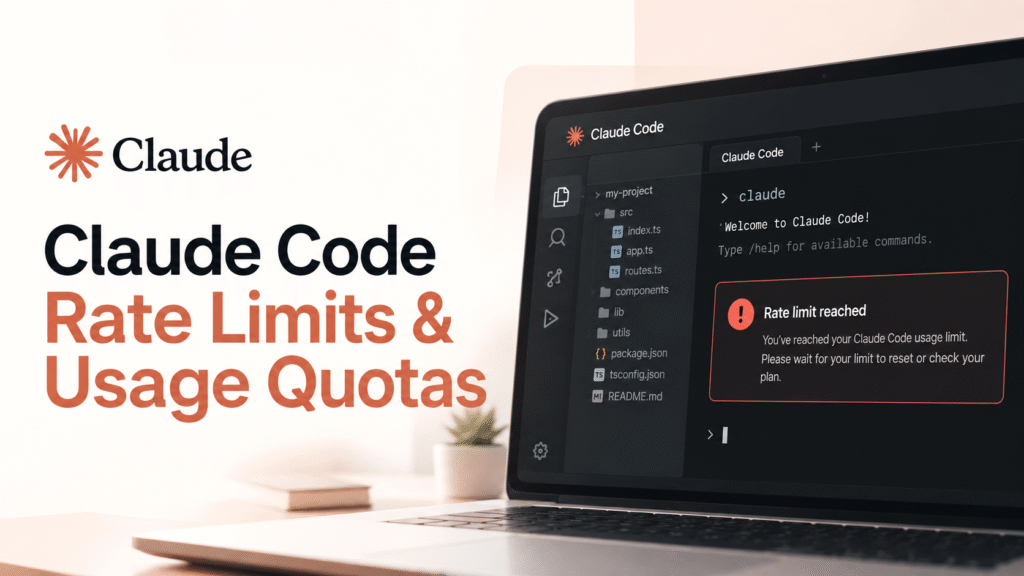
Table of Contents
How Do Claude Code Rate Limits Work?
Claude Code doesn't have one universal usage allowance. The limits depend on your account and how you access the tool.
If you sign in with an eligible Claude subscription, your usage comes from the allowance included in that plan. On individual Pro and Max plans, Claude Code shares that allowance with Claude on the web, desktop, and mobile. Spending time chatting with Claude outside the terminal can therefore leave you with less capacity for coding.
Subscription limits include a rolling five-hour session window. Paid plans also have weekly limits. The amount of work you can complete within those limits varies. A small code edit and a lengthy debugging session won't necessarily consume the same amount of usage.
API access works differently. Requests made using an API key are billed based on consumption. API users may encounter request or token rate limits, but those are separate from subscription quotas.
Claude Code Usage Limits by Plan
Claude Code is available through several subscription plans and API access. The allowances differ, so a plan comparison is more useful than a single prompt-count estimate.
| Plan | Claude Code usage |
|---|---|
| Pro | Included, with subscription usage limits |
| Max 5x | Up to five times Pro's usage per session |
| Max 20x | Up to twenty times Pro's usage per session |
| Team Standard | Included usage with seat-specific limits |
| Team Premium | Higher usage allowance than Standard |
| Enterprise | Depends on the organization's plan and billing arrangement |
| API | Usage-based billing with separate rate limits |
These are differences in how the plans work, not guaranteed numbers of prompts. Actual usage depends on the model, conversation length, and task. Check Anthropic's pricing page for current plan details.
Why Does Claude Code Reach Its Usage Limit?
A common reason is the amount of work Claude Code handles during a session. Asking it to explain a function is different from asking it to inspect a large repository, trace a bug across multiple files, make changes, and run tests.
A few factors affect how quickly usage is consumed:
- Model choice: Different models can consume different amounts of your allowance.
- Conversation history: Long sessions may carry substantial context into later requests.
- Codebase size: Working across many files can require more information than a small, isolated change.
- Task complexity: Debugging and multi-step changes can involve more model activity than simple edits.
- Additional features: Tools and other features can add to the amount of information processed.
This also explains why two people on the same plan may reach their limits at different times. Anthropic does not publish a fixed prompt count that applies to every user.
Claude Code Rate Limit Reached: What Can You Do?
If Claude Code says you've reached your limit, you have a few options. Which ones are available depends on your account.
| Option | When to use it |
|---|---|
| Wait for the reset | When you don't need to continue immediately |
| Use a limit reset | When Anthropic has made a reset available for your account |
| Enable usage credits | When you want to continue beyond included usage and accept additional charges |
| Change your plan | When your current allowance regularly falls short |
| Use API billing | When you prefer usage-based billing and understand the separate costs |
Some paid users receive a limit reset option. It can restore the five-hour or weekly allowance, depending on the reset offered. To check, open Claude on the web or desktop, go to Settings > Usage, and look for the reset option. It isn't currently available directly in the Claude Code terminal or IDE.
Usage credits are different from a free reset. They allow eligible users to continue after using their included allowance, with subsequent usage billed at standard API rates. Check your spending settings before enabling them.
When Does the Claude Code Rate Limit Reset?
Claude Code subscription usage includes a rolling five-hour session window. Paid plans also have weekly limits, which reset separately.
The reset time depends on the limit you've reached. Rather than assuming that everyone resets at the same time, check the usage information in your Claude account. It shows your remaining usage and the relevant reset information.
If your account offers a limit reset, you may be able to restore your allowance before the regular reset. Keep in mind that using it is optional, and an offered reset may have an expiry date.
Claude Code Rate Limit Error: How to Fix It
Not every Claude Code error means you've used up your subscription allowance. Check the message and how you're authenticated before changing your plan.
| Error or symptom | Likely explanation | What to check |
|---|---|---|
| Usage limit reached | Your subscription allowance is exhausted | Check Settings > Usage and the reset time |
| API 429 error | An API request or token rate limit was exceeded | Check the error details and retry-after header |
| Context limit warning | The conversation has too much context | Use /compact or start a new session |
| Unexpected API charges | Claude Code may be using an API key | Check your authentication and environment variables |
For API requests, Anthropic measures rate limits using requests per minute, input tokens per minute, and output tokens per minute. When a rate limit is exceeded, the API can return a 429 error with a retry-after header. That header tells you how long to wait before retrying.
If you expected Claude Code to use your Pro or Max subscription but see API charges, check whether the ANTHROPIC_API_KEY environment variable is set. Claude Code may be using that key instead of your subscription login.
How to Reduce Claude Code Usage
You don't need to change your plan every time you approach a limit. A few changes to how you work can help reduce unnecessary usage.
Start a new session when you change tasks.
Use /clear if the current conversation is no longer relevant. This removes the old conversation history while preserving project files and instructions.
Use /compact when you need to continue.
If the conversation is still useful but has grown long, /compact summarizes its history to free up context.
Choose a suitable model.
Run /model to see the models available to your account and switch when appropriate. A routine code edit may not require the same model as a complicated debugging task.
Keep requests focused.
Instead of asking Claude Code to inspect an entire repository, identify the files related to the problem and ask it to start there.
Check your usage.
Use /status to review account and session information. For API usage, /cost can show the current session's cost.
These steps can help manage consumption, but they won't increase the allowance included in your subscription.
If you're comparing coding assistants or considering another tool, see ToolJunction's guide to AI coding tools.
FAQs
Why am I getting a Claude Code rate limit error?
You may have reached your subscription allowance or exceeded an API rate limit. Check whether you're signed in with a Claude subscription or an API key, then review the error message and your usage information.
How do I fix a Claude Code rate limit reached error?
For a subscription limit, wait for the displayed reset time or check whether your account has a limit reset or usage-credit option. For an API 429 error, inspect the response and wait for the period specified by retry-after.
Does Claude Code Pro have a rate limit?
Yes, Claude Code is included with Pro, but its usage is subject to subscription limits. Pro usage is shared across Claude and Claude Code, so activity in one can affect the allowance available in the other.
Can I reset my Claude Code rate limit?
Your regular usage resets according to the applicable usage window. Some eligible users also have a separate limit reset option in Claude's web or desktop app under Settings > Usage.
Does upgrading to Max remove Claude Code limits?
No, max plans provide higher usage allowances than Pro, but they still have limits. Max 5x and Max 20x offer different levels of usage capacity.
Is a Claude Code API rate limit the same as a subscription limit?
No. Subscription limits control usage included with a Claude plan. API rate limits restrict how many requests and tokens an API account can process over a period. API usage is billed separately.
Final Thoughts
Claude Code limits can interrupt a task, but the message doesn't always mean the same thing. A subscription limit, an API rate limit, and a context warning each require a different response.
Check your usage first. If you've reached a subscription limit, look at the reset time and any available options. If you're seeing an API error, check the rate-limit details. And if the conversation has simply become too large, try /compact or start a new session.
For account-specific details and the latest changes, refer to Anthropic's Claude Code usage and limits documentation.


