

Codex usage in 2026 is not controlled by one fixed message quota. Your available usage depends on your ChatGPT plan, the Codex model you use, the complexity of your task, whether the task runs locally or in the cloud, and your account's current usage allowance.
Depending on your plan, Codex can have both a five-hour usage window and a weekly allowance. The limits are based on usage rather than a guaranteed number of prompts. OpenAI also provides a Codex usage dashboard where you can see your remaining allowance and reset information. In the CLI, you can use /status to check your current usage.
If you reach your included allowance, available options can include waiting for the limit to reset, switching models, adding usage credits, applying an available reset, or upgrading your plan.
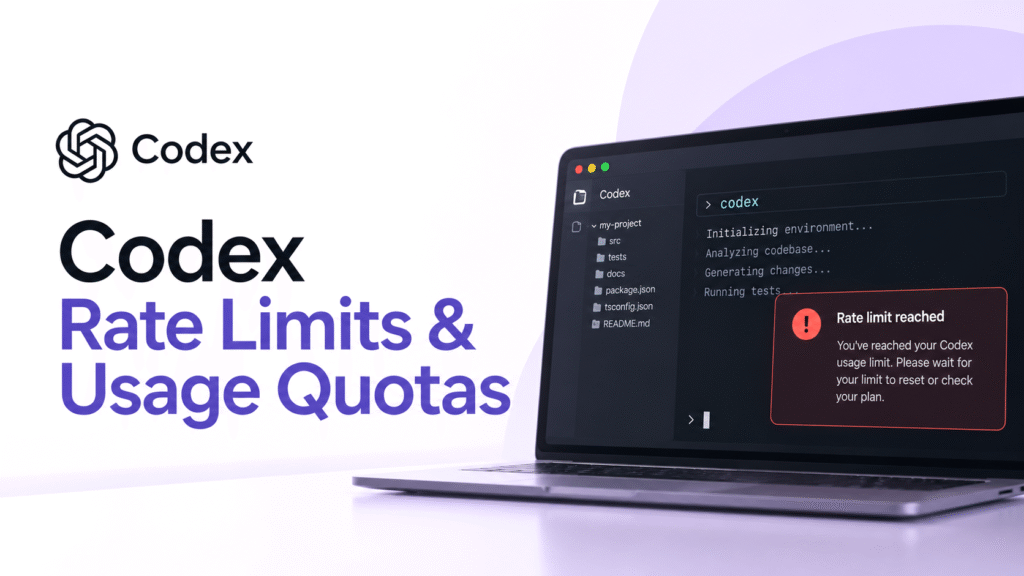
Table of Contents
How Do Codex Rate Limits Work?
Codex does not simply count every request as one unit.
OpenAI says the amount of work you can complete depends on factors such as the model, task, settings, reasoning, speed, and context. A short coding request can therefore consume considerably less allowance than a long-running agentic task that reads multiple files, modifies code, runs tests, and reasons through several iterations.
This is why asking, "How many Codex prompts do I get?" does not have one universal answer.
A better way to understand Codex usage is:
Plan → Model → Task complexity → Usage allowance → Five-hour/weekly limits → Reset or additional usage
Local Codex sessions and cloud chats also share the plan's usage allowance.
Codex rate limits vs. usage quotas
These terms are often used interchangeably, but they describe slightly different things.
| Term | What it means |
|---|---|
| Rate limit | A restriction on how much Codex usage is available during a particular period |
| Five-hour limit | The usage allowance available within a five-hour window on plans where this applies |
| Weekly limit | The amount of included usage available during the weekly usage period |
| Usage quota | The amount of Codex work included with your plan |
| Credits | Pay-as-you-go usage available after included plan usage is exhausted |
| Reset | Restores an applicable usage allowance |
The important point is that Codex usage is not equivalent to a fixed number of messages.
How Much Codex Usage Do You Get on Each Plan?
Codex is available across ChatGPT plans, but the amount of included usage differs.
OpenAI's current Codex pricing page publishes approximate local-message ranges for several models. These are estimates, not guaranteed message counts, because actual usage varies with the task and model.
| Model | Plus | Pro 5x | Pro 20x | Standard Business |
|---|---|---|---|---|
| GPT-6 Astra | 5 to 45 | 25 to 225 | 100 to 900 | 5 to 45 |
| GPT-5.6 Sol | 10 to 100 | 50 to 500 | 200 to 2,000 | 10 to 100 |
| GPT-5.6 Terra | 25 to 200 | 125 to 1,000 | 500 to 4,000 | 25 to 200 |
| GPT-5.6 Luna | 250 to 2,000 | 1,250 to 10,000 | 5,000 to 40,000 | 250 to 2,000 |
These figures should not be interpreted as guaranteed daily or weekly quotas. They are approximate local-message ranges within the applicable usage window.
OpenAI also states that local messages and cloud chats share the plan's usage allowance, while weekly limits may apply separately.
For Enterprise and Edu accounts with flexible pricing, OpenAI says there are no fixed rate limits because usage scales with credits. Other Enterprise and Edu configurations can have different per-seat limits.
Why Can Codex Reach Its Limit So Quickly?
Two users can send the same number of messages and consume very different amounts of Codex usage.
A simple request such as:
Fix this typo in my Python file.
requires far less work than:
Inspect the entire project, find the authentication issue, modify the backend, update tests, run the test suite, diagnose failures, and fix anything that breaks.
The second task can involve substantially more context, reasoning, tool calls, and generated output.
OpenAI specifically notes that model, task, and settings affect how much work your allowance covers. Cloud tasks can also use more allowance than local messages.
The model you choose matters
Using a lower-cost model for routine work can make your included allowance last longer.
OpenAI currently recommends switching to a lower-cost model when you are approaching a usage limit. The Codex pricing page shows substantially different estimated usage ranges between models.
For example, GPT-5.6 Luna has a much larger estimated message range than GPT-6 Astra on the same Plus plan. That does not mean Luna is "free" or unlimited. It means the expected usage cost of individual tasks differs.
Codex Five-Hour Limit vs. Weekly Limit
This is one of the most confusing parts of Codex.
On plans where both limits apply, you effectively have two usage boundaries:
Five-hour window: controls how much included usage you can consume during a five-hour period.
Weekly allowance: controls how much included work you can use during your weekly usage period.
OpenAI says a new five-hour window starts when you send your first Work or Codex message after the previous window ends. You can therefore reach the five-hour limit before five hours have elapsed while still having weekly usage remaining. The reverse can also matter. Having room in the current five-hour window does not necessarily mean you have unlimited usage for the rest of the week.
There is also an important current exception: OpenAI's Help Center says Pro 100, Pro 200, and Pro 500 currently have no five-hour usage limit in Work and Codex, although those plans still have included usage allowances.
Because OpenAI changes Codex limits over time, checking the usage dashboard is more reliable than relying on an old five-hour number published by a third-party website.
How to Check Your Codex Rate Limit Remaining
If you want to know how much Codex usage you have left, do not rely on the number of prompts you have sent.
Open your Codex usage dashboard or go to Settings → Usage in the relevant ChatGPT interface. OpenAI says the usage area shows your remaining allowance and reset information.
If you are using Codex CLI, you can also run:
/statusThis gives you current usage information during an active Codex session. This is particularly useful when a Codex task suddenly stops working and you are unsure whether the problem is a usage limit or a technical issue.
What Happens When You Reach the Codex Limit?
Reaching a Codex usage limit does not necessarily mean your account or project is broken.
If Codex reaches a usage limit during an active turn, OpenAI says the task can continue through that turn, subject to applicable fair-use limits. Afterward, the available options depend on your plan and account.
Depending on eligibility, you may be able to:
- Wait for the allowance to reset
- Switch to a lower-cost model
- Add usage credits
- Apply an available reset
- Upgrade your plan
If you are using an API key instead of your ChatGPT subscription, API usage is billed separately according to API pricing.
How to Reset Your Codex Rate Limit
There is no single reset mechanism for every Codex user.
Automatic reset
Your normal usage windows reset according to your plan's usage schedule. The exact remaining allowance and reset information can be viewed in the usage dashboard.
Paid instant reset
Eligible ChatGPT Plus and Pro personal accounts can purchase an instant weekly Work or Codex reset.
OpenAI says the reset restores both the five-hour and weekly usage allowances immediately. It does not create an additional permanent quota. Instead, it moves your normal weekly allowance forward.
The option is not available to every plan. OpenAI currently lists it as unavailable for Free, Go, Business, Enterprise, and Edu accounts. Availability can also vary by account.
Banked reset
Some accounts can also have a banked reset available. Unlike an instant purchased reset, a banked reset is saved until you choose to use it.
It is not additional permanent usage. It simply provides another way to restore an applicable usage allowance.
Codex Credits vs. a Rate-Limit Reset
Credits and resets solve different problems.
| Option | What it does |
|---|---|
| Automatic reset | Restores usage when the normal usage period renews |
| Banked reset | Lets an eligible user save a reset for later |
| Instant reset | Immediately restores applicable usage and starts a new weekly period |
| Usage credits | Pay for supported Codex usage after included plan usage is exhausted |
OpenAI describes credits as a pay-as-you-go add-on. Your included plan usage is used first, and supported usage can then draw from your credit balance.
An instant reset is different because it does not add a credit balance. It restores the applicable allowance and changes the timing of your weekly usage period. This distinction matters if you use Codex heavily. Buying credits and buying a reset are not interchangeable options.
How to Make Your Codex Usage Last Longer
If you repeatedly hit Codex limits, changing how you work can help.
1. Use the right model for the task
Use a more capable model when the task actually requires deeper reasoning. For routine edits, straightforward implementation, or smaller coding jobs, a lower-cost model may preserve more of your allowance.
2. Avoid unnecessarily large context
Do not ask Codex to inspect an entire repository when only two files are relevant. Smaller, focused tasks can reduce unnecessary work.
3. Break large tasks into logical stages
Instead of asking Codex to redesign, implement, test, document, and refactor an entire project in one request, divide the work into meaningful steps.
4. Check /status before starting a large task
If you are working in Codex CLI, checking your remaining allowance can prevent a long task from being interrupted unexpectedly.
5. Use the dashboard instead of guessing
Codex limits change, and your actual allowance depends on your plan, model, and usage. The dashboard is therefore more useful than an old "X prompts per five hours" table.
FAQs
Does Codex have a rate limit?
Yes, Codex has usage allowances and depending on the plan, five-hour and weekly limits. The exact amount depends on your plan, model, task, and settings.
What is the Codex rate limit on ChatGPT Plus?
There is no single fixed prompt number. OpenAI currently publishes approximate model-specific local-message ranges for Plus, such as 5 to 45 for GPT-6 Astra and 250 to 2,000 for GPT-5.6 Luna within the applicable five-hour window. These are estimates rather than guaranteed quotas.
What is the Codex rate limit on Pro?
Pro provides substantially more Codex capacity than Plus. OpenAI's current pricing page publishes separate 5x and 20x capacity columns, while its Help Center says current Pro 100, Pro 200, and Pro 500 tiers do not have a five-hour usage limit in Work and Codex.
How do I check my remaining Codex limit?
Check Settings → Usage or the Codex usage dashboard. In Codex CLI, use /status.
Can I use Codex after reaching my limit?
Depending on your plan and account, you may be able to add credits, apply a reset, upgrade, or wait for your allowance to reset.
Does Codex usage count the same for every model?
No, OpenAI says usage depends on the model, task, and settings. Its current pricing table also shows different estimated message ranges for different models.
Are Codex API limits the same as ChatGPT Codex limits?
No. Using Codex with an API key uses separate API billing rather than the usage allowance included with your ChatGPT plan.
Final Verdict
The easiest way to understand Codex rate limits in 2026 is to stop thinking of them as a fixed number of prompts.
Your actual capacity depends on your plan, model, task complexity, context, settings, and whether the work is local or cloud-based. Some plans use five-hour and weekly usage windows, while current Pro tiers have different limit structures.
If you want to know exactly where you stand, use the Codex usage dashboard or /status rather than relying on third-party prompt-count calculators. When your included usage runs out, credits, resets, a plan upgrade, or simply waiting for the next usage window may provide a path forward.
For developers comparing Codex with other AI coding assistants, see our guide to the best AI coding tools.


