

Last updated: 25th September 2026
Gumloop alternatives include workflow automation platforms such as Make, Zapier, and n8n, as well as AI-focused tools such as Relay.app and Lindy. They differ in how they handle integrations, complex workflows, AI agents, pricing, and technical control. The right choice depends on whether you need simple app automation, advanced workflows, self-hosting, or AI-powered task execution.
In this guide, we compare 10 Gumloop alternatives for different use cases, including business automation, data processing, browser tasks, and AI workflows. The comparison covers each platform's main capabilities, pricing approach, and limitations to help you identify which tools are worth evaluating for your requirements.
Table of Contents
What Is Gumloop and Why Look for Alternatives?
Gumloop is an AI-powered automation platform for building workflows and AI agents through a visual interface. It helps users connect tools, process information, and automate tasks without having to write code for every step.
Its capabilities have expanded beyond basic workflow automation. Gumloop now supports AI agents, shared company knowledge, and connections to external tools. Its pricing model also changed in August 2026 to pass through token and compute costs, with an 8% orchestration fee.
However, Gumloop may not suit every workflow. Users may consider alternatives when they need:
- A different pricing model or more predictable usage costs
- A large library of app integrations
- More control over workflow logic and APIs
- Self-hosting or greater control over infrastructure
- AI agents with specific approval and review steps
- Tools designed for enterprise integrations or data processing
These needs are different, so comparing Gumloop alternatives by use case is more helpful than treating them as interchangeable products.
Why No-Code Automation Tools Matter More Than Ever
Automation platforms help businesses connect applications, move data between systems, and reduce repetitive work. AI adds another layer by helping workflows interpret information, classify content, generate responses, or make decisions within defined processes.
Not every workflow needs an AI agent. A simple trigger-and-action automation may be more predictable for routine tasks, while an AI-based workflow can be useful when the input is unstructured or requires interpretation.
When comparing automation tools, consider:
- Workflow complexity: Can the platform handle branching, conditions, and multi-step processes?
- Integrations: Does it connect with the apps and services your team already uses?
- AI capabilities: Does it support AI steps or agents, and can you choose the models?
- Technical control: Can you use APIs, code, webhooks, or self-hosting?
- Pricing: Are costs based on tasks, executions, credits, users, or a custom contract?
- Governance: Does it provide permissions, logs, approvals, and other controls your team needs?
For a broader comparison, explore ToolJunction's AI workflow automation tools and AI agents and automation platforms.
Comparison Table: Best Gumloop Alternatives in 2026
| Tool | Pricing | Best For | Main Strength |
|---|---|---|---|
| Make | Free; paid from $12/month for 10,000 credits | Visual workflow automation | Multi-step workflows and AI agents |
| Zapier | Free; Professional from $19.99/month | App-to-app automation | Broad app integrations |
| n8n | Free self-hosted option; Cloud from €20/month billed annually | Developers and technical teams | Custom workflows and self-hosting |
| Activepieces | Free; Plus from $16/month billed annually | Open-source automation | AI flows, agents, and self-hosting |
| Relay.app | Free plan; paid pricing varies | AI-assisted workflows | Human review and workflow automation |
| Pipedream | Free tier; paid plans available | Developers | Code-friendly integrations and APIs |
| Workato | Free self-service option; paid plans are usage-based | Enterprise automation | Integration and process orchestration |
| Prowork by Parabola | Free Basic plan; paid usage-based options | Data and operations workflows | Data processing and AI agents |
| Bardeen | Free credits; paid from $10/month | Browser and research automation | Browser tasks and data enrichment |
| Lindy | Paid from $29.99/month per user | AI assistants and task execution | Natural-language task automation |
Pricing is based on publicly available vendor information checked in September 2026. Plans, billing terms, and usage limits can change. Confirm the current price and included usage on the vendor's website before purchasing.
10 Best Gumloop Alternatives
1. Make
Website: https://www.make.com
Overview:
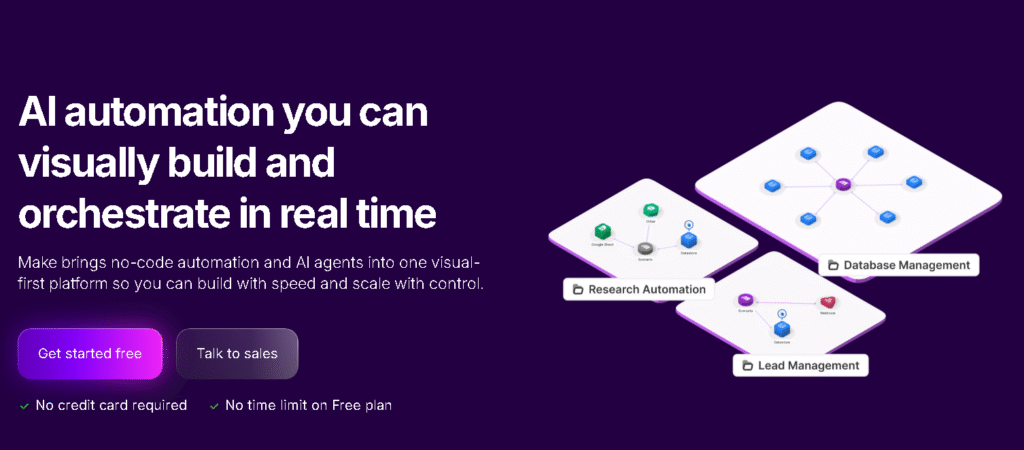
Make is one of the strongest Gumloop alternatives if you want serious workflow automation software. I personally recommend this tool to anyone who wants flexibility without coding. During my internship, once I learned Make, I realized how limited Gumloop felt for multi-step business workflows. Make allows you to build complex logic visually and connect hundreds of apps easily.
Key Features:
- Visual drag-and-drop workflow builder
- Advanced conditional logic
- API and webhook support
- Strong SaaS integrations
Best For: Startups, marketers, operations teams
Pros & Cons:
| Pros | Cons |
|---|---|
| Extremely flexible workflows | Interface can feel complex at first |
| Affordable pricing | Takes time to master |
| Strong community support | Overkill for very simple tasks |
2. Zapier
Website: https://www.zapier.com
Overview:
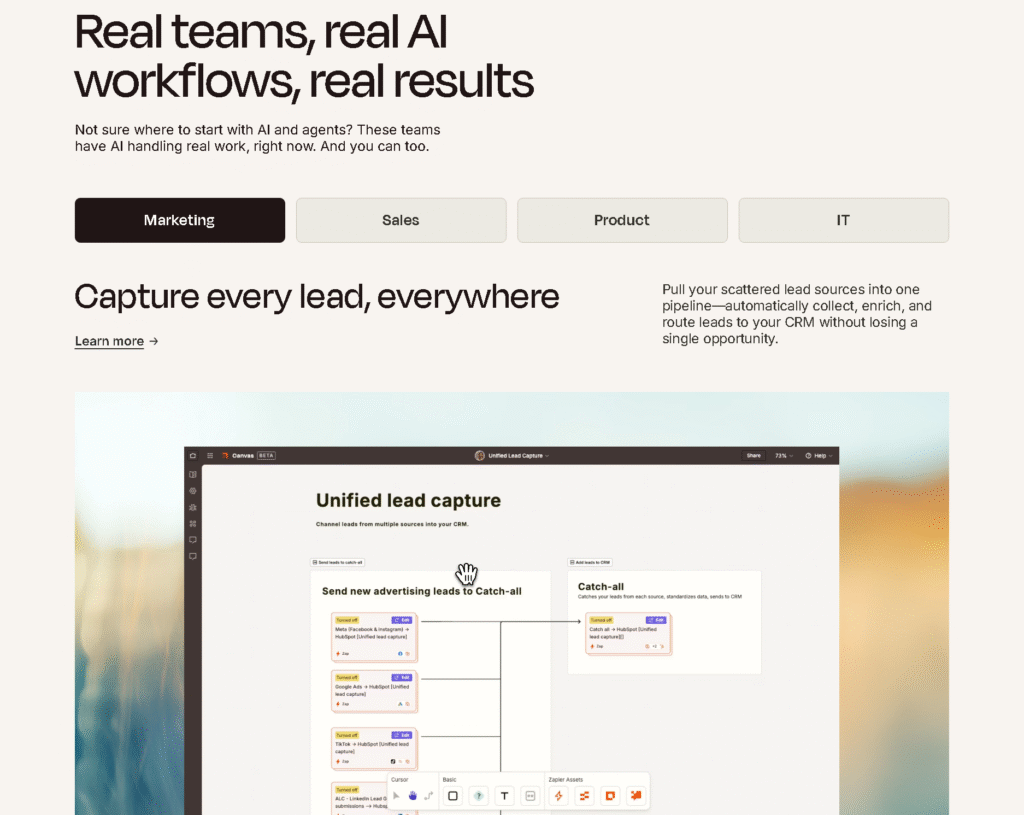
Zapier is often the first automation tool beginners try, and for good reason. It is much easier to start with compared to Gumloop. I usually suggest Zapier if you are new and want quick automation without deep logic. However, it becomes expensive fast.
Key Features:
- Thousands of app integrations
- Simple trigger-action workflows
- Reliable automation
Best For: Beginners, small teams
Pros & Cons:
| Pros | Cons |
|---|---|
| Very easy to use | Expensive at scale |
| Huge integration library | Limited complex logic |
| Fast setup | Less customization |
3. n8n
Website: https://www.n8n.io
Overview:
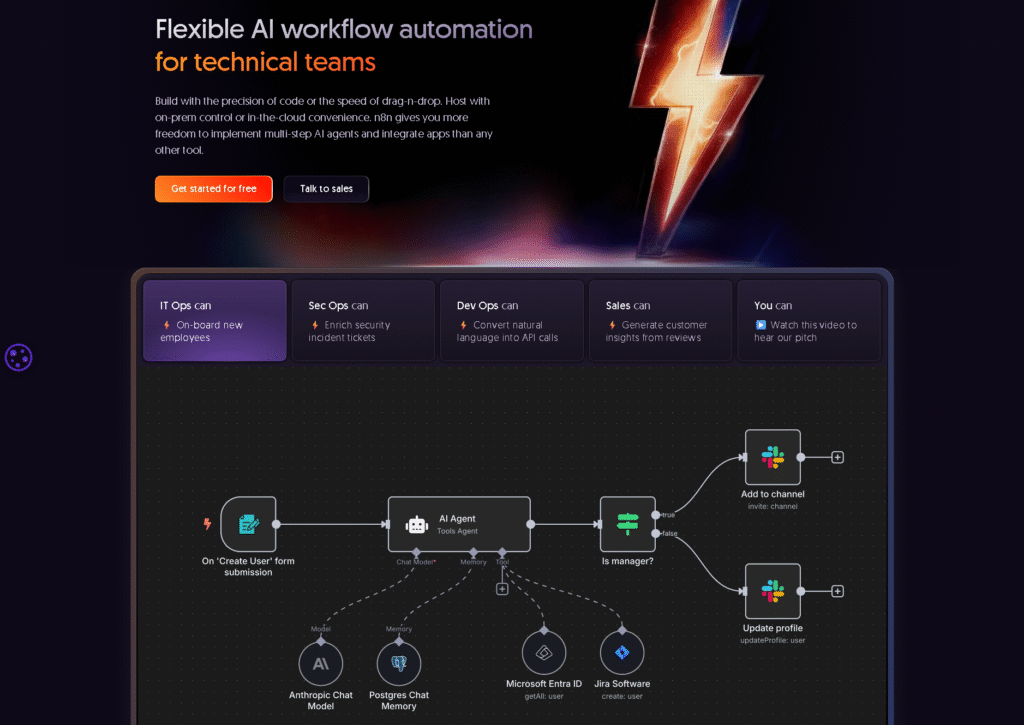
n8n is an open-source Gumloop alternative that gives you full control. If you are comfortable learning a bit of logic, n8n is powerful. I have seen teams switch from Gumloop to n8n because it offers freedom without usage-based pricing pressure.
Key Features:
- Open-source automation
- Self-hosting option
- Advanced logic and APIs
Best For: Technical teams, developers
Pros & Cons:
| Pros | Cons |
|---|---|
| No vendor lock-in | Steeper learning curve |
| Highly customizable | Needs setup |
| Cost-effective | Not beginner friendly |
4. Activepieces
Website: https://www.activepieces.com
Overview:
Activepieces is one of the easiest open-source Gumloop competitors. If you want a free Gumloop alternative with modern UI, this is worth trying. I often recommend this to students or early-stage founders.
Key Features:
- No-code automation
- Open-source
- Simple workflows
Best For: Budget users, beginners
Pros & Cons:
| Pros | Cons |
|---|---|
| Free core features | Smaller integration library |
| Clean UI | Less advanced logic |
| Easy onboarding | Growing ecosystem |
5. Relay.app
Website: https://www.relay.app

Overview:
Relay.app is a newer tool focused on AI-driven workflows. If you liked Gumloop for its AI approach, Relay is a strong alternative. I suggest you try Relay if your automation depends on AI agents and decision-making rather than simple triggers.
Key Features:
- AI workflow agents
- Conditional logic
- Clean interface
Best For: AI-first automation
Pros & Cons:
| Pros | Cons |
|---|---|
| Strong AI focus | Fewer integrations |
| Easy logic setup | Newer platform |
| Modern UX | Pricing still evolving |
6. Peltarion
Website: https://www.peltarion.com
Overview:
Peltarion is an advanced platform designed for building and deploying AI-powered workflows and machine learning models. This is more sophisticated than typical no-code automation tools. If you are diving into real AI automation pipelines beyond simple integration tasks, this is a strong choice. I suggest exploring this only if your project really needs deep AI workflows.
Key Features:
- AI/ML workflow builder
- Visual model design
- Collaboration tools
- Deployment and monitoring
Best For: AI teams, data scientists, enterprise workflows
Pros & Cons:
| Pros | Cons |
|---|---|
| Strong AI and ML capabilities | Steep learning curve |
| Designed for advanced workflows | Not ideal for simple automation |
| Visual model design | Expensive for smaller teams |
| Good for enterprise use | Requires some technical background |
7. Workato
Website: https://www.workato.com
Overview:
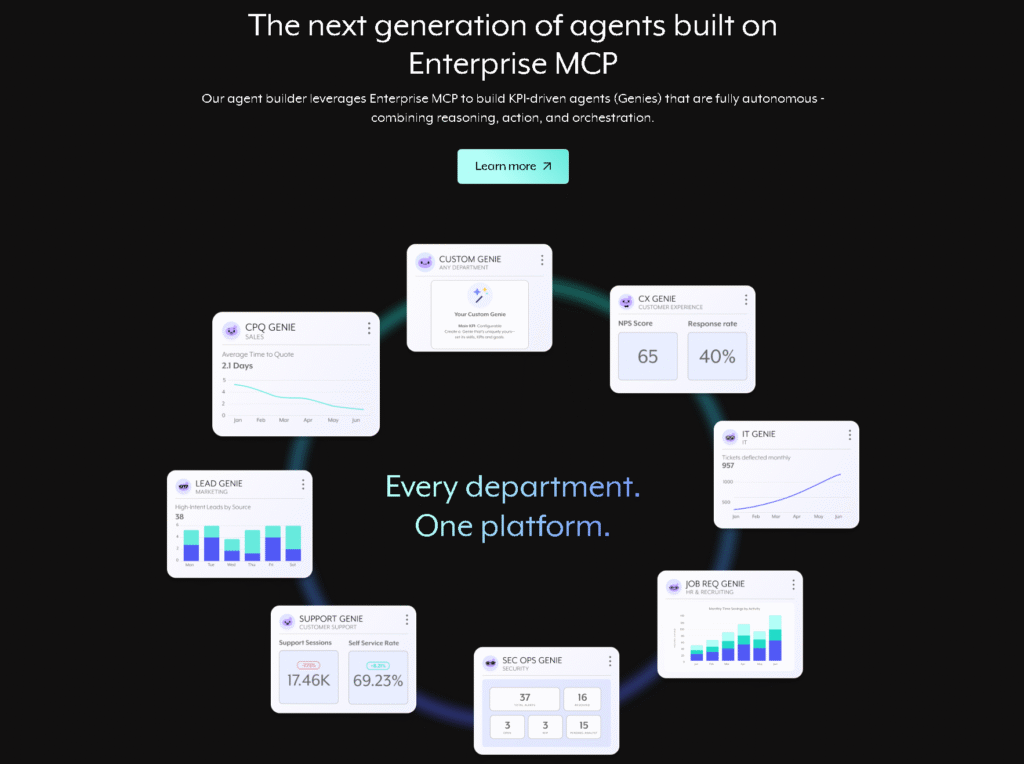
Workato is a true enterprise-grade automation platform. It shines when you need complex integrations, high reliability, and cross-team automation at scale. I recommend Workato when your operations have advanced needs that go beyond basic triggers and actions, especially for large companies.
Key Features:
- Enterprise automation
- API orchestration
- Secure workflows
- Team-wide governance
Best For: Large companies, enterprise teams
Pros & Cons:
| Pros | Cons |
|---|---|
| Excellent for enterprise-scale automation | Very high cost |
| Strong governance and security | Overkill for small teams |
| Broad integrations and stability | Not beginner-friendly |
| Powerful workflow logic | Requires training |
8. Parabola
Website: https://www.parabola.io
Overview:
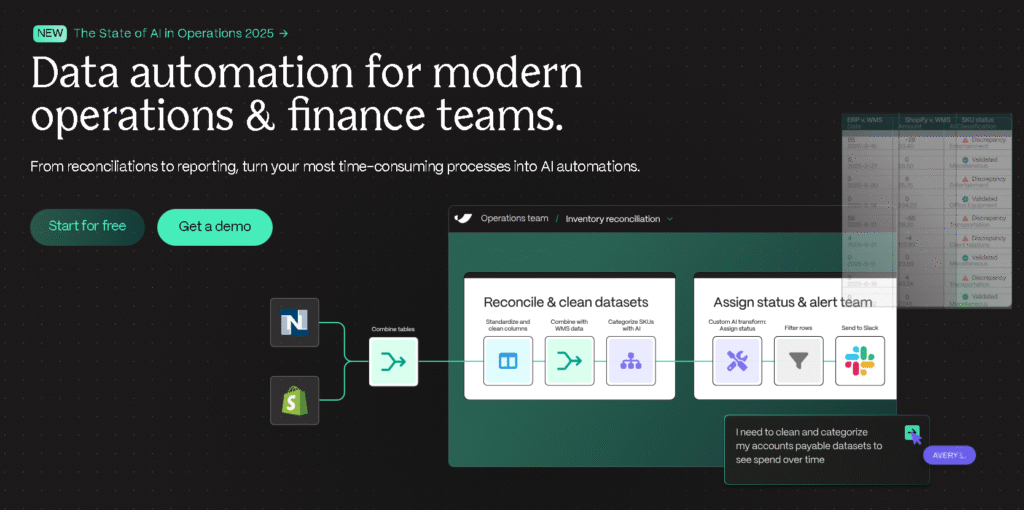
Parabola is focused on workflow automation for data processing. If your main goal is transforming, cleaning, and automating data tasks (like data pipelines), Parabola makes it visual and easier than code. I’d suggest this if your Gumloop usage was heavy on data manipulation.
Key Features:
- Spreadsheet-style workflow builder
- Data transformation
- API connectors
- Scheduled runs
Best For: Data teams, analysts, operations
Pros & Cons:
| Pros | Cons |
|---|---|
| Great for complex data workflows | Not ideal for simple app automation |
| Easy visual builder for data | Limited non-data integrations |
| Good for ETL tasks | Pricing increases with data use |
| Scheduled automation | Not beginner-first |
9. Bardeen
Website: https://www.bardeen.ai

Overview:
Bardeen focuses on browser automation. It is quite useful when your tasks involve web apps with no API or routine browser actions. I suggest this if a lot of your automation is manual work inside a browser.
Key Features:
- Chrome automation
- Web scraping triggers
- Browser logic actions
- Pre-built recipes
Best For: Browser-heavy workflows, web automation
Pros & Cons:
| Pros | Cons |
|---|---|
| Excellent for browser tasks | Limited non-browser workflows |
| Quick setup | Less powerful as general automation |
| Useful for small workflows | Fewer deep integrations |
| Works with web apps easily | Not ideal for enterprise |
10. Lindy
Website: https://www.lindy.ai

Overview:
Lindy is an AI assistant tool that executes tasks by interpreting natural language. It’s promising if your workflow automation leans heavily on AI actions rather than structured logic flows. I recommend Lindy if your goal is AI-first task execution where typing language commands triggers actions.
Key Features:
- AI-driven task execution
- Natural language workflow design
- Integrations through AI commands
- Lightweight automation
Best For: AI-native automation, creative workflows
Pros & Cons:
| Pros | Cons |
|---|---|
| Strong AI task focus | Newer tool with smaller ecosystem |
| Natural language interface | Limited advanced logic |
| Easy for simple AI commands | Not a full workflow builder |
| Fast for quick tasks | Pricing unknown/varies |
How to Choose the Best Gumloop Alternative
Before switching from Gumloop, identify what you want the new platform to do. A tool that works well for simple app connections may not be suitable for data extraction, AI-agent workflows, or enterprise integrations.
For simple app automation: Compare Zapier and Make. Both support workflows connecting business applications, but the workflow design and pricing models differ.
For complex visual workflows: Make is worth evaluating if you want to build multi-step processes using a visual canvas. Consider how much time your team can spend building and maintaining those workflows.
For self-hosting: Compare n8n and Activepieces. Both offer self-hosted options, but you should account for infrastructure, updates, backups, and security.
For AI-assisted workflows: Consider Relay.app, Make, Activepieces, or Lindy. Compare how each handles AI steps, approval requirements, and actions across connected applications.
For developer-focused automation: Pipedream and n8n are relevant when you need custom code, API access, or control over workflow logic.
For enterprise processes: Workato may be worth evaluating if your organization needs extensive integration, orchestration, and governance features.
For data-heavy operations: Prowork by Parabola is worth considering when the main requirement is processing and transforming business data.
For browser-based research: Bardeen may fit workflows that involve repetitive website tasks, data collection, or enrichment.
Before committing, test a representative workflow. Check whether the tool handles errors, provides useful logs, supports the required integrations, and stays within your budget as usage grows.
FAQs
What are the best alternatives to Gumloop?
Make, Zapier, n8n, Activepieces, Relay.app, Pipedream, Workato, Prowork by Parabola, Bardeen, and Lindy are alternatives to evaluate. They serve different use cases, so the right choice depends on your workflow, technical requirements, integrations, and budget.
Is there a free alternative to Gumloop?
Several platforms offer free options. Make and Zapier have free plans, while n8n and Activepieces provide self-hosted options. Activepieces also offers a free cloud plan. Check each plan's usage limits and hosting requirements before choosing.
Which Gumloop alternative is suitable for beginners?
Make and Zapier are worth comparing if you want a visual workflow builder and do not need to write code. The learning curve depends on the complexity of your workflow. A simple automation is usually easier to build than a workflow involving multiple conditions, APIs, and AI steps.
Which Gumloop alternatives support self-hosting?
n8n and Activepieces offer self-hosting options. Self-hosting gives teams more control over deployment, but it also means they need to manage infrastructure, security, backups, and updates.
Which Gumloop alternative is suitable for AI agents?
Make, Activepieces, Relay.app, and Lindy all offer AI-related workflow or agent capabilities. Their approaches differ, so compare how they handle tool access, decision-making, approvals, and ongoing usage before choosing.
Can I replace Gumloop completely?
You may be able to move your workflows to another platform, but a complete replacement depends on how those workflows are built. Some may need to be redesigned because integrations, AI steps, data handling, and execution models differ between platforms.
What should I compare before switching from Gumloop?
Compare the integrations you need, workflow complexity, AI capabilities, pricing model, usage limits, data handling, error management, and available support. Test a real workflow before migrating important processes.
Conclusion
The right Gumloop alternative depends on the work you need to automate. Make and Zapier are options for connecting business applications, while n8n and Activepieces provide more control through self-hosting. Relay.app and Lindy focus on AI-assisted task execution, and Pipedream is relevant for developers who need code and API flexibility.
Workato is designed for enterprise integration and process orchestration. Prowork by Parabola focuses on data-heavy operational workflows, while Bardeen is useful for browser-based tasks and research.
Before switching, compare the tools using your actual workflows rather than relying only on feature lists. Review pricing and usage limits, test the integrations you depend on, and consider the technical effort required to maintain each automation. A suitable alternative should fit your team's workflow and operating requirements, not simply offer more features.
ToolJunction simplifies AI adoption for businesses and creators. We provide trusted reviews and practical tutorials to help you select and apply the right tools for growth and productivity.
![ToolJunction.io branding used on the [10 Best Gumloop Alternatives in 2025] complete guide and tools comparison.](https://blog.tooljunction.io/wp-content/uploads/2025/09/tooljunction-1-1.webp)


