

A workflow that processes 5,000 invoices a month does not necessarily need an AI agent. A support team handling unusual complaints, incomplete customer details and changing policies may need more than a fixed sequence of rules.
Choosing the wrong approach creates different problems. Traditional automation can become difficult to maintain when every variation needs another rule. An AI agent can introduce unpredictable decisions, additional costs and review work into a process that was already running reliably.
The question is not whether AI agents are more advanced than automation. It is whether a task needs an agent's flexibility enough to justify the added complexity.
Use traditional automation when the steps and rules are known. Consider an AI agent when the next action depends on context. Use both when a process needs flexible decisions inside a controlled workflow.
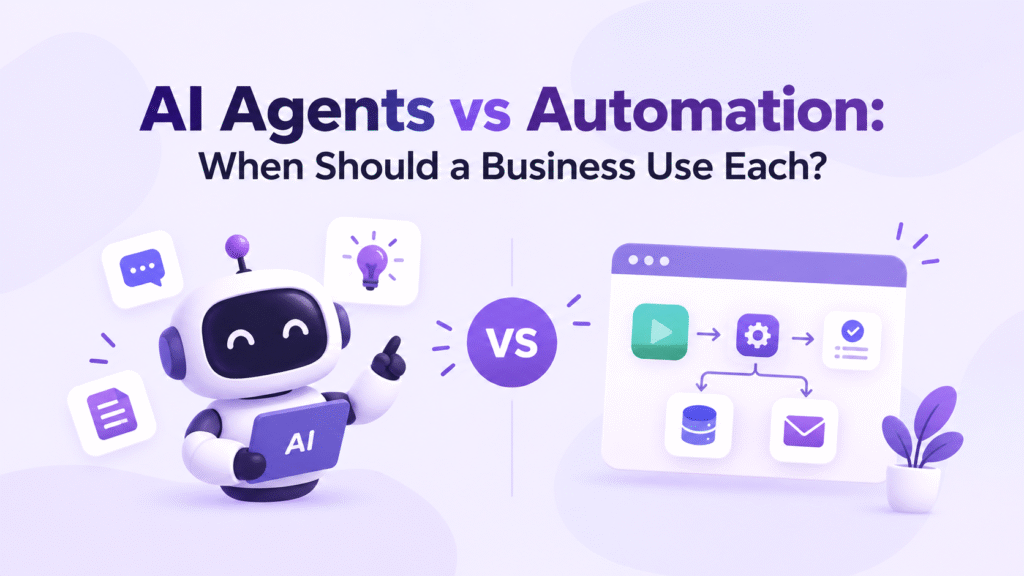
Table of Contents
AI Automation vs AI Agents: What Is the Difference?
Traditional automation follows predefined instructions. A trigger starts a workflow, conditions determine the next step, and connected applications perform specific actions. For example, when a customer submits a form, a workflow can validate required fields, create a CRM record and notify the sales team.
An AI agent uses a model to interpret information, select tools or decide what to do next within its permitted scope. It might review a support request, consult relevant documentation and recommend a response based on the circumstances.
The distinction is about how decisions are made, not simply whether a system uses AI. A workflow can contain AI-powered classification or text generation without becoming a fully autonomous agent.
Microsoft's documentation on agent flows explains how defined triggers and actions support predictable execution.
What Traditional Automation Does Better
Automation is usually the sensible starting point when a process has clear rules, stable inputs and measurable outcomes.
Consider invoice processing. A system can extract invoice fields, check required information, compare values against defined limits and route the invoice for approval. If a field is missing, the workflow can send the invoice to an exception queue.
The business does not need an agent to invent a new path for every invoice. It needs consistent execution and a reliable way to handle exceptions.
Traditional automation is a strong fit when:
- The process follows known business rules.
- Inputs have a predictable structure.
- Every action must follow a defined sequence.
- Costs, execution times and outcomes need to be predictable.
- Errors can be handled through explicit conditions and escalation rules.
The limitation appears when exceptions multiply. If every unusual input requires another branch, maintaining the workflow can become difficult. That is a reason to examine the problem, not automatic proof that an agent is necessary.
For processes built around predictable triggers and actions, compare AI workflow automation tools before introducing an agent.
What AI Agents Add
Agents become useful when the system must interpret context before choosing an action.
For example, a support request might describe a billing issue without using the company's standard categories. An agent could review the message, consult the relevant policy, identify the likely issue and suggest a route for the ticket.
That flexibility can reduce the need to manually encode every possible wording or exception. However, the agent's interpretation still needs to be evaluated, and its available actions must be limited appropriately.
Consider an agent when:
- Inputs are unstructured, ambiguous or highly variable.
- The next step depends on information gathered during the task.
- Fixed rules are becoming difficult to maintain.
- The task requires comparing information from multiple permitted sources.
- Incorrect decisions can be detected, contained and escalated.
An agent is not automatically the better choice for a high-volume process. If it introduces model calls, more complex testing and additional review without improving the outcome, conventional automation may remain the better option.
AI Agents vs Automation: Decision Matrix
Use these criteria to evaluate a workflow before selecting a tool.
| Decision factor | Prefer automation | Consider an agent |
|---|---|---|
| Task variability | Inputs and steps rarely change | Inputs and paths vary significantly |
| Decision logic | Rules can be defined explicitly | Context must be interpreted |
| Required consistency | Identical inputs should follow the same path | Different contexts may require different actions |
| Failure handling | Exceptions fit known rules | Exceptions require bounded investigation |
| Risk | Actions need strict, predictable controls | Decisions can be validated before consequential actions |
| Cost control | Execution costs need to be highly predictable | Added reasoning costs can be justified by measurable gains |
Treat this as a practical decision framework, not a universal scoring formula. A regulated or high-risk process may still use AI to interpret information, but consequential actions should remain behind explicit rules and approval gates.
Four Business Examples
1. Customer support
Use automation for: Assigning tickets based on known fields, sending acknowledgements and escalating tickets that meet predefined conditions.
Consider an agent for: Interpreting unusual complaints, consulting approved documentation and recommending a response when the issue does not fit standard categories.
A practical combination: Let the agent classify the request and draft a response. Keep the workflow responsible for ticket updates, policy checks and approval before sending sensitive replies.
2. Sales operations
Use automation for: Recording form submissions, checking required fields, assigning leads by territory and scheduling standard follow-ups.
Consider an agent for: Summarising a prospect's permitted business information, comparing it with qualification criteria and preparing a briefing for a sales representative.
A practical combination: Let the agent prepare the research summary while a workflow validates CRM fields and asks a representative to approve external communication.
3. Research and reporting
Use automation for: Collecting scheduled data, moving files, refreshing dashboards and notifying stakeholders when a threshold is crossed.
Consider an agent for: Comparing varied documents, identifying conflicting explanations and preparing a source-linked summary for review.
A practical combination: Automate data collection and scheduling, use an agent for analysis, and require source checks before the findings enter a published report or business decision.
4. Finance and internal operations
Use automation for: Applying fixed expense rules, routing purchase requests and recording approved transactions.
Consider an agent for: Summarising an unclear request or identifying which policy sections a reviewer should examine.
A practical combination: Let the agent explain the case, but keep approval thresholds, authorization checks and transaction execution under controlled workflow rules.
These are illustrative design patterns, not claims about measured customer deployments. The right implementation depends on data quality, process requirements and the consequences of an error.
Cost, Reliability and Maintenance
The cheapest system to build is not always the cheapest to operate. Compare the full process rather than looking only at subscription prices or model usage.
| Cost or risk | What to measure |
|---|---|
| Execution cost | Total cost per successfully completed task |
| Reliability | Completion rate, error rate and rework |
| Human involvement | Review time and escalation rate |
| Maintenance | Time spent changing rules, prompts and integrations |
| Performance | End-to-end processing time, including exceptions |
| Governance | Unauthorized actions, policy violations and audit coverage |
For an agent pilot, compare results against the existing workflow. Measure whether it reduces handling time or rework without increasing errors or review burden. Include difficult cases, not only examples the agent handles easily.
Do not assume an agent will learn from every run or improve automatically. Changes to prompts, models, tools and connected data may require fresh evaluation.
Security and Governance: Where Should Humans Stay in Control?
An agent's ability to interpret context does not mean it should have unrestricted access to company systems.
Start by limiting the agent to the data and tools required for its task. Separate read access from permission to modify records, send messages, issue refunds or execute transactions. Require human approval when the consequences justify it, and retain logs of actions, failures and approvals.
Define what happens when the agent cannot find reliable information, encounters conflicting instructions or reaches a high-risk decision. It should be able to stop or escalate instead of improvising beyond its authority.
These controls matter for traditional automation too. With an agent, evaluate both the decisions it proposes and the actions it can actually take.
When to Use Both AI Agents and Automation
Hybrid designs are often the most practical choice when a process contains predictable operations and context-dependent decisions.
A useful architecture has three parts:
- Workflow layer: Handles triggers, required fields, fixed rules, permissions and process sequencing.
- Agent layer: Handles a specific judgment task, such as interpreting an unusual request or comparing documents.
- Control layer: Validates the result, records the action and routes consequential decisions for approval.
For example, a support workflow can receive a ticket, provide relevant customer and policy context to an agent, validate the proposed category and return control to the workflow for routing. If the issue involves a sensitive refund, the process can pause for approval.
If an agent is appropriate, compare the best AI agent building platforms based on integration, evaluation and governance capabilities.
How to Choose: A Practical Checklist
Before buying a platform or rebuilding a process, answer these questions:
- Can we describe the workflow's steps and success criteria clearly?
- How often do inputs or exceptions vary?
- Can explicit rules handle most cases reliably?
- What is the cost of an incorrect action?
- Which data and tools would the system need to access?
- Can we test the result against the current process?
- Where must a person review or approve an action?
- Can we measure total cost, errors and human review after launch?
Start with one bounded process and establish a baseline before deployment. Expand only when results show measurable improvement and the controls work as intended.
FAQs
What is the main difference between AI agents and automation?
Traditional automation follows predefined steps and rules. AI agents interpret context and can choose actions dynamically within their permitted scope. A workflow can also include AI steps, so the two approaches are not mutually exclusive.
Are AI agents better than traditional automation?
Not for every task. Automation is often preferable for stable, repeatable processes. Agents are worth considering when context and variable inputs make fixed rules difficult to maintain.
Can AI agents and workflows work together?
Yes. A workflow can manage triggers, permissions and predictable actions while an agent handles a bounded judgment task. The workflow can then validate the result or request human approval.
How should a business measure whether an AI agent is worthwhile?
Compare it with the existing process using task completion, error rate, rework, processing time, human review and total cost per successful task. Include exception cases and track unintended actions.
Conclusion
The right choice depends on the work, not the label attached to the technology. Use traditional automation when rules are clear and consistency matters. Consider an agent when a task genuinely requires contextual judgment. Combine them when a small amount of flexible reasoning can improve a larger, controlled process.
Before committing to a platform, test one real workflow against a measurable baseline. If the agent cannot improve the outcome without adding unacceptable cost, risk or review work, keep the simpler system.


