

You finished the vocal take at 2 a.m., the mix is printed, and now the distributor, the lyric video and the karaoke upload all want the same thing: every word, timed to the music. Typing it by hand means looping the same chorus forty times. Plenty of AI tools promise to do it for you, and their landing pages all look alike.
The catch is that singing is not speech. A 2025 Interspeech paper from Queen Mary University of London found that speech-recognition models which handle podcasts and phone calls well lose accuracy on sung vocals, especially once a full band sits underneath. So the real question is not which tool claims the highest score. It is which one lets you fix the words, lock the timing and walk away with a file your next app can read.
This guide compares six AI lyric transcribers on exactly that. Each one solves a different job, from visual workflows to rehearsal and short-form video, so you can match the tool to the task in front of you.
How ToolJunction Picked the Best AI Lyric Transcriber for Musicians
Accuracy badges collapse the moment a crash cymbal masks a consonant. Instead of chasing a percentage, this comparison asked a simpler question: can a working musician correct the transcript and keep moving?
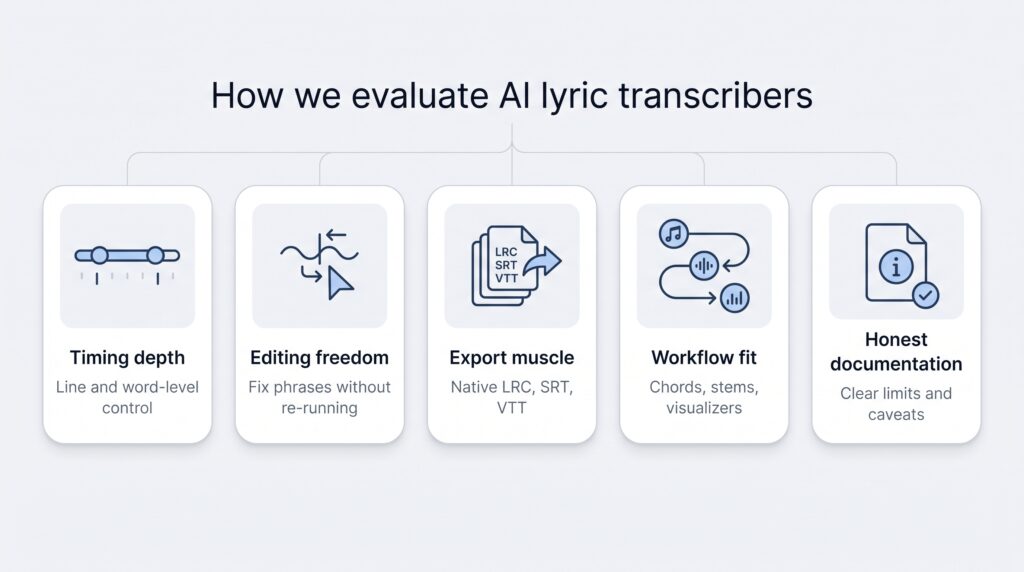
Every tool was judged on five practical filters.
- Timing depth. Line starts are useful, but start-and-end timing or true word-level sync saves hours in post. The more granular the timing, the higher the tool ranked.
- Editing control. Quick ways to fix a single word, adjust a timestamp or split a run-on line, without re-running the whole transcription.
- Export muscle. A clean LRC feeds karaoke apps, SRT lands in a video editor and VTT powers web players. Tools that ship standard formats climbed the list.
- Workflow fit. Extras such as stems, chord display or video editing only counted when they removed real steps from the job.
- Honest documentation. Tools that say plainly where they struggle, such as dense rap, buried vocals or heavy effects, earned more trust than glossy claims.
If you are building a wider audio stack, the AI audio tools category on ToolJunction covers music generators, voice tools and vocal splitters that sit alongside these transcribers.
All six finalists clear that bar. The ranking that follows maps which product gets you from "I can't hear that lyric" to a usable, shareable file with the fewest clicks.
1. Neural Frames: Best for Editable Timed Lyrics for Music Creators
What It Does
Neural Frames is best known as an AI music video platform, and its Song to Lyrics tool sits right next to it. Upload an MP3, WAV, M4A, FLAC or OGG file of up to 20 MB and ten minutes, and the tool extracts lyrics from the first 30 seconds of the song with every line already timed.
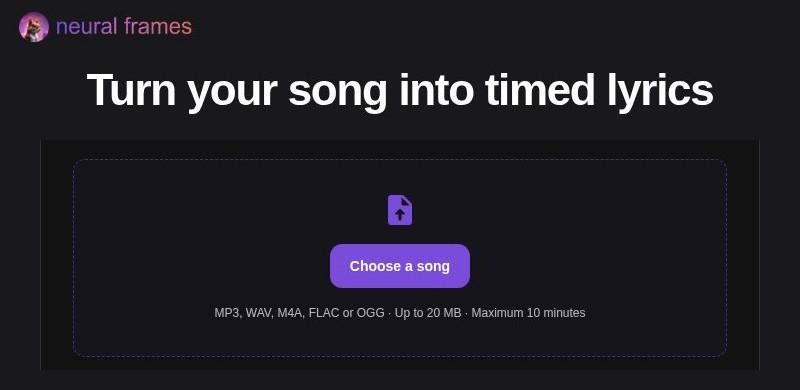
The Neural Frames Song to Lyrics upload screen.
From there you review the result, correct any misheard word and adjust the timing of each line. Editing, playback and downloads all happen in your browser, so changes appear as you make them with no render queue. When the words and cues look right, you download an LRC file for compatible music players or an SRT file, which stores start and end times for subtitle editors. If you would rather skip automatic extraction, you can also enter and time lyrics yourself.
That fast, editable loop is why Neural Frames tops this list. It turns a rough vocal into a clean, timed lyric file in a few minutes, inside the same ecosystem musicians already use for their visuals.
Standout Feature
The standout is how closely the lyric tool sits to the rest of a release. Neural Frames is built for musicians who need visuals as well as words: its AI music video generator animates an existing track, and it can split a song into eight stems so that drums, bass, vocals and melody each drive the motion on screen. Neural Frames does not compose music; it works with the song you already have.
For an artist preparing a single, that means the timed lyrics, the visualizer and the release assets all come from one place instead of three separate apps.
Honest Limitation
Automatic extraction covers only the first 30 seconds of a track, so a full song needs more work before every verse is timed. The output formats are LRC and SRT, with no VTT option.
Best For
Musicians who want precise, editable control over a lyric excerpt, and visual creators who already make music videos in Neural Frames and want their words and visuals to come from the same workspace.
2. LyricTime: Best for Full-Song Line and Word Timing
What It Does
LyricTime takes a whole recording, whether a demo, a phone memo or a polished master, and turns it into an editable transcript lined up with the audio. You choose the starting point. Upload an MP3 on its own and let the engine find the words, or pick "Upload MP3 + paste lyrics" when the lyrics already exist somewhere, which gives more reliable timing.
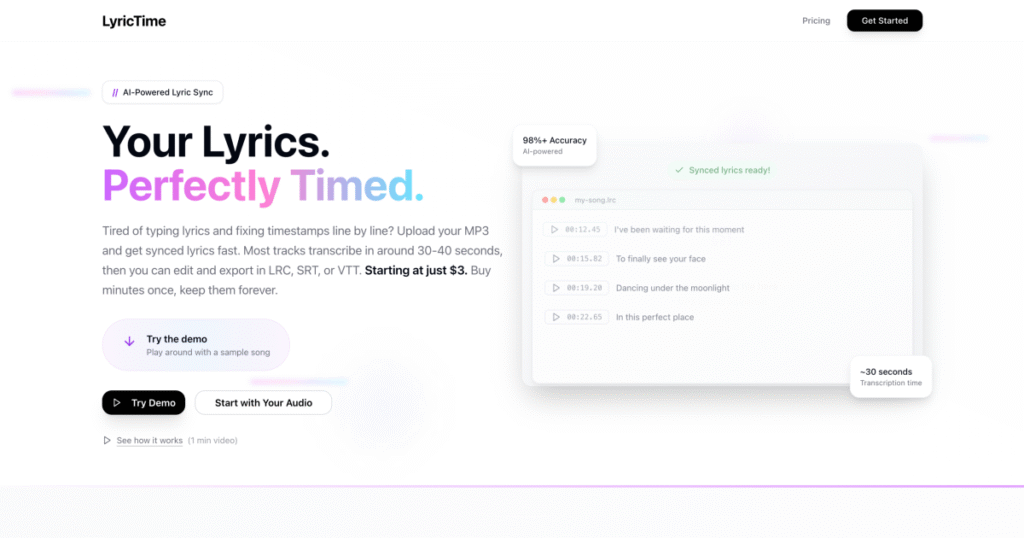
LyricTime turns an uploaded song into synced, editable lyrics.
The editor offers three modes. Timeline handles visual drag-and-drop timing, Blocks handles line-by-line text fixes with Find & Replace, and Focus is built for a final listen-through. When everything lines up, you download SRT, LRC or VTT, or save the project and come back later.
Standout Feature
Breadth of output. One project yields all three common caption formats: LRC for karaoke screens and music players, SRT for video captions and VTT for web players. No format converters, no extra clicks. That makes LyricTime the most versatile file factory in this roundup.
The three-mode editor also suits different working styles. Visual thinkers drag timing on the timeline, while writers fix text in blocks before a final pass.
Honest Limitation
LyricTime is frank about its blind spots. Its own page says a clean solo vocal transcribes very well, while dense rap, mumbled freestyles, heavy harmonies or a vocal sitting low in the mix will need more correction. Expect to spend extra minutes fixing words on difficult recordings before you touch the timing.
Best For
Creators sending one song to several destinations. If the same track needs a lyric video, a subtitle file and a karaoke version, LyricTime's export menu saves you from building three timelines.
3. NotaGen: Best for Fast Line-Timed LRC and SRT Exports
What It Does
NotaGen keeps things simple. Add a song file, paste a YouTube or TikTok link, record with your microphone or pick a song from your library, and it returns the lyrics as editable lines with start times. Supported uploads include MP3, WAV, M4A, AAC, FLAC, OGG, OPUS and AIFF.
Auto-detect handles the language for most songs, and you can pick the language yourself if the first result comes back in the wrong one. When the words read clean, you download TXT for plain text, LRC for synced players or SRT for video captions.
Standout Feature
Speed and convenience. Link import means you can pull audio straight from a YouTube or TikTok upload, check each line against the recording and export an LRC without moving files around. The editor stays focused on line timing, so there are no deep menus to learn.
Honest Limitation
NotaGen is clear about what it leaves out. It does not translate or romanize lyrics, add chords or notes, or make a word-by-word karaoke video. It also warns that it may get words wrong, so every line needs a check against the recording before export.
Best For
Musicians who need a quick, line-synced lyric file for rehearsal notes, karaoke players or social edits, without a long learning curve.
4. Lutely: Best for Multilingual Release Preparation
What It Does
Lutely treats lyrics as release assets, not disposable captions. Add a finished track and it automatically transcribes the vocals into time-stamped, editable lyric sheets. You play the track beside the transcription and adjust anything that needs fixing.
The lyrics then stay connected to the track inside Lutely. From there they feed clean versions, translations, lyric videos and releases, so every later step starts from the same approved text.
Standout Feature
Reach and reuse. Lutely transcribes lyrics in more than 60 languages, so artists working in different languages get the same automatic workflow. It also produces both the unmasked lyrics and a clean lyric sheet with explicit words masked automatically, which saves a separate pass before radio or platform delivery.
Honest Limitation
Lutely's lyric page does not list LRC, SRT or VTT downloads. If your workflow depends on a portable timed file for another app, check before you commit. The platform also expects a finished track, so it leans toward release preparation rather than rough demos.
Best For
Labels and independent artists with multilingual catalogues who want explicit and clean lyric sheets, translations and lyric-video material in one connected workspace.
5. Moises: Best for Practice, Chords and Word-Level Sync
What It Does
Moises doubles as a rehearsal studio. Upload a song from your library or a public URL, press "Transcribe Lyrics", and the lyrics appear on screen with word-by-word synchronization while the music plays.
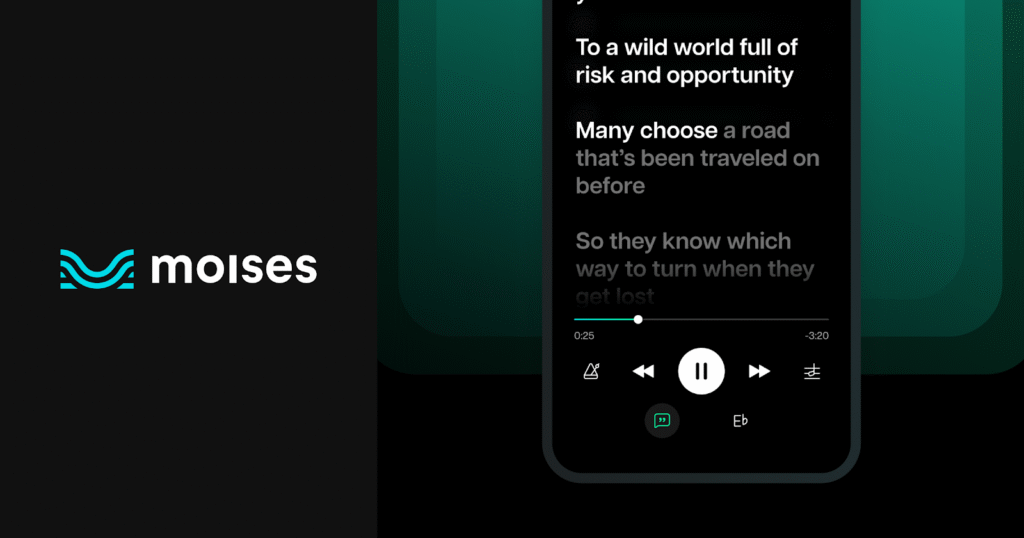
Moises displays transcribed lyrics in sync with playback.
You can combine the lyrics with chords for a full practice view, and the transcription works in multiple languages. Your transcribed lyrics are available on your phone and your desktop, so an idea recorded on the go can be finished at the studio computer.
Standout Feature
Practice tools sit beside the transcript. Lyrics and chords share one screen inside an app that also handles stem separation, so singers can rehearse a tricky section and follow the words without switching apps.
Honest Limitation
Moises is built around playback inside its own app. Its lyric transcription page describes displaying and syncing lyrics across devices, and it does not list an LRC or SRT download. If you need a portable caption file, plan to create it with another tool.
Best For
Singers, teachers and cover bands who want synchronized words, chords and practice controls in one rehearsal dashboard.
6. CapCut: Best for Putting Lyrics Directly Into Video
What It Does
CapCut is a video editor first. Add your song to a project, open the captions options and choose to identify lyrics, then click "Auto lyrics". CapCut generates the lyrics and places them directly on the editing timeline.
Because the lyrics land as captions on the same timeline as your cuts and effects, you adjust them in context while the video plays. When the edit is finished, you export the video and share it.
Standout Feature
No round trip. For short-form clips, the lyrics are created inside the editor you are already using, so you go from song to captioned video without exporting or importing a separate lyric file.
Honest Limitation
CapCut's lyric feature is built for video. Its lyric generator page describes exporting the finished video, not a standalone LRC or SRT file, so it is the wrong pick if you need a portable caption track for a music player or another editor.
Best For
Creators racing to post lyric clips, teasers and shorts, where the finished video is the deliverable.
Choosing the Right AI Lyric Transcriber
The best pick depends on the job in front of you, not on a universal accuracy trophy.
If you want precise, editable timing on a lyric excerpt and already create music visuals, Neural Frames keeps the words and the visuals in one workspace.
When a full song needs one transcript and three export formats, LyricTime wins on breadth.
For quick captures from a link or a voice memo, NotaGen gets you to an LRC or SRT with the fewest steps.
Release teams handling several languages and clean versions will feel at home in Lutely.
If rehearsal matters more than exporting a file, Moises turns synced lyrics and chords into a practice coach.
And when the finished product is a short video, CapCut puts the lyrics straight onto your timeline.
Pick the tool that matches your next step, and you will spend your time on the music, not on retyping the chorus.


