

Sponsored contribution
Your SaaS stack may hold operating history AI developers are actively looking for—SourceX offers qualifying companies up to $4M to license it. This six-step audit shows whether yours deserves a closer look, without exporting a single file.

Open your company’s software budget. CRM. Help desk. Project tracker. Shared docs. Team chat. Probably a few AI tools on top, each promising to make your people faster.
Now flip the question. Not “what can AI do for us?” but “what do we already have that AI developers want?”
Because AI developers have a supply problem. SourceX says much of the openly available text has already been used, and developers are looking for new sources of real-world data, ideally licensed with the owner’s agreement. The real work of real companies—how requests were handled, how exceptions were approved, how bugs were actually fixed—is scattered across the exact stack you pay for every month.
SourceX offers qualifying companies up to $4M to license it.
The catch: nobody can buy what you can’t describe. The six steps below take you from “we have lots of data” to a description someone could actually evaluate—without installing anything or exporting a single customer record.
What belongs in an AI data licensing inventory?
A business data inventory identifies the systems, years of history, relationships and permissions behind a proposed collection. For AI licensing, it should show complete work episodes—from request to outcome—and be honest about the gaps. Start with descriptions and an authorized owner, not exports.
Step 1: Pick a workflow, not an app
“Export the CRM” is the wrong first move. It produces a pile of software records with no story attached.
Start with a job your team does over and over: resolving a complex ticket, approving a contract exception, investigating a production bug or handling a delivery change. Pick one that an experienced employee can walk through from first request to final outcome.
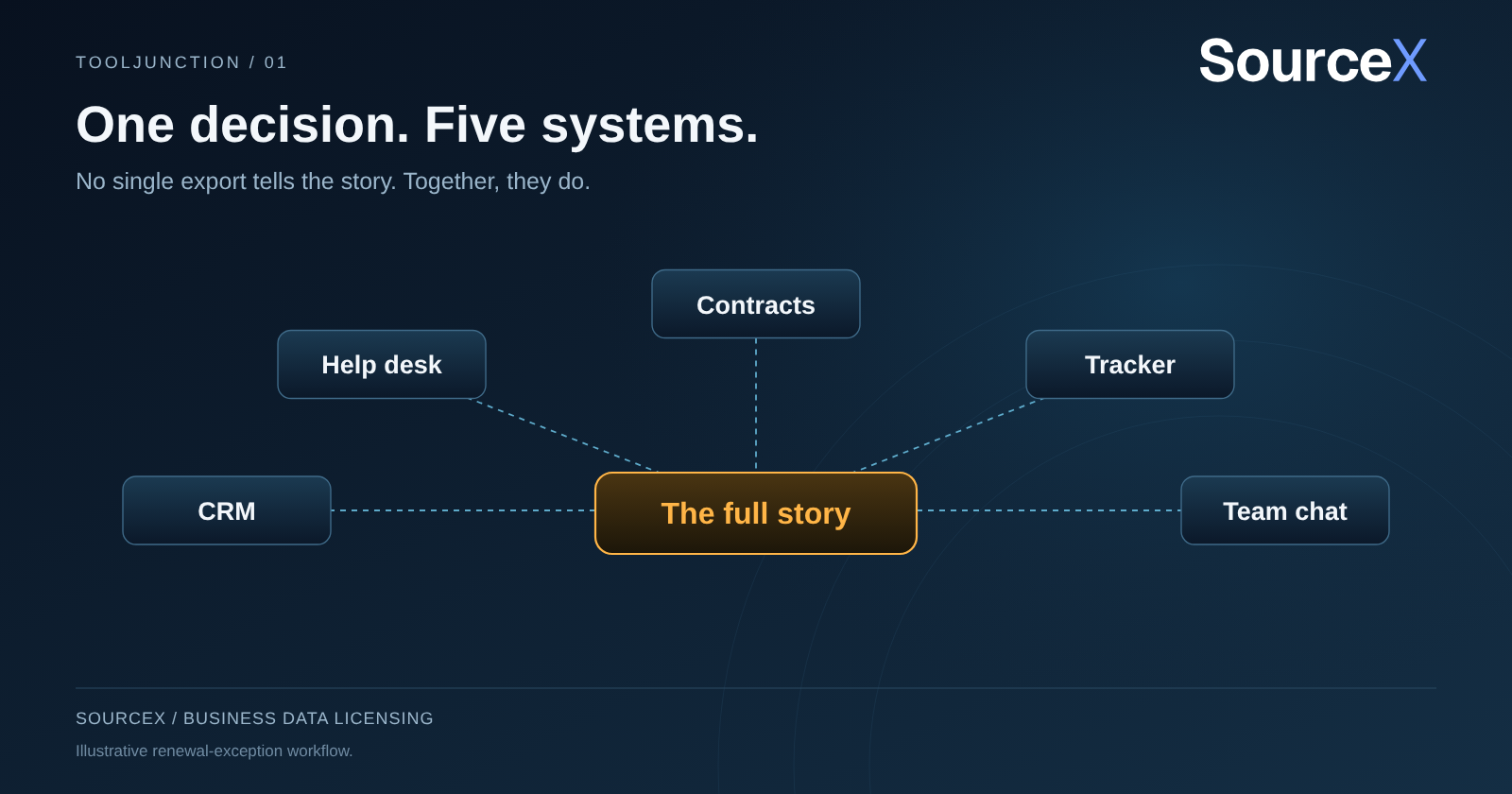
Take an illustrative renewal exception. A customer asks to change terms. Sales pulls the old agreement. Support flags a product limitation. Engineering confirms a workaround. The account owner records the result. One decision, five systems. No single export tells the story. Together, they do.
Write a one-sentence boundary: “Requests to change existing customer agreements, from first request to signed amendment or declined proposal.” Now everyone knows which cases count and where each one ends.
Step 2: Log six facts for every system
For each source, write down the business owner, years retained, approximate volume, record type, the IDs that link it to other systems and any export limits. Estimates are fine as long as they are labeled.
Compare two entries. The first says “millions of tickets.” The second says “support cases from 2019 onward, linked to account ID; attachments kept only since 2022.” The first is a boast. The second is something a buyer can actually assess.
Note every past migration, too. Text often survives a platform switch while the IDs connecting it to other systems don’t. Find the person who ran that migration now, while they still remember what broke.
Watch for three red flags as you go. The first is a system nobody owns: if no one can answer questions about it, nobody can vouch for what it contains. The second is a sudden gap in the years, which usually means an old platform was retired and its history was only partly carried over. The third is a source where attachments, comments or internal notes were stripped out during an export. None of these rules a system out. Each one changes how much it can explain, and a buyer will want to know before you do.
Step 3: Walk one case through—out loud
Ask the workflow owner to narrate a single case: where it arrived, which rule applied, what happened next and how the result was confirmed. Take notes without names, account details or customer content.
You’ll hear something like: “The case links to an old contract, a support escalation and a later account decision. We can trace the outcome, but the approval happened in a meeting and isn’t written down.” That one sentence just located both an asset and a gap.
Don’t paper over the gap by writing a new explanation and presenting it as an original record. A clearly labeled recollection is useful. A disguised one destroys trust.
Question the labels as well. “Complete” might have meant solved, timed out or cleaned up by an administrator. Ask what it meant back then—and ask the people who were there, while they still are.
Step 4: Protect the timeline
This is the step most teams miss, and it separates useful evaluation material from noise.
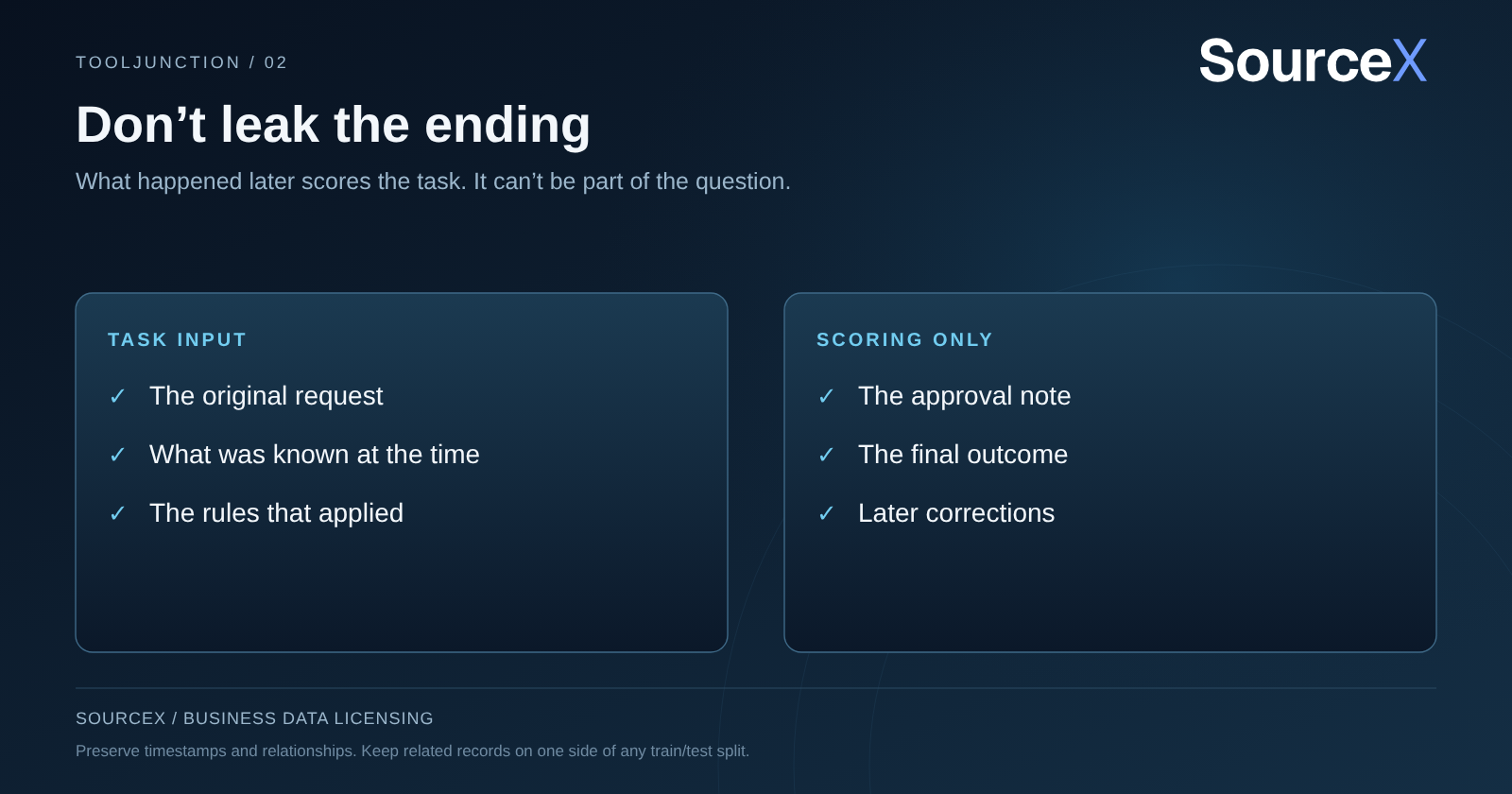
If a task asks what the employee should do before approval, the approval note can’t be part of the input, or you have handed the model the answer. Later evidence is how you score the result; it can’t leak into the question.
Related records also need to stay together when data is split for training and testing. Otherwise, two rows from the same episode land on both sides, and the test becomes accidentally easy.
So preserve timestamps and relationships. The researchers behind Datasheets for Datasets argued that every collection should document its origins, composition and intended uses. Apply that discipline here: record the limitations as carefully as the highlights.
Step 5: Put a permission label on every source
Someone can administer a system without having authority to license what’s inside it. Confirm who can speak for the company, then flag customer-owned material, third-party content and contractual restrictions.
API keys, admin access and consulting engagements don’t settle these questions. A BPO may run a client’s help desk but control only part of the rights. An engineering archive may mix your own work with a client’s restricted deliverables.
Use three plain labels: review needed, excluded, or authority confirmed for this purpose. An unchecked box is not permission. Bring the legal or commercial lead in early; a ten-minute review of which contracts touch which systems can save weeks of rework later, and it tells you quickly whether the most interesting workflow is also one the company can actually offer. Don’t copy raw records into a new workspace just to complete the sheet. Retention schedules, deletion duties and legal holds still apply.
Step 6: Turn the audit into a decision
Your finished inventory should answer three questions. Which workflow is represented? Which systems preserve it? What must be resolved before anything could be offered?
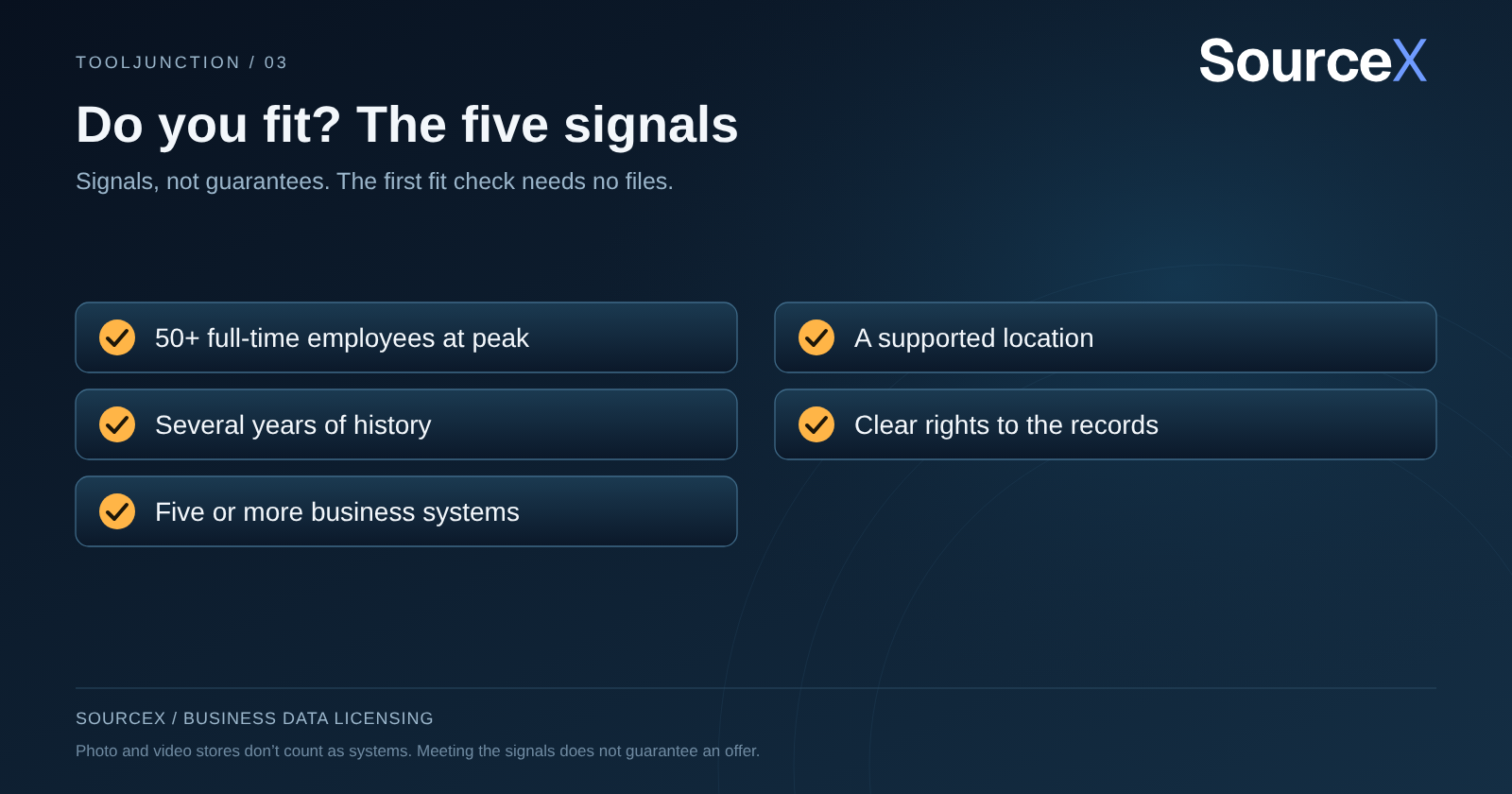
Now hold it up against SourceX’s fit profile. Best-fit companies generally reached 50 or more full-time employees at peak, have several years of history, sit in a supported location and can identify at least five business systems at the mapping stage; photo and video stores don’t count. The first fit check is a few questions about the company, with no files.
If you fit, SourceX handles the agreement, rights review, preparation and payout. Your company approves the scope and authorizes the release. Standard terms are a one-time fee for perpetual AI-training exclusivity; 12- or 24-month terms can be agreed, and non-exclusive licenses are available at a substantially lower price.
The audit pays off even if you never sell
Even without a deal, you walk away with a map of where your company’s knowledge lives, which links are fragile and which people would be hardest to replace. That alone is worth an afternoon.
But don’t let it sit in a drawer. Every month, employees move on, systems get retired and records age out under retention schedules. The audit captures what your team can explain today. The fit check tells you what that might be worth.
Think about the alternative. The same budget meeting that approves another AI subscription could also ask a cheaper question: does the company already hold something the AI market will pay for? One answer adds a cost. The other could add a revenue line.
Date and version the document. When a system owner corrects an estimate, update the record instead of silently overwriting it.
The fine print: Up to $4M is SourceX’s advertised maximum, not an estimate for any company. Actual offers depend on eligibility, rights, data quality and buyer demand, and not every company or collection qualifies; unselected data earns no payment. Customer-owned and third-party material may need separate treatment, and retention, deletion and legal-hold obligations always apply. Signed terms govern.
Questions business leaders ask
Is a data inventory the same as sharing the data?
No. The inventory describes systems, coverage, relationships and permissions. SourceX’s first company fit check requires no raw records, and later access follows the agreed process.
Do five systems guarantee a licensing offer?
No. System coverage is one criterion. Quality, rights, company eligibility and buyer demand determine whether a collection fits.
Do we need a new AI tool to build the inventory?
No. A shared document and a few conversations with system owners are enough to build the first map. Keep the subscription budget.
Before you approve another AI subscription, find out whether the stack you already own is worth something to the AI market. Check your company’s fit with SourceX—a few questions, no files.
About the Founder
Noah Loul is a four-time founder and the founder of SourceX, which licenses business data directly from companies for AI training and evaluation. His ambition is to build the world’s largest data infrastructure, powering today’s AI and tomorrow’s superintelligence.


