

A document-processing tool can extract every word from a PDF and still fail at the task your business needs.
An invoice workflow must identify totals, taxes, vendors, and line items. A RAG application must preserve headings, tables, reading order, and page references. An enterprise workflow may also require validation, approvals, and ERP integration.
That is why choosing a Document AI platform involves more than comparing OCR accuracy. The right option depends on your document types, the output you need, your existing technology stack, and how much of the workflow your team wants to build.
This guide compares ten Document AI and intelligent document processing platforms, from developer APIs and RAG ingestion tools to enterprise automation platforms and no-code extraction services.
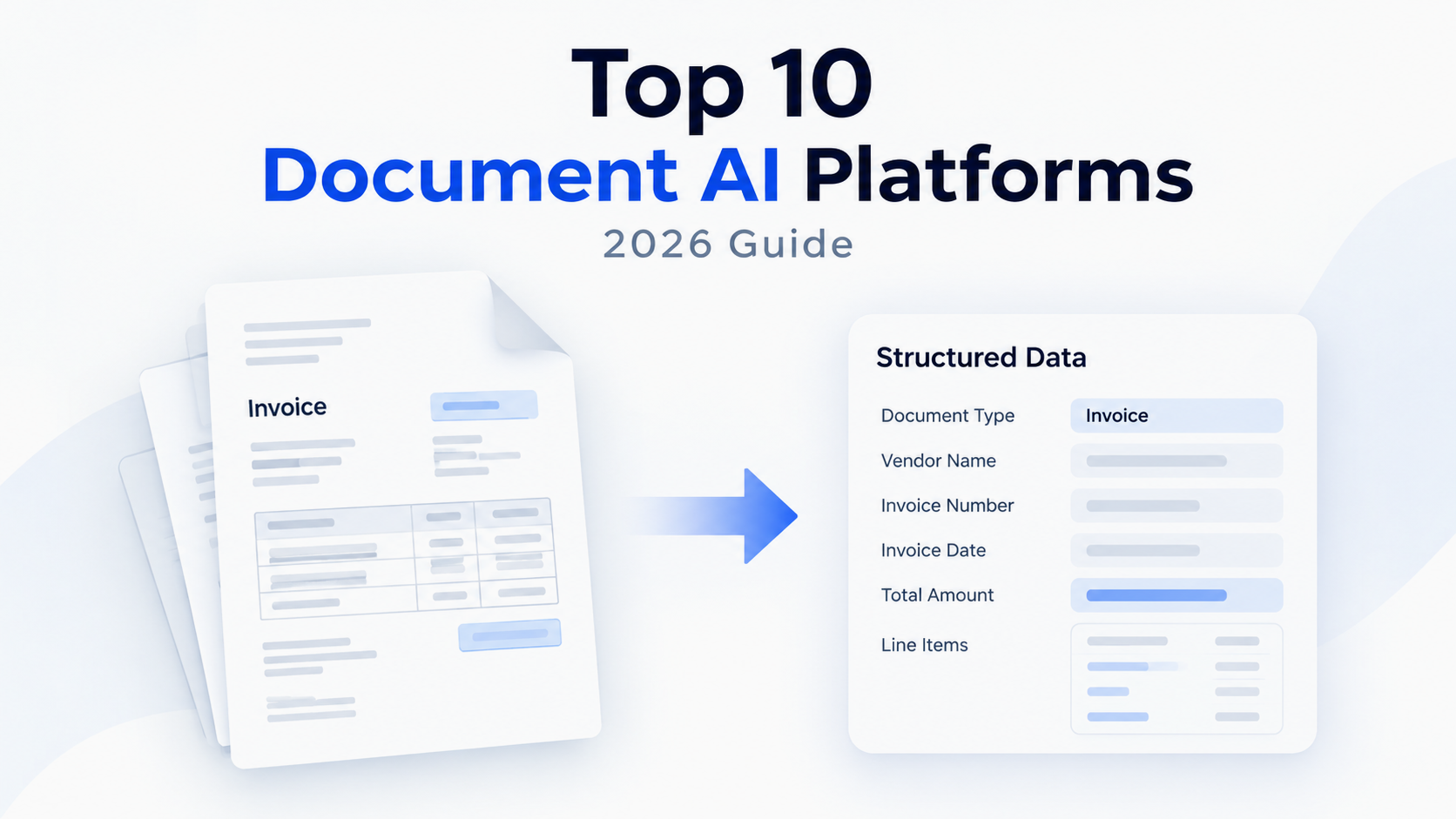
Table of Contents
What Is a Document AI Platform?
Document AI software extracts information from documents and turns it into structured data that other applications can use. Depending on the platform, this may include text recognition, document classification, table extraction, field identification, layout analysis, and source references.
Traditional OCR mainly converts scanned pages or images into text. Document AI goes further by identifying what that text means and how different parts of a document relate to one another. For example, it can distinguish an invoice number from a total amount, connect line items to their corresponding prices, or preserve the structure of a table.
This makes Document AI useful for more than digitizing files. Businesses use it to process invoices, contracts, receipts, forms, financial reports, research papers, and other documents that would otherwise require manual data entry or review.
The platforms covered in this guide serve different purposes. Some are built for structured data extraction, some prepare documents for RAG and AI applications, some provide cloud-based processing APIs, and others combine extraction with business workflow automation.
Quick Comparison
| Platform | Best for | Main strength | Main limitation |
|---|---|---|---|
| Reducto | AI and RAG pipelines | Complex document extraction and traceable output | Requires engineering work |
| Nanonets | Enterprise workflows | Extraction with review, approvals, and integrations | Pricing and setup can be complex |
| LandingAI | Visually complex documents | Vision-first parsing and visual grounding | Developer-oriented |
| Unstructured | RAG ingestion | Preparing diverse files for AI pipelines | Not a complete workflow suite |
| LlamaParse | LLM applications | Layout-aware parsing for retrieval | Requires a surrounding application |
| Mistral Document AI | Custom AI systems | OCR and structured document output | Workflow layer must be built |
| Google Document AI | Google Cloud users | Prebuilt processors and custom extraction | Cloud configuration can be complex |
| Azure Document Intelligence | Microsoft enterprises | Prebuilt models and Azure integration | Best suited to Azure environments |
| AWS Textract | AWS workflows | OCR, forms, tables, and expense analysis | More of a building block than a full platform |
| Airparser | No-code extraction | Business document extraction and integrations | High-volume costs need review |
The 10 Best Document AI Platforms in 2026
1. Reducto
Reducto is a developer-focused platform for turning complex documents into structured data for AI applications. Its capabilities include parsing, extraction, document splitting, classification, and document editing.
The platform is designed for difficult files such as complex PDFs, forms, tables, mixed layouts, and document packets. It is especially useful when the output needs to support a RAG system, AI agent, or production application that requires structured data and source references.
Reducto is more flexible than a basic PDF parser because teams can combine several operations. For example, a workflow can classify an uploaded packet, split it into separate documents, extract fields, and preserve evidence for review.
The main limitation is that Reducto is not a complete no-code business workflow platform. Teams still need to build application logic, validation, storage, monitoring, and downstream integrations.
Pricing: Reducto offers a pay-as-you-go Standard plan with $150 in free usage. Published rates include $10 per 1,000 pages for Parse, $20 per 1,000 pages for Extract, $40 per 1,000 pages for Deep Extract, and $20 per 1,000 pages for Split. Growth and Enterprise plans use custom pricing.
Best for: Engineering teams building production AI, RAG, and agentic workflows that need complex document handling and traceable output.
2. Nanonets
Nanonets is an intelligent document processing platform that combines extraction with workflow automation for invoices, receipts, purchase orders, accounts payable, and other operational documents. These capabilities also make it relevant to finance teams exploring AI tools for finance and accounting, particularly for invoice processing and reconciliation workflows.
Its value comes from what happens after extraction. Teams can add classification, validation, human review, approval routing, and integrations with ERP systems, databases, and business applications.
This makes Nanonets more suitable for finance and operations teams than developer-only parsing tools. It can help move information from an incoming document into an actual business process.
The limitation is that Nanonets may be more than a team needs if the goal is only to extract text or JSON from a document. Pricing also depends on the number and complexity of workflow operations.
Pricing: Nanonets offers a free Starter entry point with $50 in credits. Its published Starter plan costs $100 per month for 100 credits. Growth and Enterprise plans use custom pricing and add features such as classification, custom processing blocks, ERP integrations, analytics, SSO, audit logs, and private deployment. Nanonets lists simple operations at $0.02 per run, standard AI operations at $0.10 per run, and complex AI operations at $0.30 per run.
Best for: Finance, operations, and enterprise teams that need document extraction combined with approvals, human review, and business-system automation.
3. LandingAI
LandingAI takes a vision-first approach to document processing. Instead of relying only on an intermediate OCR text layer, it analyzes the visual structure of a document, which is useful when meaning depends on layout, tables, figures, or the relationship between text and images.
Its Agentic Document Extraction workflow uses three stages: Parse, Split, and Extract. This approach is relevant for research papers, financial reports, technical specifications, multi-column PDFs, and mixed text-and-image documents.
LandingAI is useful when ordinary text extraction loses important context. Complex tables, charts, figures, and visually inconsistent pages are the types of files where a vision-first system can provide an advantage. Extracted values can also be connected to their location in the source document through visual grounding.
The main limitation is implementation effort. LandingAI is aimed primarily at developers and data teams, so buyers may need to build their own ingestion, validation, orchestration, and delivery layers.
Pricing: LandingAI offers a pay-as-you-go Explore plan with 1,000 free credits. After the free credits, $1 buys 100 credits in the US pricing region. The Team plan starts at $250 per month and includes approximately 25,000 credits per month. Enterprise pricing is custom.
Best for: AI and data teams processing visually complex documents such as research papers, technical reports, financial statements, charts, and mixed-layout PDFs.
4. Unstructured
Unstructured focuses on document ingestion and preprocessing rather than complete business workflow automation. It converts files from sources such as PDFs, Word documents, presentations, emails, and HTML into structured elements for downstream systems.
Its main use case is preparing large document collections for search, embeddings, analytics, and RAG. It can help preserve document elements and create a more consistent representation before chunking and indexing.
Unstructured is especially useful when a knowledge assistant needs more than a flat block of extracted text. Headings, tables, metadata, and document structure can affect retrieval quality and the usefulness of generated answers.
However, Unstructured is not a direct replacement for a full workflow platform. Teams that need invoice approvals, ERP exports, or business-rule automation will need additional components.
Pricing: Unstructured offers a free starting plan with 10,000 pages. Its published pay-as-you-go price is $0.015 per page after the free allowance. Business plans use custom pricing and add features such as dedicated instances, VPC deployment, data isolation, and dedicated support.
Best for: Data and ML teams preparing large document collections for RAG, search, embeddings, and AI pipelines.
5. LlamaParse
LlamaParse is a document parsing service associated with the LlamaIndex ecosystem. It is designed for developers who need to convert complex documents into representations that work well with large language models and retrieval systems.
Its focus is document-heavy AI applications. Instead of treating a PDF as a flat block of text, LlamaParse aims to preserve useful structure from tables, headings, multi-column layouts, and other formatting that basic OCR can lose.
LlamaParse is a good fit for teams building RAG applications with LlamaIndex or similar frameworks. It can form part of a larger pipeline that includes parsing, chunking, indexing, retrieval, and answer generation.
The limitation is that LlamaParse is a component rather than a complete enterprise document workflow suite. Approval routing, human review, ERP integrations, and business rules require additional tools.
Pricing: LlamaParse uses usage-based pricing through the LlamaIndex and LlamaCloud product structure. Free allowances and paid limits can vary by plan, so production buyers should confirm current credits, parsing modes, and included usage before estimating costs.
Best for: Developers building RAG and LLM applications that need layout-aware parsing and retrieval-friendly document output.
6. Mistral Document AI
Mistral Document AI provides OCR and document understanding capabilities through Mistral’s API. It is a model-level option for developers who want document processing without adopting a complete business workflow platform.
Its OCR capabilities are relevant for scanned documents, multilingual files, tables, and applications that need more than plain text. Bounding boxes and structured annotations can also help teams connect extracted information to the original document.
The main advantage is control. Developers can combine the OCR layer with their own schemas, validation logic, storage, retrieval system, and LLM workflow.
That control also creates more responsibility. Teams must build or manage retries, monitoring, document routing, access controls, validation, and downstream integrations.
Pricing: Mistral lists OCR at $4 per 1,000 pages and Document AI at $5 per 1,000 pages. Batch processing and enterprise arrangements may have different terms.
Best for: Developers who want direct access to OCR and document understanding models while controlling the rest of the AI pipeline.
7. Google Document AI
Google Document AI is a cloud-based service with prebuilt processors, custom extraction, classification, document splitting, OCR, and layout parsing.
Its strongest advantage is the range of specialized processors and its integration with Google Cloud. Teams can use it for invoices, receipts, identity documents, forms, financial records, and other structured use cases.
Google Document AI is particularly relevant for organizations already using Cloud Storage, BigQuery, Vertex AI, Pub/Sub, and other Google Cloud services. Its custom extraction features can also support specialized document types.
The drawback is complexity. Processor selection, quotas, pricing, model configuration, and cloud infrastructure may be difficult for smaller teams. It is also not a complete no-code workflow application.
Pricing: Google Document AI uses pay-as-you-go pricing. Published examples include $1.50 per 1,000 pages for Enterprise Document OCR, $30 per 1,000 pages for Form Parser, $30 per 1,000 pages for Custom Extractor, and $10 per 1,000 pages for Layout Parser. New Google Cloud customers may also receive $300 in free credits, subject to account terms.
Best for: Organizations using Google Cloud that need specialized document processors, custom extraction, and cloud-native integration.
8. Azure Document Intelligence
Azure Document Intelligence is Microsoft’s service for extracting text, fields, tables, and structured information from business documents. It includes prebuilt models and custom extraction options.
Its prebuilt model coverage makes it useful for invoices, receipts, identity documents, contracts, tax forms, and other business records. It is also a practical choice for organizations already using Azure, Power Automate, Microsoft 365, and related enterprise services.
Security, governance, and compliance controls can be important advantages for regulated teams. However, the service is best suited to organizations already operating within the Microsoft ecosystem.
The main limitation is that Azure Document Intelligence is a processing service, not a complete business workflow application. Teams may still need additional components for review, routing, validation, and delivery.
Pricing: Azure provides a Free F0 tier for testing and a Standard S0 tier for production use. Production pricing varies by model, pages analyzed, region, and commitment arrangement. Microsoft also offers commitment-based pricing for larger workloads.
Best for: Microsoft-centered enterprises that need prebuilt document models, custom extraction, and Azure integration.
9. AWS Textract
AWS Textract is a cloud service for extracting text, handwriting, forms, tables, and structured information from documents. It is designed as an infrastructure component for larger AWS workflows.
Textract is useful for forms, invoices, receipts, identity documents, lending documents, and high-volume document collections. Its APIs cover text detection, document analysis, expense analysis, identity analysis, and lending analysis.
Its main advantage is AWS integration. Teams already using Amazon S3, Lambda, Step Functions, and other AWS services can build document-processing pipelines without introducing another cloud provider.
Textract is less suitable for buyers looking for a ready-made business application. Developers still need to manage semantic mapping, validation, orchestration, storage, and human review.
Pricing: AWS Textract uses pay-as-you-go pricing based on pages and API type. The AWS Free Tier for new customers includes limited monthly allowances for text detection, document analysis, expense analysis, and identity analysis. Outside the free tier, example rates include $0.0015 per page for basic text detection, $0.015 per page for tables, and $0.05 per page for forms.
Best for: Engineering teams already using AWS that need scalable OCR, forms, tables, expense analysis, or identity document processing.
10. Airparser
Airparser is a no-code and API-based document extraction platform for business teams that need structured data without building a complete parsing system.
Users can define the fields they want to extract, process documents with variable layouts, and connect the results to business workflows through APIs, webhooks, and integrations. It supports use cases such as invoices, resumes, contracts, emails, scanned documents, and images.
Airparser is useful when documents arrive through email or recurring business processes and the team needs usable data rather than raw OCR output. Its ease of use makes it more accessible to operations and finance teams.
The limitation is volume economics. Credit-based subscriptions may work well for small and mid-sized workflows, but high-volume teams should compare the total cost with cloud APIs or developer-first platforms.
Pricing: Airparser offers a free trial with 20 credits per month. Paid plans include Starter at $33 per month billed annually for 100 credits, Growth at $49 per month for 500 credits, Business at $149 per month for 2,000 credits, and Premium at $249 per month for 5,000 credits. One credit generally represents one page, email, image, or similar processing unit.
Best for: Operations, finance, and business teams that need structured extraction from variable-format documents without maintaining a custom pipeline.
FAQs
What is the difference between OCR and Document AI?
OCR identifies text in a document. Document AI adds capabilities such as layout understanding, classification, table extraction, semantic field recognition, and structured output. OCR may identify the number “1,250,” while Document AI attempts to determine whether that number is an invoice total, tax amount, or line-item price.
Which Document AI platform is best for RAG?
Unstructured and LlamaParse are strong options when the main task is preparing documents for retrieval and LLM applications. Reducto, Mistral Document AI, Google Document AI, and LandingAI may also fit, depending on document complexity and the level of structured extraction required.
Which platform is best for invoice processing?
Nanonets is a strong option when invoice processing requires validation, human review, approval routing, and ERP integration. Airparser may be suitable for simpler no-code extraction workflows, while Reducto, Google Document AI, Azure Document Intelligence, and AWS Textract are worth evaluating for custom applications.
Can Document AI platforms process handwritten documents?
Some platforms support handwriting recognition, but results vary according to handwriting quality, scan quality, language, and document type. Always test samples from your own workflow instead of relying only on a vendor’s general handwriting claims.
Final Verdict
Document AI platforms are not interchangeable. Some are parsing layers, some are extraction APIs, some prepare documents for RAG, and others automate complete business processes.
Reducto and LandingAI are suitable for complex document understanding and custom AI workflows. Unstructured and LlamaParse are useful for RAG ingestion. Nanonets and Airparser are more focused on business extraction and automation. Google Document AI, Azure Document Intelligence, and AWS Textract are strong options for teams that want cloud-native document processing. Mistral Document AI is a flexible choice for developers who want direct access to document intelligence models.
The best platform is not necessarily the one with the longest feature list or the lowest advertised page price. It is the one that handles your actual documents accurately, returns the output your workflow needs, and fits the amount of engineering and maintenance your team can support.


