

What Floot is
Floot is a platform for building web apps with AI. Its pitch: you describe your app in Claude or ChatGPT, and Floot gives the AI real infrastructure to build on, including hosting, a Postgres database, endpoints, and deployment, so the result is a working app rather than a code snippet.
How this review was tested
Testing used a real account on the Power plan ($100/month). Rather than only reading docs, the test connected to Floot's MCP server as an MCP-compatible AI client and built a small but real app: a feedback board with a React front end, validated API endpoints, and a Postgres table. Data was submitted through its API, the database write was verified, the stored post was confirmed rendering in the live preview, and a follow-up edit was made to test the iteration loop. The Claude and ChatGPT in-app experiences, and the editor's own Build agent, were not part of this test.
The app was built purely as a hands-on review demo of how the platform works, not as a product to launch.
A public deployment was tested as well (step 8 below); the demo app is offline again after the test.
The first surprise: you build from your own AI, not the dashboard
If you sign up expecting an in-dashboard AI builder like most "AI app builder" tools, the dashboard we tested does not expose one.
Its create box routes to a "connect your AI" modal, and in this test, project creation and all code changes happened through Floot's MCP server from an external MCP-compatible AI client.
The dashboard itself is for managing projects, services, usage, and publishing. One caveat: once a project exists, the project editor includes a chat-style Build input (Floot's own agent). It was not evaluated in this test, so this review cannot say how capable it is.
The main takeaway before signing up: based on the dashboard tested, Floot's primary documented build surface is your own AI app, not the dashboard. Floot describes this as the intended main path rather than a missing feature: you build from the AI you already use.
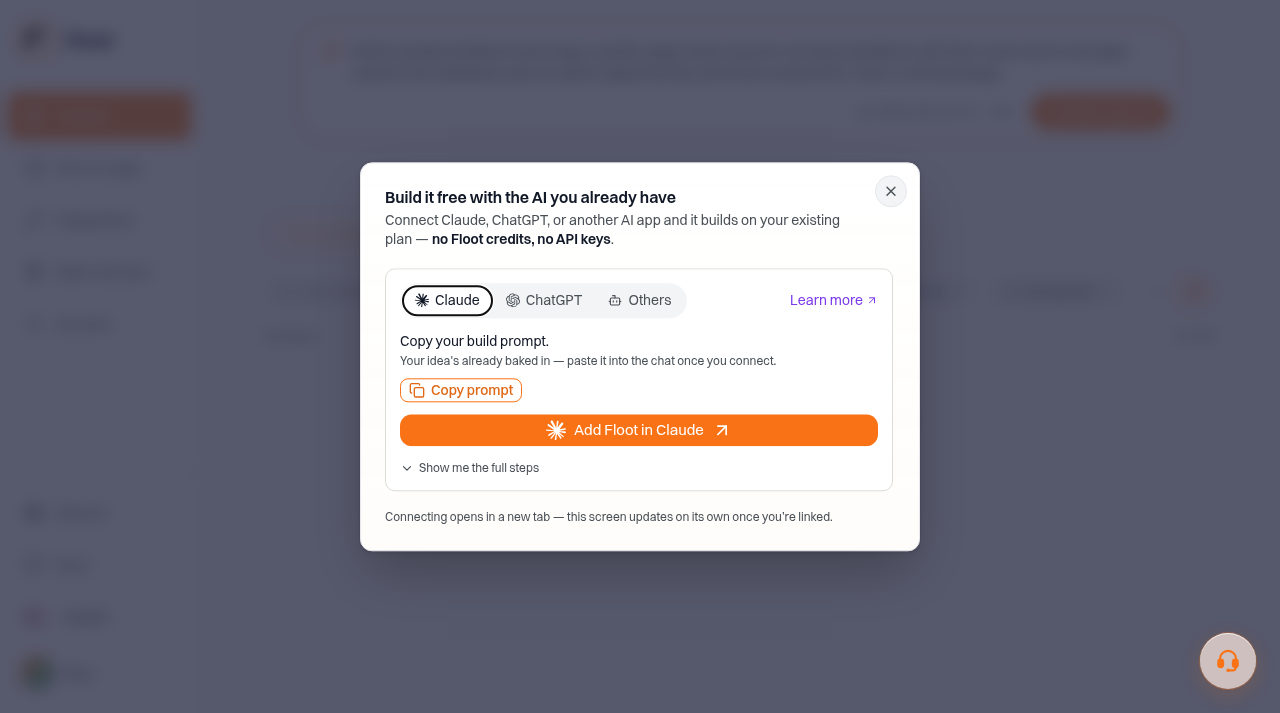
Floot's dashboard routes new projects to a "connect your AI" modal.
Building an app on Floot, step by step (as tested)
To see how Floot works in practice, we built a small but real app with it: a feedback board. A visitor types a name and a message into a form, the entry is saved to a Postgres table, and saved entries render on the page. Here is the exact path that build took, from sign-up to a published app.
Step 1: Sign up. Account creation uses email one-time codes or Google, GitHub or Microsoft login; there are no passwords. We used a real Power plan account for this test.
Step 2: Connect your AI client. Floot's MCP server uses OAuth 2.1 with dynamic client registration, and the MCP-compatible client used in this test connected without manual API keys (Floot documents setup for Claude, ChatGPT, and other MCP clients). One genuine friction point: after clicking Approve on the consent screen, the page says "Request approved" and then nothing happens.
A small "Finish connecting" link has to be clicked for the redirect to actually fire; in this test the flow nearly read as broken until that link was noticed. If MCP is new territory, our guide to the best MCP servers for AI coding explains the ecosystem Floot plugs into.
Step 3: Create the project.
Once connected, the AI gets a toolbox of MCP tools for file operations, dependency management, endpoint and database provisioning, typechecking, logs, screenshots, and publishing.
In our test the AI read Floot's built-in guides, created the project, and wrote the first files.
Step 4: Provision the database.
One tool call provisions a Postgres database; Floot seeds typed kysely helpers and regenerates the schema types after each change.
Our test app ended up with a React front end, validated API endpoints, and a Postgres table, and its typecheck came back clean on the first pass.
Step 5: Shape the app's code.
Floot's file model is real code, not proprietary blocks: React + TypeScript pages, endpoints as route_GET.ts / route_POST.ts pairs with a shared zod schema file, superjson for serialization, kysely for queries. If you can read React, you can read everything Floot generates.
Step 6: Run and verify in the live preview.
We submitted data through the app's API, confirmed the database write, and saw the stored post render in the preview.
The MCP server exposes request logs per endpoint and a get_logs tool with per-request detail, which made confirming the data flow straightforward. One oddity: the screenshot_preview tool does nothing unless a preview window is already open in a browser, which defeats the purpose for a headless AI client.
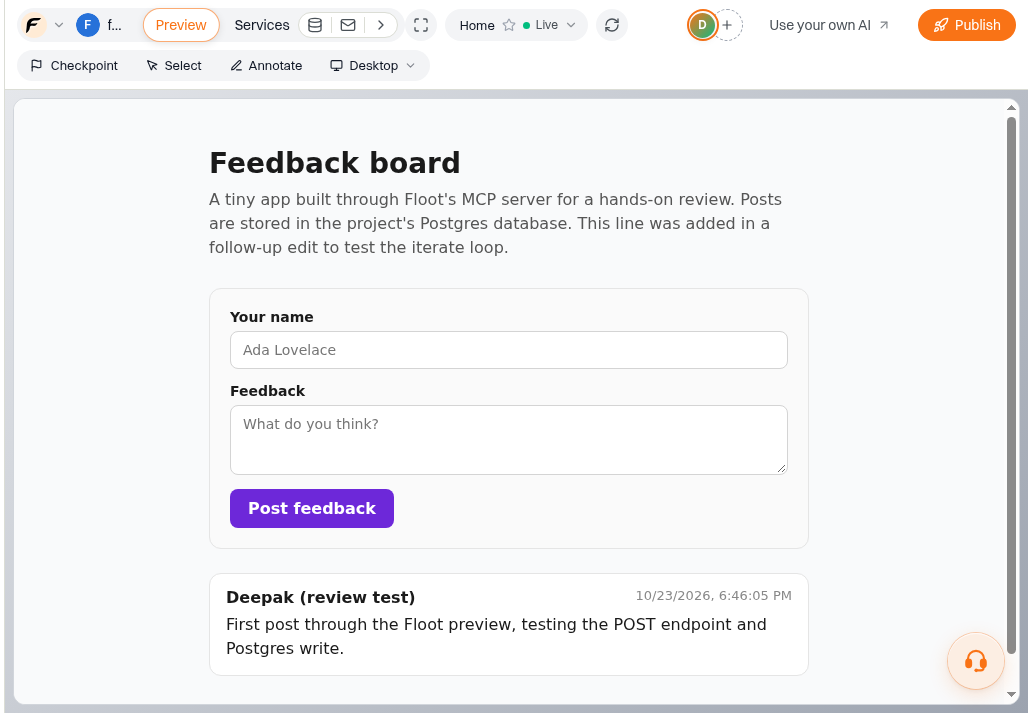
The test feedback board app running in Floot's editor preview, rendering a post stored in Postgres.
Step 7: Iterate and share. A follow-up edit made through the MCP connection was live in the preview within seconds. Floot also offered a view-only share link for the test project (valid 7 days), so others can look at a preview without an account.
Step 8: Publish.
In a follow-up test the app was published to a live Floot subdomain, and an unauthenticated visitor could submit feedback that was written to Postgres and rendered on the page.
Publishing itself is free on every plan, Free included. Hosting for published apps is metered daily: usage draws on the plan's included monthly hosting allowance first, then the prepaid hosting balance.
What worked well
- Real, readable code end to end. No proprietary abstraction layer between you and your app.
- Database provisioning is one tool call, with typed schema helpers regenerated automatically.
- The iteration loop is fast: edit to live preview in seconds.
- Built-in guides inside the MCP server mean the AI does not guess at platform conventions.
- Sensible engineering defaults: server-side validation, no in-memory state (serverless-safe), fail-fast error handling.
- Generous building-action quotas on paid plans (5,000/day on Power) and credits that roll over one extra month.
Limitations and friction
Observed in testing
- No standalone builder in the tested dashboard. Building routed through an external AI client, which Floot says is the intended main path rather than a missing feature; the editor's own Build input exists but was not evaluated.
- The OAuth consent flow has a dead-end feel (the "Finish connecting" step described above).
- Minor testing note: preview apps run inside Floot's editor shell; the raw sandbox URL does not boot on its own, which complicates external automated testing.
Documented by Floot
- Single region. Apps run in AWS us-east-1 only, per Floot's reliability docs.
- Traffic throttling. Floot throttles at roughly 2x your weekly peak (minimum 50 concurrent). Sudden viral spikes can get capped.
- Code export is paywalled. "Get Code" requires a paid plan; publishing is free on every plan, Free included, so the free tier can build and publish a live app. Only the code download needs a paid plan.
- Hosting is prepaid metered billing. If the hosting balance goes negative, paid plans get warning emails and a grace window of up to three days before Floot takes the app down and releases your subdomain. Free accounts get no grace period. Set an alert.
- Free tier is tight: 5 projects, 100MB storage, a one-time $3 hosting credit, and 3,000 one-time credits.
Floot Pricing: Free vs Pro vs Power, Credits and Hosting Costs
Floot offers a free plan with one-time AI and hosting credits, alongside Pro at $25/month and Power at $100/month. Pro includes $10/month of hosting, while Power includes $25/month. Hosting usage draws from that allowance first, then your prepaid hosting balance.
If you need more capacity, Action Boost costs $5 for 5,000 extra build actions, usable for the rest of the day and the following day. AI credit top-ups start at $20 and provide 1,000 credits per dollar.
When a paid plan ends, your projects and data remain, but the account returns to Free. Published apps can stay live while hosting credit remains; paid features and the monthly hosting allowance end.
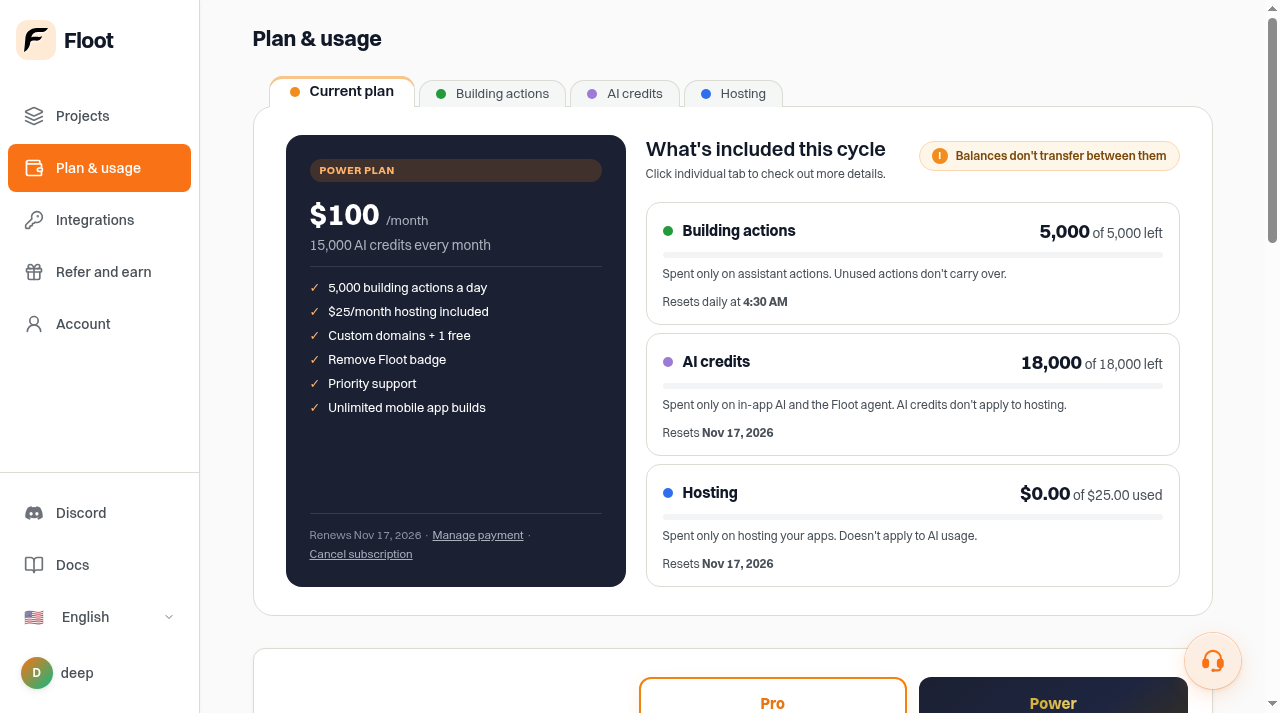
Floot's Plan and usage page on the Power plan.
How Floot compares to alternatives
We did not test these alternatives hands-on; the details below come from each vendor's pricing and documentation pages in October 2026. Prices change, so verify before quoting.
- Lovable. The closest category neighbor: an in-browser AI app builder with its own built-in agent, so you build inside Lovable's app rather than from your own Claude or ChatGPT client. Free plan available; Pro starts at $25/month; credit-based billing.
- Bolt.new. An in-browser builder from StackBlitz with its own agent and integrated hosting. Free plan with 1M tokens per month; Pro at $18/month billed annually ($216/year).
- Replit. A broader cloud development environment whose Agent builds and deploys apps in the browser; more of a full IDE than a pure app builder. Core at $20/month ($18/month billed annually).
- v0 by Vercel. Focused on generating front-end UI from prompts rather than full hosted apps with a database. Premium at $20/month.
- Where Floot is different. In this test, building ran through Floot's MCP server from an external AI client, with hosting and Postgres included, and the output was real React and TypeScript code (code download requires a paid plan). Floot's team also points to free publishing, native iOS and Android builds, push notifications, email sending, payments and private apps for signed-in users only; we did not test those. For a head-to-head of the two biggest in-browser builders, see our Lovable vs Bolt.new comparison.
Who Floot is for, and when to use it
Floot makes sense if:
- You already work in Claude or ChatGPT and want to go from a prompt to a running web app with a real database, without setting up hosting yourself.
- You are building an MVP, client portal, internal tool, or prototype where speed matters more than infrastructure control.
- You want real, readable code (React + TypeScript) you can keep working in, rather than a proprietary editor.
Consider another approach if:
- You want a visual, in-dashboard builder. In the dashboard we tested, building runs through an external AI client; tools like Lovable or Bolt.new take a more integrated, in-browser route (see our Lovable vs Bolt.new comparison).
- You need multi-region hosting or guaranteed burst capacity; Floot's documented single-region, throttled model is a real constraint.
- You only need a marketing site, not a web app. A dedicated AI website builder is simpler; our ranked guide compares the main options.
- You expect to move off quickly; code export requires a paid plan.
These recommendations are editorial judgment based on the single hands-on test above, not lab benchmarks.
Verdict
Floot‘s approach is to give your existing AI real infrastructure and real code rather than a proprietary walled garden, and in this test that worked: a small app with a real database went from zero to running preview quickly, with fast iteration.
If you already use Claude or ChatGPT daily and want to ship small real apps without touching hosting, the free tier is worth a try.
Floot is live on ToolJunction: the full Floot listing has screenshots, pricing details and top alternatives.
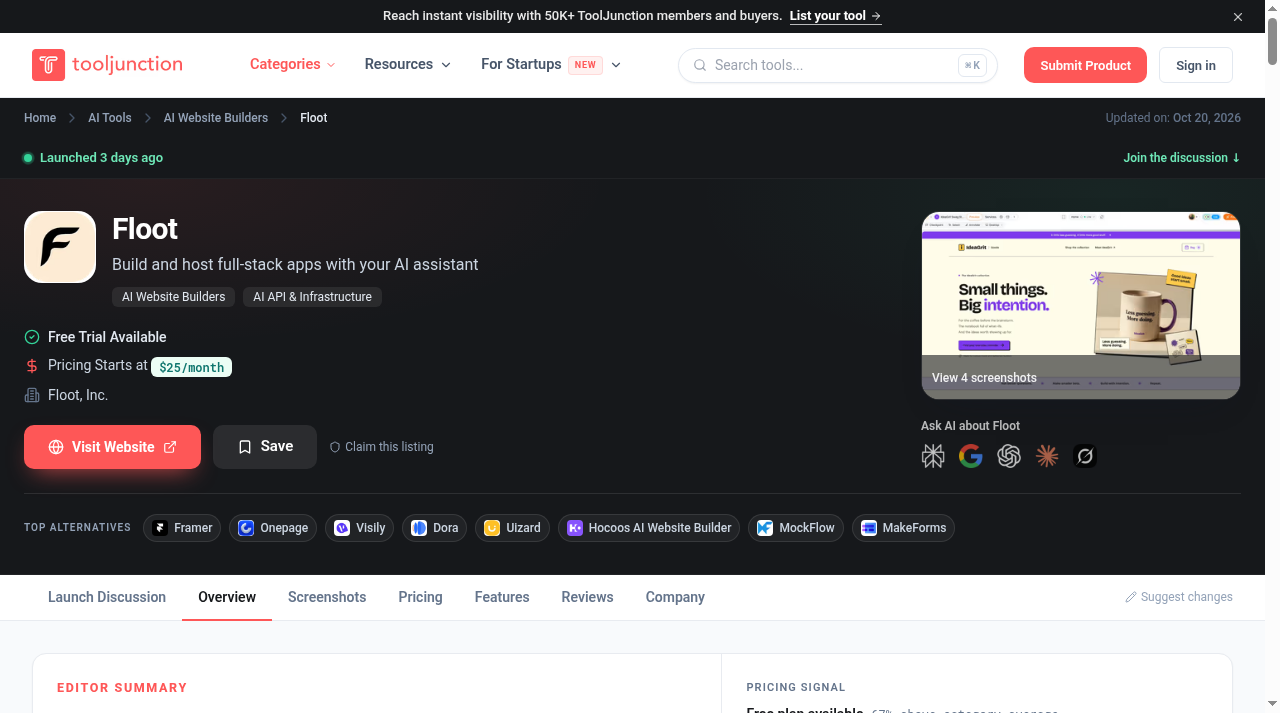
Floot's listing page on ToolJunction.


