

Every year I work with dozens of clients as a digital marketing freelancer, and one pattern I cannot ignore anymore is how often people ask me for the best free Make.com Alternatives. The frustration is real. Clients usually start their automation journey on Make because the visual builder looks friendly, but the problems begin when their workload increases. Suddenly the operations count shoots up, scenarios break during peak campaigns, and the monthly bill becomes unpredictable. In 2025, businesses want automation tools that give them control, not surprise expenses. They want AI powered workflows, open-source flexibility, and pricing that does not punish growth.
This blog breaks down the complete list of ten tools that can replace Make.com, with real pros and cons, personal experience from working with clients, and use cases that matter in real work environments. If you are looking for a reliable, affordable, or AI first automation alternative, this guide will help you pick the right tool.
Table of Contents
What Are Make.com Alternatives
Make.com alternatives are platforms that help you automate tasks, connect apps, and build workflows without coding. These tools are used to replace Make when users need a lower cost, simpler interface, or more advanced features like AI agents. Some alternatives give you unlimited execution through self hosting while others offer lighter, cleaner UI for beginners. When I manage automation setups for e-commerce clients, I often notice that Make becomes too complex for them after a few months. They want practical, easy to maintain workflows. That is where alternatives like Activepieces or Pabbly Connect become useful.
Why Search for Make.com Alternatives in 2025
There are three major reasons people are switching in 2025. First is pricing. Make charges for every operation which becomes painful when workflows expand. Second is complexity. Many beginners feel that Make looks simple at first but becomes confusing with nested routers and connections. Third is AI automation. Make still depends heavily on manual setup while new tools like Gumloop and Relay.app focus on agent style workflows that think and adjust automatically. When my clients run lead generation campaigns, they prefer tools that do not break under heavy usage and offer predictable pricing. That is why this list is important if you want stability and growth in 2025.
Quick List of Best Free Make.com Alternatives
- n8n: best for technical users and self hosting
- Activepieces: best open source tool for beginners
- Zapier: best for easiest integration experience
- Pabbly Connect: best for lifetime and budget users
- Gumloop: best for AI powered workflows
- Relay.app: best for calendar and CRM automation
- Workato: best for enterprise automation
- Microsoft Power Automate: best for corporate teams
- Windmill.dev: best for developers and scripting
- Integrately: best for simple one click workflows
Comparison Table for Make.com Alternatives
| Tool | Pricing | Best For | Key Feature |
|---|---|---|---|
| n8n | Free self hosted, paid cloud | Developers, tech teams | Unlimited executions when self hosted |
| Activepieces | Free plan, paid upgrades | Beginners, small teams | Open source and simple UI |
| Zapier | Paid only | Marketers, agencies | 6000 plus integrations |
| Pabbly Connect | Low cost and lifetime deal | Freelancers, low budget users | No task limits in higher plans |
| Gumloop | Free plus paid | AI users, content teams | AI agent workflows |
| Relay.app | Free plus paid | Sales, operations | Calendar based automations |
| Workato | Enterprise pricing | Large companies | Secure enterprise workflows |
| Microsoft Power Automate | Paid | Corporate teams | Deep Microsoft ecosystem |
| Windmill.dev | Free open source | Developers | Script based workflows |
| Integrately | Low cost plans | Marketers | One click integrations |
Detailed Tool Reviews of Make.com Alternatives
1. n8n
Website: https://n8n.io
Overview
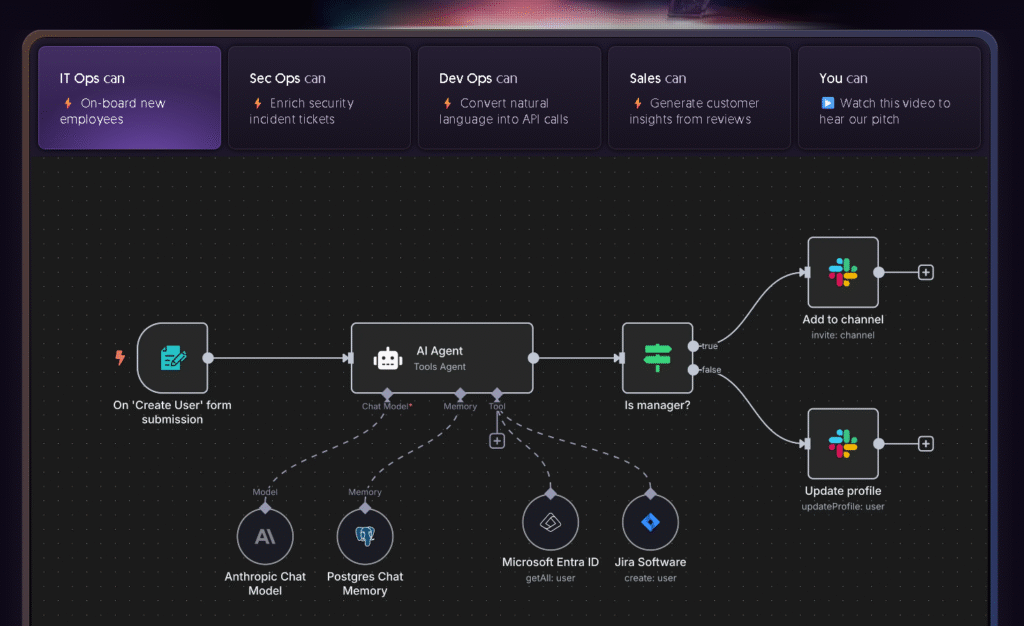
n8n is one of the strongest automation platforms when you want full control and unlimited workflow execution. In my client projects, n8n is the tool I use when the client’s work involves large data processing or when they want to avoid paying per task. The self hosted feature is the biggest advantage because it lets businesses run workflows endlessly without extra cost. The interface can feel heavy at first but once you understand the logic, it becomes extremely powerful.
Key Features
• Unlimited workflows through self hosting
• Custom code nodes
• Visual builder with strong logic handling
Best For
Developers, tech teams, data heavy businesses
Pros and Cons
| Pros | Cons |
|---|---|
| Unlimited executions when self hosted | Requires server setup |
| Highly flexible and powerful | Not ideal for beginners |
| Open source and privacy friendly | UI feels technical |
2. Activepieces
Website: https://www.activepieces.com

Overview
Activepieces is the tool I recommend most often to clients who want something simple, affordable, and open source. The interface feels clean, and the free plan is genuinely useful. Most beginners figure out the platform in less than a day. I prefer Activepieces for small business automations like lead management, email flows, or basic AI tasks.
Key Features
• Open source
• Clean and easy visual builder
• AI assisted actions
Best For
Beginners, small businesses, freelancers
Pros and Cons
| Pros | Cons |
|---|---|
| Easy to learn | Smaller integration library |
| Useful free plan | Limited advanced logic |
| Open source | Templates are fewer |
3. Zapier
Website: https://zapier.com
Overview
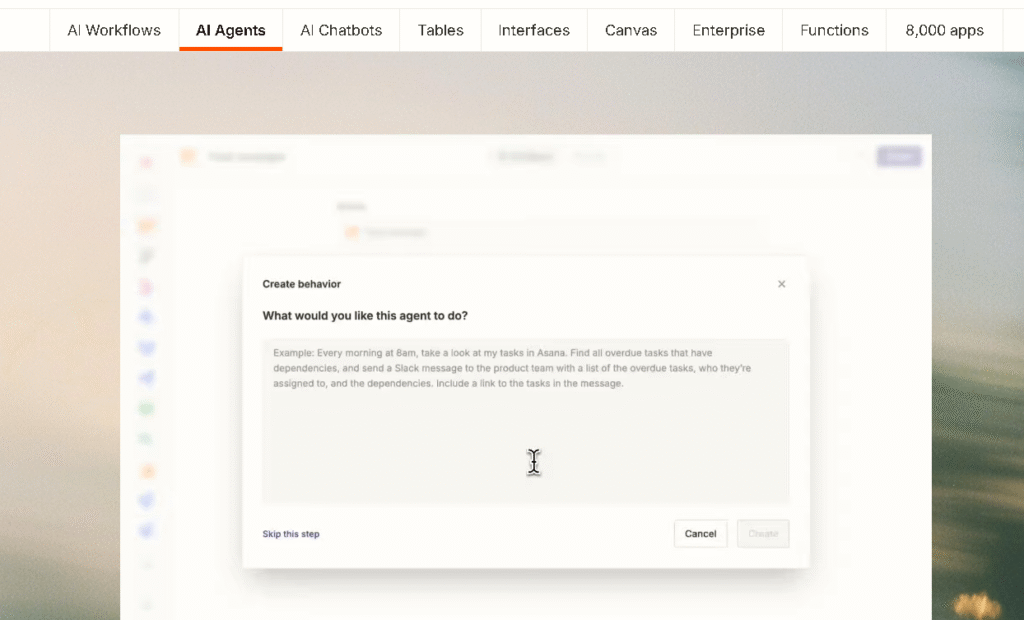
Zapier is still the smoothest automation tool when you want reliability and a huge selection of integrations. Many of my marketing clients prefer Zapier because they do not want to deal with complex setup. However the pricing becomes high when workflows grow. If your business depends on consistency and speed, Zapier is still one of the best choices.
Key Features
• 6000 plus apps
• Reliable triggers
• Simple zap builder
Best For
Marketers, agencies, non technical users
Pros and Cons
| Pros | Cons |
|---|---|
| Easiest UI in the market | Cost increases quickly |
| Very reliable | No free unlimited usage |
| Huge integration library | Limited advanced customization |
4. Pabbly Connect
Website: https://www.pabbly.com/connect
Overview
Pabbly Connect has become very popular because of its lifetime pricing. Many freelancers use it for client projects because it keeps costs predictable. The interface is simple but not very modern. Still it gets the job done for most common automations. I used Pabbly for a client whose budget was tight but required daily lead routing.
Key Features
• Lifetime plan available
• No task limits on higher tiers
• Easy automation builder
Best For
Freelancers, small agencies
Pros and Cons
| Pros | Cons |
|---|---|
| Very affordable | UI feels old |
| Good customer support | Updates are slower |
| Lifetime pricing option | Limited advanced logic |
5. Gumloop
Website: https://www.gumloop.com
Overview
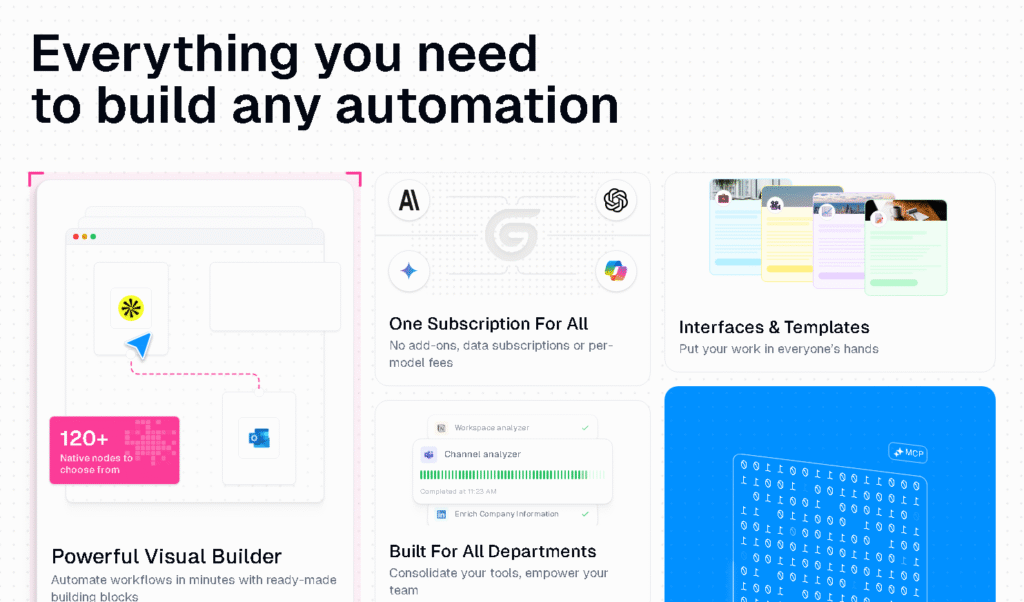
Gumloop is the tool I use when clients want AI driven automations. It works like an AI research assistant. One of my content clients used Gumloop to automate competitor research, article briefs, and content structure. It saved them hours every week. Gumloop is perfect for tasks where thinking and analysis are required, not just simple triggers.
Key Features
• AI workflows
• Automated research
• Browser automation
Best For
Content creators, AI users, research tasks
Pros and Cons
| Pros | Cons |
|---|---|
| Strong AI capabilities | Not enough traditional integrations |
| Easy to automate research tasks | Not ideal for basic workflow needs |
| Fast and intelligent output | Still new in the market |
6. Relay.app
Website: https://relay.app

Overview
Relay.app is effective for automating workflows based on time, schedules, or CRM events. It is popular among sales and HR teams. I used Relay.app for a client who wanted automated follow ups after meetings. The tool handled it very smoothly. It is not meant for everything but it excels in calendar logic and workflow routing.
Key Features
• Calendar triggers
• CRM and email automation
• Easy collaboration
Best For
Sales teams, operations, HR
Pros and Cons
| Pros | Cons |
|---|---|
| Clean and modern design | Limited apps |
| Great for meeting automation | Not for complex workflows |
| Easy for teams to adopt | Smaller feature set |
7. Workato
Website: https://workato.com
Overview
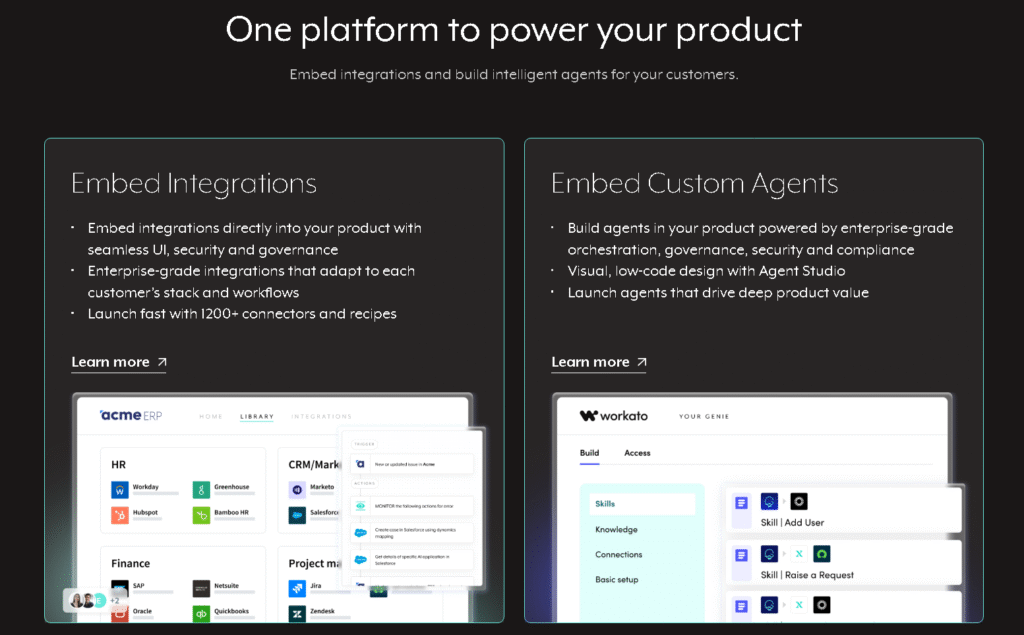
Workato is enterprise level and built for large companies. It supports secure and stable workflows that cannot fail. Some of my corporate clients use it for finance approvals, HR operations, and ERP integrations. It is powerful but comes with high pricing and requires onboarding.
Key Features
• Enterprise governance
• Strong AI bots
• Deep integration with business systems
Best For
Enterprise teams, corporate workflows
Pros and Cons
| Pros | Cons |
|---|---|
| Very stable | Expensive |
| Deep enterprise features | Requires training |
| Trusted by large companies | Not for freelancers |
8. Microsoft Power Automate
Website: https://powerautomate.com
Overview
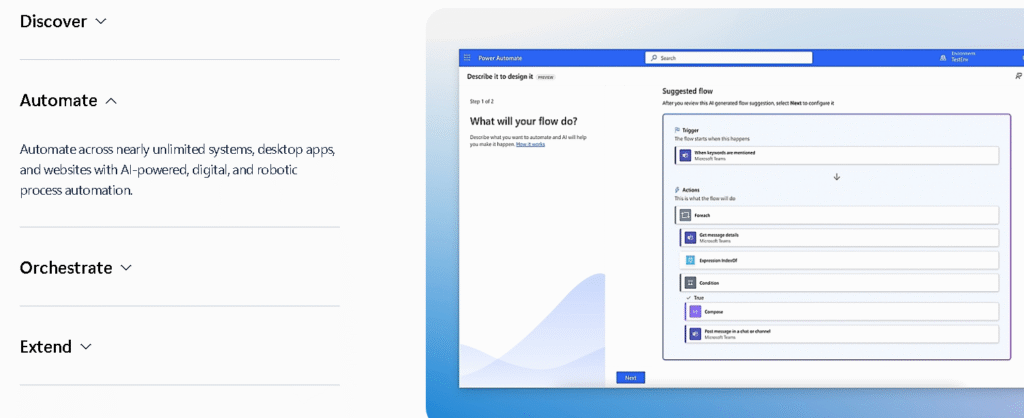
Power Automate works best for companies using Office 365, Teams, Outlook, SharePoint, and other Microsoft apps. It is very powerful but not very beginner friendly. It automates almost anything inside Microsoft’s ecosystem which makes it ideal for corporate clients.
Key Features
• AI builder
• RPA automation
• Connects all Microsoft apps
Best For
Corporate teams, enterprises
Pros and Cons
| Pros | Cons |
|---|---|
| Perfect for Microsoft ecosystem | Learning curve |
| Reliable execution | UI is complex |
| Good for internal teams | Pricing can rise |
9. Windmill.dev
Website: https://www.windmill.dev
Overview
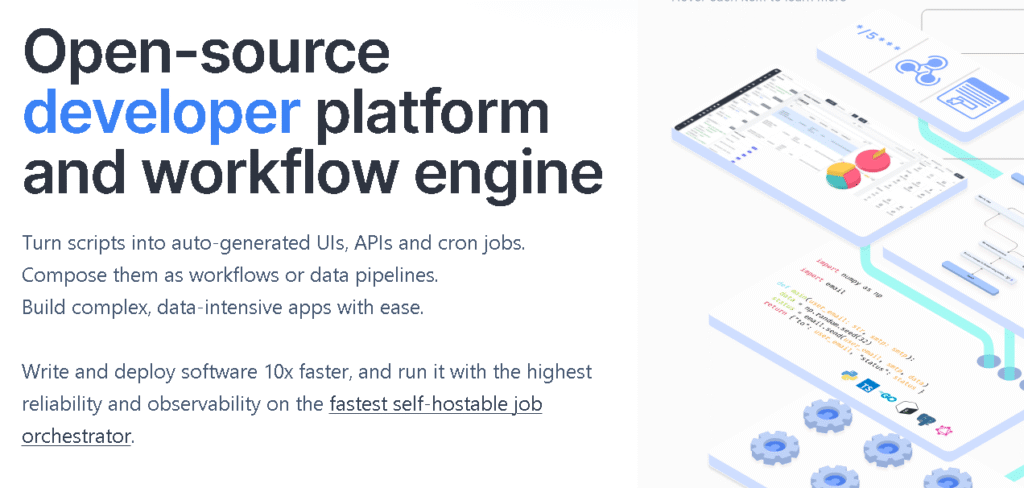
Windmill.dev is fully open source and best suited for developers. Instead of drag and drop, it uses script based tasks. One of my clients needed heavy data processing on a daily basis and Windmill handled it well. It is not a beginner tool but a strong choice when scripting is required.
Key Features
• Script workflows
• Self hosting
• Open source
Best For
Developers, tech heavy companies
Pros and Cons
| Pros | Cons |
|---|---|
| Powerful for developers | Not beginner friendly |
| Fully open source | Setup needed |
| Great for data workloads | Small community |
10. Integrately
Website: https://integrately.com
Overview
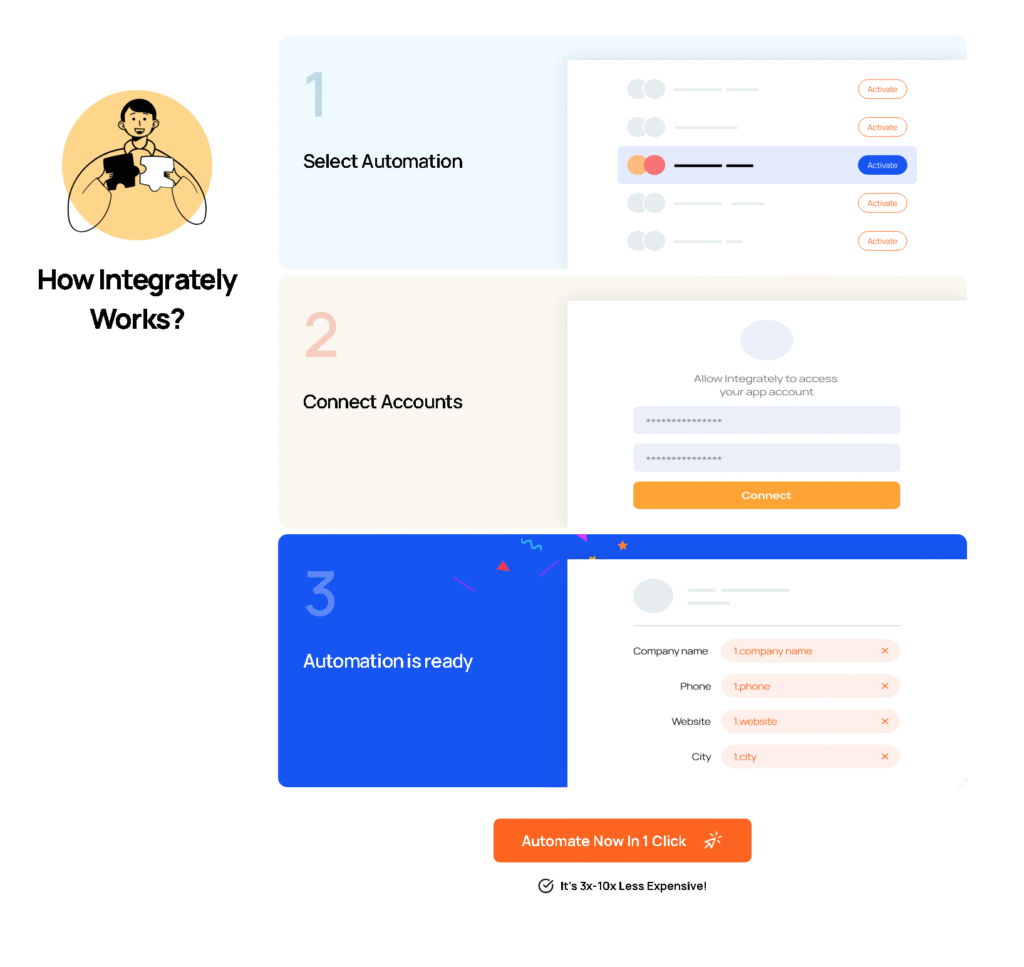
Integrately is good for users who want quick, one click automations. It is simple and affordable. I use it when clients only need small tasks like connecting their CRM to email automation. It is not made for advanced workflows but works well for simple tasks.
Key Features
• One click workflows
• Low cost
• Simple UI
Best For
Marketers, small business owners
Pros and Cons
| Pros | Cons |
|---|---|
| Easy setup | Limited advanced logic |
| Budget friendly | Smaller integration list |
| Fast workflow creation | Not suitable for complex tasks |
How to Choose the Best Free Make.com Alternatives
Choosing the right tool depends on your workflow size, skill level, and budget. If you want unlimited workflow execution without worrying about cost, go for n8n self-hosted. If you want something simple and open source, Activepieces is ideal. Or you want strong integrations and reliability with no learning curve, Zapier is safer. For AI workflows and research automation, Gumloop is far ahead of Make. If you run a corporate environment, Workato or Power Automate is the right fit. Always check pricing transparency, integration coverage, AI capabilities, and how well the tool scales with your workload.
Read More
- Check out our AI Tools for E-commerce Businesses guide for more automation tools.
- Explore our AI SEO Tools (Paid & Free) comparison for deep reviews.
- Check out more at tooljunction, we share honest AI tool reviews and tutorials to help you choose the right tools for your creative projects.
FAQs
1. Which free Make.com alternative is best for beginners?
Activepieces is best because it has a friendly UI, useful free plan, and easy logic building. Beginners understand it quickly.
2. Which alternative offers unlimited automation?
n8n offers unlimited workflows when you self host it, making it the best no limit automation option.
3. Which tool is best for AI driven workflows?
Gumloop is best for AI because it supports agent workflows, browser tasks, and research automations.
4. Can Zapier fully replace Make?
Yes, for most business workflows. Zapier is simpler and more reliable, but more expensive for heavy usage.
5. What is the best enterprise alternative?
Workato and Microsoft Power Automate are the best for enterprise automation because of security, governance, and system integration.
Conclusion
Finding the best free make.com alternatives in 2025 is important if you want predictable pricing, simpler automations, or stronger AI features. After working with many clients, I realised that no single platform suits everyone. The right choice depends on your workload, team size, and growth plan. Explore the ten tools listed above and choose the one that supports your work long term. A reliable automation system can save hours every week and prevent failures during campaigns or client work.







Leave a Reply