

The fear behind every invoice approval automation project is the same: what if the software approves something it shouldn't? So teams stay manual, invoices wait in inboxes, and month-end turns into a chase.
You can have both speed and control, but only if you design the controls first and automate around them. This guide shows how to automate invoice approval step by step, which safeguards keep financial control intact, and where automation should stop and a human should start.
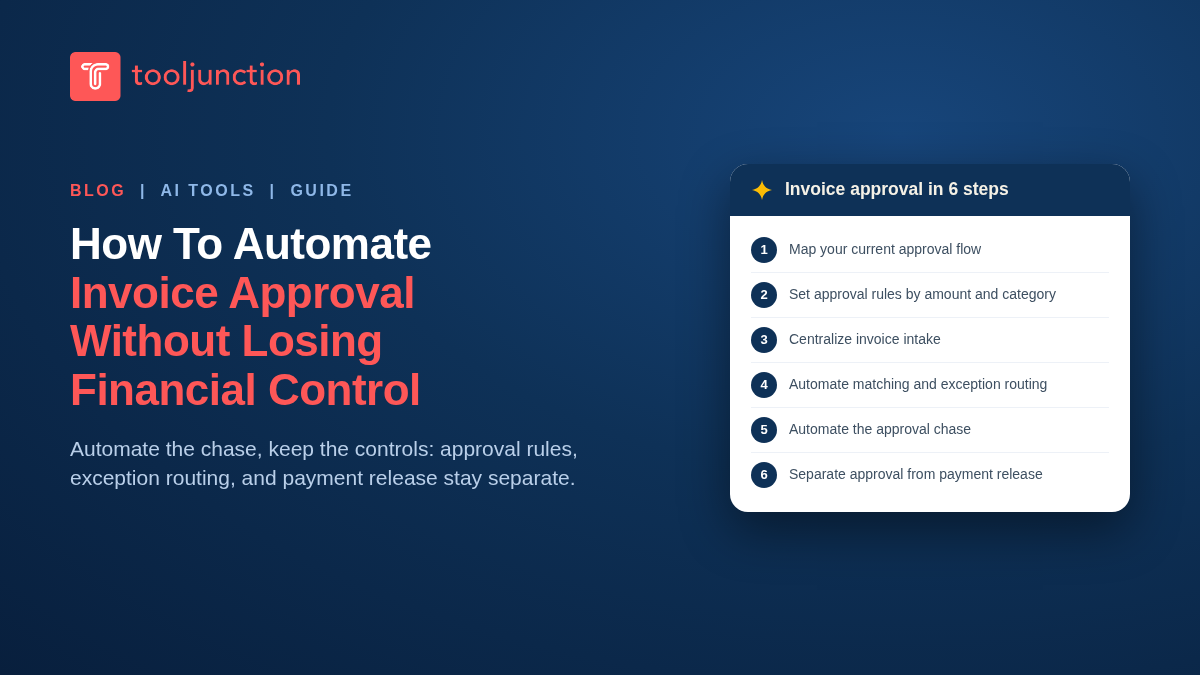
Table of Contents
Why manual invoice approval breaks down
Manual approval fails in predictable places. Invoices arrive by email and sit unread. Approvers guess at GL codes. The same invoice gets forwarded twice and paid twice. Nobody can answer "who approved this?" without digging through threads. None of these are people problems; they are process problems, and they are exactly what automation fixes. That is why teams that automate invoice approval well start with the process, not the software. The goal is not to remove humans from approval. It is to remove humans from routing, chasing and data entry, so their judgment is spent only where it matters.
The controls you keep before you automate anything
Automation without controls is just faster chaos. These five controls are what "not losing financial control" means in practice:
- Approval thresholds. Every invoice above a set amount needs a human approver. Small, recurring, pre-authorized spend can auto-approve; a $40,000 invoice from a new vendor cannot.
- Segregation of duties. The person who enters a vendor should not be the person who approves its invoices, and neither should be the person who releases payment. Automation enforces this by role, not by trust.
- PO matching. Invoices matched against purchase orders and receipts (2-way and 3-way matching) prove you are paying for what you ordered and received.
- Duplicate and anomaly checks. Software flags duplicate invoice numbers, changed bank details and unusual amounts before payment, not after.
- Audit trail. Every touch, approval and edit logged with a name and timestamp, so any invoice can be reconstructed for an auditor in minutes.
How to automate invoice approval in 6 steps
Step 1: Map your current approval flow
Before you automate invoice approval, write down how an invoice actually moves today: where it arrives, who codes it, who approves at which amounts, and who pays it. You cannot automate a process nobody has drawn. Pay attention to the informal steps, like the office manager who "just checks" everything.
Step 2: Set approval rules by amount and category
Translate your flow into rules: invoices under $500 from approved vendors auto-approve after matching; $500 to $5,000 goes to the department head; above $5,000 adds a finance approver. Add category rules where risk differs, like tighter thresholds for new vendors or one-time purchases.
Here is how those example rules look as a routing table. The dollar amounts are illustrative; set yours from your own risk tolerance and audit requirements.
| Invoice | Example rule | Who approves |
|---|---|---|
| Under $500, approved vendor, matching passes | Auto-approve | Nobody; logged for audit |
| $500 to $5,000 | Route by department | Department head |
| Above $5,000 | Add a second level | Department head plus finance approver |
| New vendor, changed bank details, or any flag | Always manual | Finance, before anything is paid |
Step 3: Centralize invoice intake
Route every invoice to one place: a dedicated AP inbox, a supplier portal, or a scan queue. AP platforms capture from all three and extract header and line-item data with OCR and AI, which ends manual keying. Tools like Ramp run automated invoice extraction even on their free plan, and BILL's Invoice Coding Agent applies AI multi-line coding automatically.
Step 4: Automate matching and exception routing
Turn on 2-way or 3-way matching so clean invoices sail through and only mismatches queue for review. Define what happens to each exception type: price variance, missing PO, duplicate suspected, new vendor. Exceptions are where your humans should live.
Step 5: Automate the approval chase
Configure approval workflows with deadlines and automatic reminders, and escalation when an approver goes quiet. This is the single biggest cycle-time win when you automate invoice approval: the software chases, not your AP clerk.
Step 6: Separate approval from payment release
Keep payment release as its own controlled step. Ramp's higher plans, for example, offer payment release approvals specifically so a second set of eyes confirms money leaving. Then review the audit trail monthly: approval times, exception rates, overrides.
Where automation should stop
Some decisions stay human, no matter how good the software gets:
- New vendor setup and any change to vendor bank details.
- Invoices above your top threshold, whatever the matching says.
- Anything the system flags: duplicates, anomalies, unmatched POs.
- Non-PO spend in sensitive categories like legal, settlements and related parties.
A useful rule: automate the routing and the checking, keep the exceptions and the money release human.
Use this table as a quick check on where the line sits between software and people.
| Task | Automate it | Keep a human on it |
|---|---|---|
| Invoice intake and data extraction | Yes | Spot-check low-confidence fields |
| Matching to PO and receipt | Yes | Review mismatches and tolerance breaches |
| Approval routing and reminders | Yes | Escalations that stall |
| New vendor setup and bank-detail changes | No | Always |
| Payment release | Rules only | Final approval on higher amounts |
What to look for in invoice approval software
When you evaluate platforms, check these against your controls list:
- Configurable approval policies by amount, vendor, category and entity (BILL lists custom approval policies on its Corporate plan, not Essentials or Team).
- Matching depth: 2-way and 3-way PO matching, with tolerance rules.
- AI extraction and coding that learns your chart of accounts, not just generic OCR.
- Fraud and duplicate checks built into the flow, like Ramp's automated fraud checks.
- Audit log and custom user roles so segregation of duties is enforced by the system.
- ERP sync that is genuinely two-way, so approved invoices and payments land in the books without re-keying.
For the platform-by-platform comparison, see our roundup of the AI document workflow automation landscape, the best document parsing APIs behind invoice extraction, and our guide to AI agent permissions for the governance angle on letting software act for you.
To see how this plays out in real products, here is how two widely used platforms split the approval controls across plans, based on their pricing pages. Plan names and prices change, so confirm before you buy.
| Control | Ramp | BILL |
|---|---|---|
| Invoice capture with OCR | Included on the free plan | Included; centralized bill inbox from Essentials |
| Approval workflows | Configurable workflows on the free plan; advanced routing on Plus | Standard approval policies on every plan; custom policies on Corporate |
| AI coding of invoice lines | Line-item auto-coding on Plus | Invoice Coding Agent from Team, not on Essentials |
| Starting paid price (list) | Plus: $15 per user per month plus a platform fee | Essentials $49, Team $65, Corporate $89 per user per month |
FAQs
Can you automate invoice approval without losing financial control?
Yes, if controls come first. Set approval thresholds, segregate duties, require PO matching, run duplicate and anomaly checks, and keep an audit trail. Automation then enforces those controls more consistently than a manual process ever does, because rules do not get busy or forgetful.
Which invoices should never be auto-approved?
New vendors, any invoice above your top threshold, anything flagged as a duplicate or anomaly, invoices with changed bank details, and sensitive non-PO spend. Everything else can qualify for straight-through processing if matching passes.
What is 3-way matching in invoice approval?
Three-way matching compares the invoice against the purchase order and the receiving record before payment. It proves you ordered the goods, received them, and are being billed the agreed price and quantity. Two-way matching skips the receipt check and suits services where nothing physical arrives.
How long does it take to set up automated invoice approval?
Mapping your flow and writing approval rules takes days, not months. Cloud AP platforms can help you automate invoice approval for a single entity in weeks. Multi-entity, multi-currency setups take longer because each entity's rules and ERP mappings need their own configuration and testing.
Does automated invoice approval work with QuickBooks and other accounting software?
Yes. Mainstream AP platforms sync with QuickBooks, Xero, NetSuite, Sage Intacct and Microsoft Dynamics. Check whether the sync is two-way and automatic or a manual CSV exchange, because that difference decides whether automation actually removes re-keying.
Final verdict
Automating invoice approval is not a leap of faith. Design the five controls first, automate intake, matching, routing and reminders around them, and keep exceptions and payment release human. Done that way, when you automate invoice approval you do not weaken financial control. It finally makes the controls you already have enforceable.
Comparing AP platforms for your team? ToolJunction is a discovery platform for AI startups, tools and agents, with pricing breakdowns and comparisons across categories.
Sources
- Ramp pricing: approval workflows, fraud checks and payment release approvals
- BILL pricing: approval policies, AI coding and PO matching
- Tipalti pricing: invoice processing and PO matching
- Medius: AP controls and fraud risk reduction
Product details checked 11 November 2026 on the official pages linked above.


