

A Zapier to n8n migration usually starts with a bill like this. Your Zapier bill started small. Then the Zaps grew a few more steps, the task count doubled, and now automation is a line item finance asks about. That is usually when someone says: why don't we just self-host n8n?
Sometimes they are right. This guide walks through the real migration: what Zapier costs versus self-hosted n8n, the seven steps to move your workflows, and the honest list of what breaks along the way.
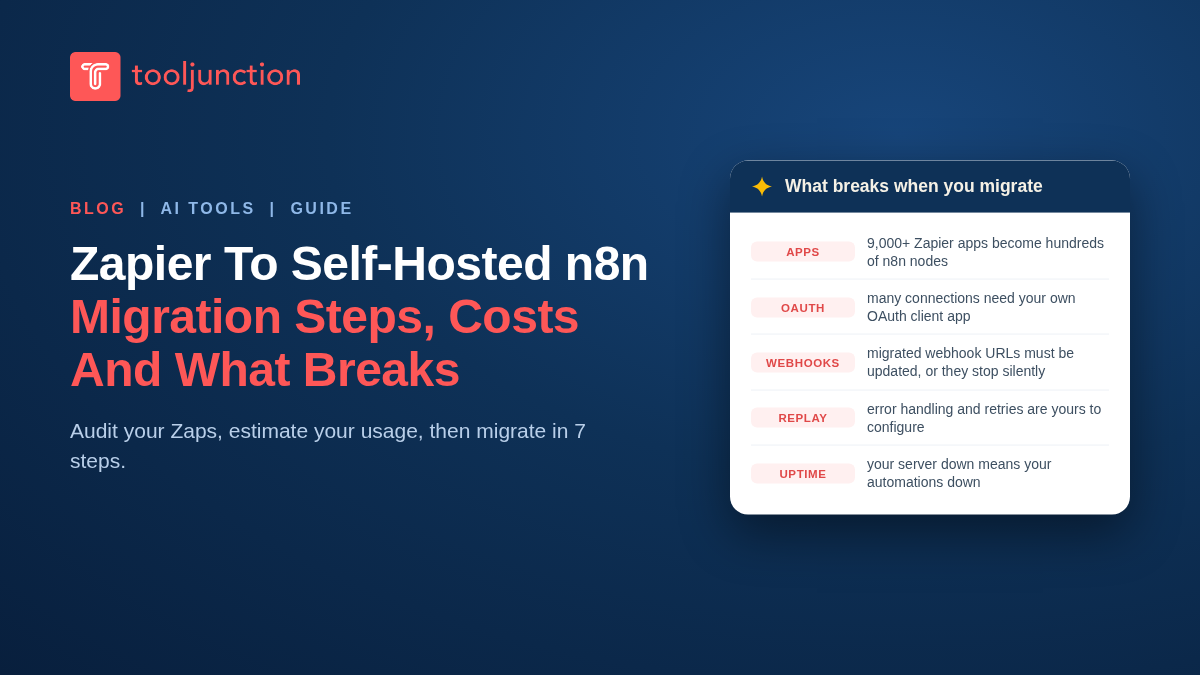
Table of Contents
Why teams migrate from Zapier to self-hosted n8n
Three reasons come up in every migration conversation:
- Task-based billing scales against you. Zapier bills per task. Triggers and polling are free, and built-in utilities like Filter, Formatter and Paths do not count, but every paid action or connector step uses tasks each time the Zap runs. A Zap with five paid action steps running 2,000 times a month consumes 10,000 tasks. Success literally costs more.
- n8n charges per workflow execution, or nothing at all. One run of a workflow costs one execution regardless of how many steps it has. Self-host the Community Edition and you pay for a server, not per run.
- More control over workflow data. With self-hosting, workflows, credentials and logs live on your infrastructure instead of a vendor cloud, which simplifies one part of the security review. The exception: any step that calls an external API still sends that step data out, so real egress depends on which services your workflows touch.
What each option actually costs
Zapier's current plans, as covered in our Zapier pricing guide: Free includes 100 tasks a month, Professional runs from $19.99 a month for 750 tasks, or about $49 a month for 2,000 tasks, and Team starts at $69 a month for 2,000 tasks (all annual-billing rates; paying monthly costs more), and Enterprise is custom. Costs climb with task volume, and multi-step Zaps multiply that volume.
Self-hosted n8n's Community Edition is free to use. It is source-available under n8n's Sustainable Use License, a fair-code license: free for internal business use, but you cannot sell it on as a hosted service. Your real costs are:
- A server. A small VPS running Docker handles modest workloads for roughly $5 to $40 a month depending on provider and size.
- Your time. Updates, backups, monitoring and uptime are now yours. Budget a few hours a month, more if the workflows are mission-critical.
n8n Cloud is the middle path if you want n8n's execution pricing without server maintenance: Starter at €20 a month and Pro at €50 a month, billed annually, with every plan including unlimited users and workflows. Above them sits the Business plan at €667 a month on annual billing, but Business is currently self-hosted only: a paid license for your own server, with the n8n-hosted version on a waitlist.
| Zapier | n8n Community (self-hosted) | n8n Cloud | |
|---|---|---|---|
| Billing unit | Per task (paid action steps; triggers and built-in utilities free) | Server + your time | Per workflow execution |
| Entry price | Free (100 tasks/mo) | Free software; ~$5-40/mo VPS | €20/mo (annual billing) |
| 2,000 tasks/mo (one paid step, 2,000 runs) | $49/mo (Professional, annual billing) | VPS cost only | 2,500 executions/mo (Starter) |
| Maintenance | None | Yours: updates, backups, uptime | None |
| Data location | Zapier's cloud | Your infrastructure | n8n's cloud |
Prices checked 12 November 2026. Zapier figures are annual-billing USD rates; n8n figures are EUR list prices. Zapier task costs depend on how many action steps each Zap runs.
Estimate your usage before you migrate
The billing units differ, so compare like with like. On Zapier, every successful action step consumes one task; triggers, polling checks and built-in tools such as Filter, Formatter and Paths do not. A Zap's monthly task count is roughly its runs multiplied by its paid action steps. On n8n, one execution is a full workflow run, no matter how many steps the workflow contains.
To estimate n8n executions, count how often each workflow will run: a daily schedule is about 30 executions a month, one every five minutes is roughly 8,600 to 8,900, and a webhook workflow runs as often as its event fires. The five-step Zap from earlier, running 2,000 times a month, consumes 10,000 Zapier tasks, which pushes you into a higher task tier. The same workflow in n8n is 2,000 executions, inside the Starter plan's 2,500 monthly executions. A three-step Zap with two paid actions, running 5,000 times, uses 10,000 tasks; in n8n that is 5,000 executions, above Starter but inside Pro's 10,000.
Frequent pollers deserve a closer look. Zapier never charges a task for checking for new data. On n8n, a schedule-triggered workflow counts every run, so a check every five minutes is about 8,600 to 8,900 executions a month on its own; a polling trigger is gentler, counting an execution only when it actually finds new data. Heavy schedules often belong on a higher n8n tier, or on a self-hosted instance where executions are not metered at all. As for headroom during parallel testing: manual test runs from the n8n editor do not count toward the monthly quota, but any workflow you activate for the parallel run is a production execution and counts, on top of the tasks the still-live Zap consumes.
Before you migrate: audit your Zaps
In a Zapier to n8n migration, do not move everything. Export or write down an inventory first:
- List every Zap with its trigger, action steps, and monthly task consumption.
- Mark which apps each Zap touches, and check whether n8n has a node for them or a usable HTTP API.
- Sort into three piles: migrate (high task volume, simple logic), keep on Zapier (low volume, works fine), and retire (Zaps nobody remembers turning on).
Most teams find a small number of Zaps drive most of the task bill. Migrating those first captures most of the saving with the least risk.
Migrating from Zapier to self-hosted n8n in 7 steps
Step 1: Set up n8n
Set up n8n on your own server before you rebuild anything:
- Deploy n8n with Docker on your VPS.
- Use Postgres as the database for anything serious (the default SQLite is for trying things out).
- Put it behind a reverse proxy with HTTPS and set the webhook URL environment variable.
- Configure basic auth or SSO.
- Schedule database backups from day one.
Step 2: Rebuild the workflow skeleton
There is no Zap importer. Rebuild each workflow by hand: create the trigger node, then recreate each action step in order. Expect this to go faster than the original build because you are copying a working design.
Step 3: Map Zapier features to n8n equivalents
Most Zapier building blocks have a direct n8n counterpart:
| Zapier | n8n |
|---|---|
| Trigger app + event | Trigger node or Webhook node |
| Action steps | App nodes or HTTP Request node |
| Formatter | Set node, Edit Fields, or Code node |
| Paths | Switch node |
| Filter | If node |
| Delay | Wait node |
| Looping | Loop Over Items node |
| Tables / Storage | Data tables or your own database |
Step 4: Recreate credentials and connections
Zapier's managed app connections do not transfer. For each app, connect credentials in n8n. For Google, Microsoft and similar OAuth apps, be prepared to create your own OAuth client in the provider's developer console, which is the most tedious part of the whole migration.
Step 5: Test with real data, in parallel
Run each new n8n workflow against real inputs while the Zap still runs. Compare outputs side by side. Pay special attention to date formats, empty fields and how each platform handles arrays; those are where silent differences hide.
Step 6: Cut over
Turn off the Zap, activate the n8n workflow, and update any webhook URLs registered in external apps, because the URLs change. Do cutovers in a low-traffic window and keep the old Zap off but intact for a rollback window.
Step 7: Monitor and document
Watch executions for the first week. Set up n8n's error workflows or external alerts so a failed run pages someone, because there is no Zapier dashboard watching for you anymore. Document each workflow's purpose and owner while it is fresh.
What breaks when you migrate
The honest list, so nothing surprises you mid-project:
- App coverage. Zapier connects more than 9,000 apps with managed actions. n8n has hundreds of built-in nodes plus a capable HTTP Request node for everything else. Niche SaaS apps may need manual API work.
- Managed OAuth. Zapier's one-click app connections become do-it-yourself OAuth apps for providers like Google. It works, but it is setup time Zapier hides from you.
- Webhook URLs. Every external system posting to a Zapier webhook needs its URL updated. Miss one and that automation silently stops.
- Error handling and replay. Zapier's autoreplay and task history are managed for you. In n8n you configure error workflows, retries and alerting yourself.
- Uptime and updates. If your server is down, your automations are down. Version upgrades occasionally change node behavior, so test after updating.
- Team features. The Community Edition lacks n8n Cloud's SSO, environments, Git version control and admin roles. Business-critical team setups may justify a paid n8n plan instead.
Who should not migrate
Skip a Zapier to n8n migration if your monthly task bill is small, if nobody on the team can own a server, or if your Zaps lean heavily on niche apps with no n8n node and no API you want to maintain. Also consider n8n Cloud instead of self-hosting if you want execution pricing without the maintenance burden. See our roundup of n8n alternatives if neither fits.
FAQs
Is self-hosted n8n really free?
The Community Edition is free under n8n's Sustainable Use License, a fair-code license that allows internal business use but not reselling n8n as a hosted service. Your real costs are the server, typically $5 to $40 a month for a small VPS, plus the time to maintain it.
Can I import my Zaps into n8n automatically?
No importer exists. You rebuild each workflow manually in n8n. In practice rebuilding goes faster than the original build because you are replicating a proven design, and the audit step usually reveals Zaps worth retiring anyway.
Does n8n have all the integrations Zapier has?
No. Zapier advertises connections to more than 9,000 apps; n8n offers hundreds of built-in nodes. n8n's HTTP Request node covers most other APIs, but that means manual configuration instead of managed actions, and OAuth setup for providers like Google is on you.
How long does a Zapier to n8n migration take?
A single simple Zap takes under an hour to rebuild and test. A realistic portfolio migration runs in weeks, not days, mostly because of credential setup, parallel testing and webhook URL updates across external systems.
Should I choose n8n Cloud instead of self-hosting?
Choose n8n Cloud if you want execution-based pricing and unlimited users without maintaining infrastructure: Starter is €20 a month billed annually. Self-host if you want data on your own infrastructure, unlimited executions at server cost, and full control.
Final verdict
A Zapier to n8n migration trades a growing task bill for a fixed server cost and some maintenance responsibility. For high-volume, multi-step automations, the saving is real and often large. For a handful of simple Zaps, it is effort without payoff. Audit your Zaps, move the expensive ones first, keep the rest on Zapier, and let the invoice decide the rest.
Comparing automation platforms more broadly? ToolJunction is a discovery platform for AI startups, tools and agents, with pricing breakdowns and comparisons across categories.
Sources
- Zapier pricing and our Zapier pricing guide
- n8n pricing
- n8n Community Edition on GitHub
- n8n self-hosting documentation
Prices checked 12 November 2026 on the official pages linked above. Prices change; verify before quoting.


