

In an age where AI writing tools are everywhere, originality has become harder to maintain—and even harder to verify. That’s where PaperRed steps in.
PaperRed is a free plagiarism checker powered by advanced AI detection and rewriting technology. It’s designed for students, researchers, and content creators who want to ensure their work is both authentic and high-quality, without paying hefty subscription fees. In this blog, we’ll break down what PaperRed is, how it works, and why it’s quickly gaining attention among users who want an all-in-one academic support platform.
What is PaperRed?
PaperRed is an AI-powered platform that combines plagiarism detection, AI rewriting, and academic formatting – all in one clean interface. Unlike traditional plagiarism checkers that simply flag copied text, PaperRed goes a step further by helping users rewrite and refine their content using AI.
Its mission is simple: “To make academic writing faster, smarter, and plagiarism-free for everyone.”
The tool is gaining traction with over 32,000+ monthly visitors, showing strong adoption among students and professionals alike.
Try it here: https://www.paperred.com/check
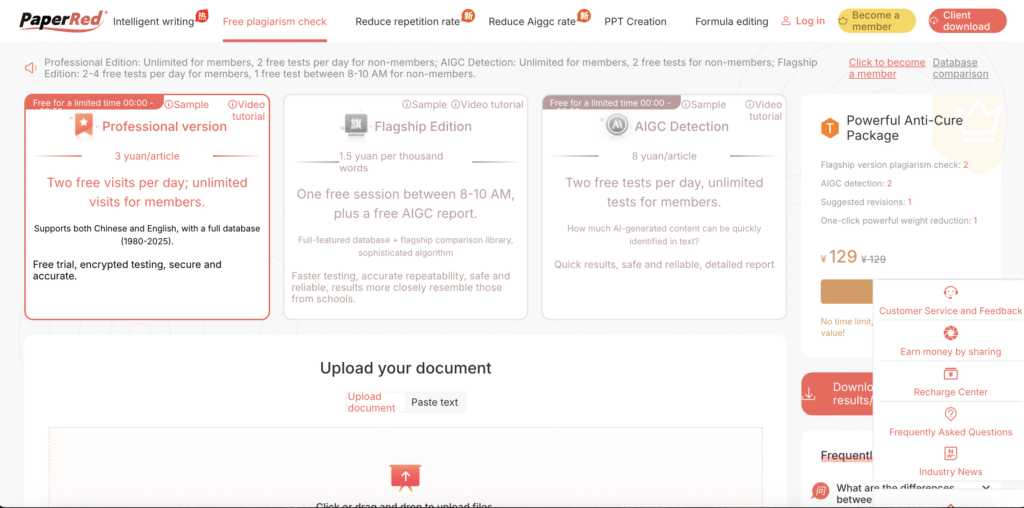
Key Features of PaperRed
- Free Plagiarism Checker
PaperRed offers a completely free plagiarism checker, a major advantage over paid competitors like Turnitin or Grammarly Premium. It scans documents for similarities across web sources and databases to generate a detailed originality report. - AI-Powered Detection
PaperRed uses machine learning models to detect both human and AI-generated text, providing an extra layer of transparency in today’s AI-heavy writing environment. - Intelligent Rewriting
The built-in AI paraphrasing tool helps users automatically rewrite sections flagged as plagiarized—ensuring the rewritten version remains natural and original. - AI Paper Creation
PaperRed also includes an AI writing assistant that can help generate academic-style drafts, outlines, and summaries—ideal for jumpstarting research papers or essays. - Formatting Assistance
Formatting can be a nightmare for academic writers. PaperRed’s AI provides citation detection and formatting help to align papers with academic standards such as APA or MLA.
How to Use PaperRed
Using PaperRed is straightforward. Visit PaperRed’s official site. Upload or paste your document. The AI system scans for plagiarism and generates a detailed report that includes full-text comparison, source matches, citation identification, and originality percentage.
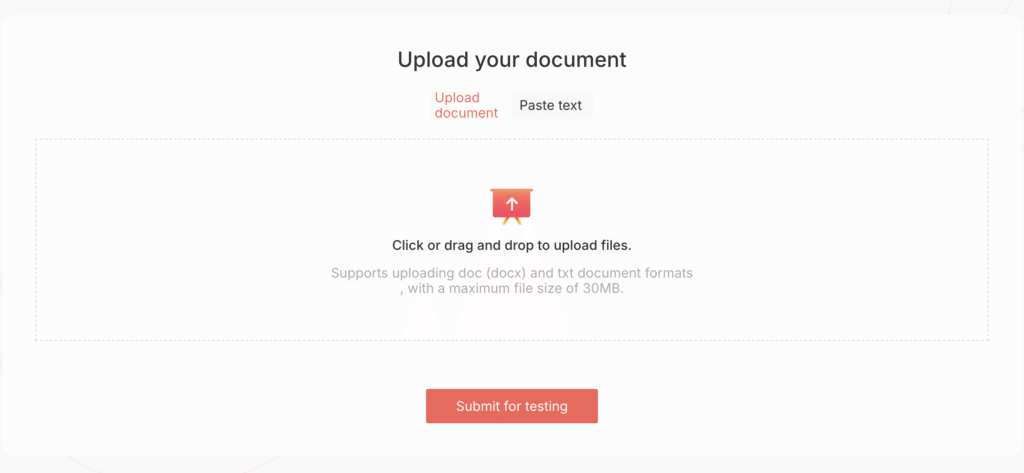
Note: While the tool primarily requires a WeChat login, users also have the option to register quickly using an email address and password.
If plagiarism is detected, you can use the AI rewriting tool to paraphrase flagged sections instantly. Once done, you can recheck the updated version for a clean originality report. It’s fast, intuitive, and requires no registration or payment to start.
Use Cases: When to Use PaperRed
- Checking initial drafts for plagiarism before submission
- Revising and rewriting plagiarized sections with AI help
- Generating new academic content using AI guidance
- Ensuring formatting accuracy for citations and references
Whether you’re writing a research paper, essay, or thesis – PaperRed streamlines every step of the process.
Is PaperRed Safe to Use?
As per our research and review, PaperRed appears to take user privacy seriously, employing advanced encryption measures to safeguard uploaded documents and personal data.
The platform’s approach to data protection aligns with its stated privacy commitments, and we found no indications of misuse or data exposure during our evaluation.
PaperRed is operated by a team based in China, which users should be aware of when considering data jurisdiction and storage policies. While the platform performs well in terms of functionality and reliability, we still advise users to refrain from uploading highly sensitive or unpublished research materials, particularly when data confidentiality is a top priority.
PaperRed vs Traditional Plagiarism Checkers
| Feature | PaperRed | Turnitin | Grammarly |
|---|---|---|---|
| Free Access | Yes | No | Limited |
| AI Detection | Yes | No | Partial |
| Rewriting Tool | Built-in | No | Yes |
| Formatting Help | Yes | Limited | Limited |
| Report Type | Full-text, Citation, Originality | Detailed | Basic |
| Best For | Students, Researchers, Freelancers | Institutions | Writers, Marketers |
PaperRed clearly focuses on accessibility and all-in-one convenience, making it ideal for individual users rather than large academic institutions.
Final Thoughts: Is PaperRed Worth Using?
If you’re looking for a free, easy-to-use AI plagiarism checker that also helps you rewrite and format your work – PaperRed is absolutely worth trying.
It might not yet match the institutional-grade accuracy of Turnitin, but for everyday users, its mix of AI detection, rewriting, and formatting assistance offers tremendous value.
In short: PaperRed saves time, improves writing quality, and ensures originality—all for free. For students, freelancers, and content creators, it’s one of the most practical tools to add to your writing toolkit in 2025.
That said, if you are an enterprise-grade user dealing with confidential, proprietary, or highly sensitive academic or corporate data, we recommend re-evaluating your usage and opting for tools that offer enterprise-level data privacy agreements and self-hosted infrastructure.
Try PaperRed here: https://www.paperred.com/check


